Free GPT Image 2 Group Photo Prompts | Image 2
Copy free GPT Image 2 group photo prompts with AI group photo editing examples for 3D figures, anime scenes, Y2K posters, stickers, and scrapbooks on Image 2.
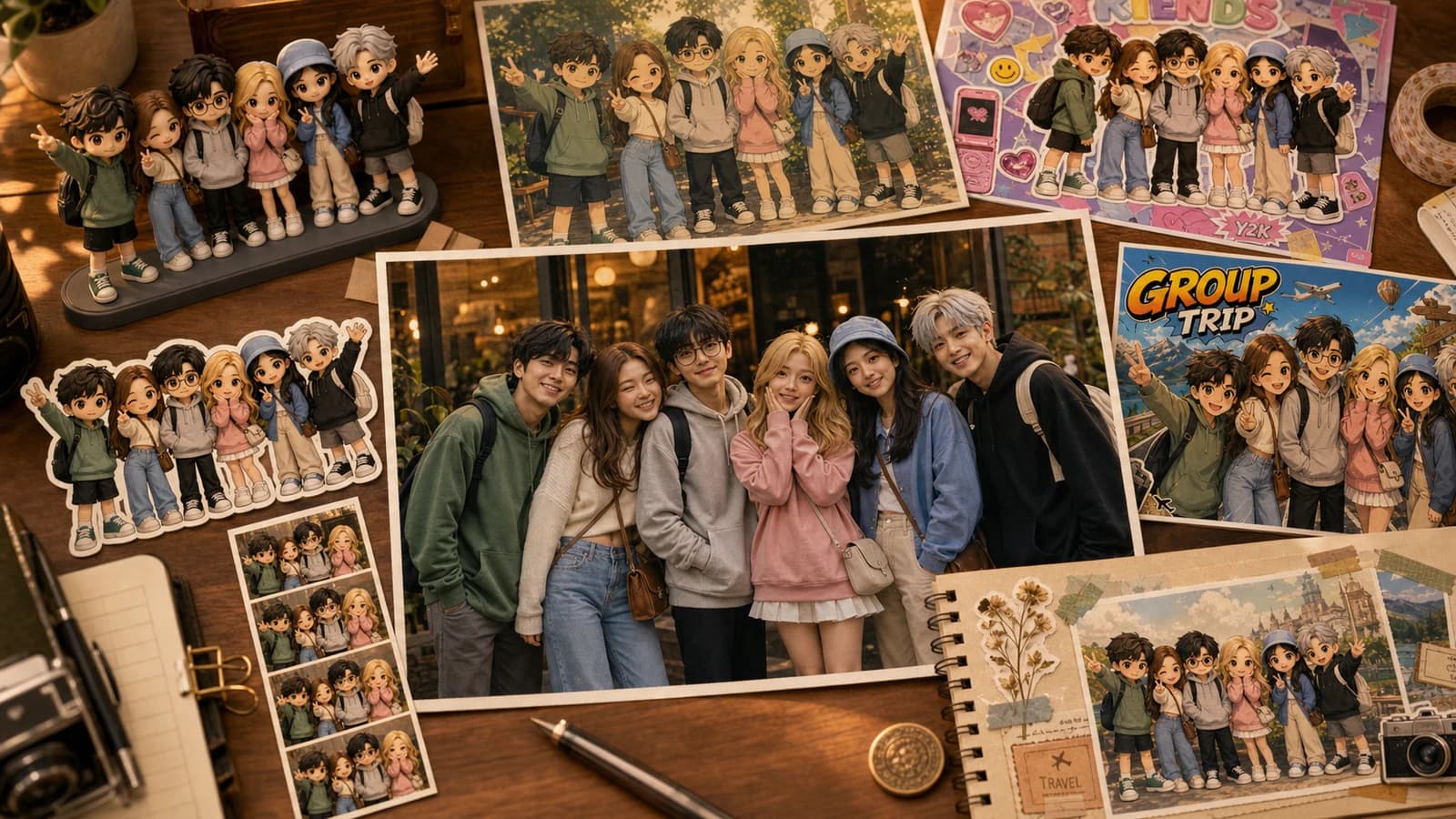
Looking for free GPT Image 2 group photo prompts that do more than apply a simple filter? This guide gives you copy-ready prompts for turning one group photo into 3D figures, anime scenes, Y2K posters, travel postcards, stickers, photobooth strips, and scrapbook pages.
Group photos are harder to edit than single portraits. The model has to preserve every person's identity, keep the headcount correct, avoid swapping faces, protect hands, and still make the result feel more interesting than a normal filter.
The goal is simple: upload one real group photo, keep the people recognizable, and turn the image into shareable visuals for friends, family trips, team photos, parties, cafes, weddings, and creator meetups.
Each prompt below includes a matching example image so you can see the intended visual direction before copying the prompt.
Use these prompts in Image 2 with GPT Image 2 selected, or adapt them for your own AI image workflow.
What You Get
This is a practical prompt pack, not a generic style list:
- A reusable group photo prompt formula for identity preservation.
- 12 free GPT Image 2 group photo prompts with matching examples.
- Guardrails for faces, hands, headcount, text, logos, and layout.
- Troubleshooting lines for missing people, face drift, broken fingers, and messy text.
- Settings guidance for social posts, printable keepsakes, and wide group scenes.
The example images use a fictional friend group so you can compare styles without confusing them for real user results.
The Group Photo Prompt Formula
For group photos, do not start with style. Start with preservation.
Use this structure:
Use the uploaded group photo as the identity reference.

Preserve:
all people, face identity, hairstyle, clothing colors, headcount, relative positions, expressions, body poses, and the main group relationship.

Change:
only the visual style, background treatment, decorative elements, lighting, materials, and layout.

Style:
[describe the target style clearly]

Output goal:
clear, fun, natural, and suitable for social posts such as Instagram, Xiaohongshu, or friend-group recaps.

Guardrails:
Do not add or remove people. Do not replace anyone with a stranger. Do not distort faces, hands, fingers, eyes, teeth, or glasses. Do not add random text, watermarks, real brand logos, or unrelated symbols.
That formula works because it gives GPT Image 2 a clear boundary: preserve the people, redesign the image.
If your result changes faces or drops someone from the group, paste the same prompt again and make the preservation block even more explicit before changing the style.
12 GPT Image 2 Group Photo Prompts to Copy
Each prompt below is written as a complete instruction. Replace small details like the event, location, colors, or mood as needed.
1. Cute 3D Group Figurines
Use this when you want the group to look like a soft collectible toy set without losing individual details.
Use the uploaded group photo as the identity reference. Turn everyone into a cute 3D chibi-style figurine group while preserving each person's face identity, hairstyle, clothing colors, expression, pose, and relative position.

Make the scene feel like a travel souvenir figurine display: soft matte materials, rounded proportions, friendly expressions, clean background, gentle studio lighting, and a polished collectible look.

Do not add or remove people. Do not change the group's formation. Do not distort faces, hands, fingers, glasses, or clothing details. No real brand logos, watermark, or random text.
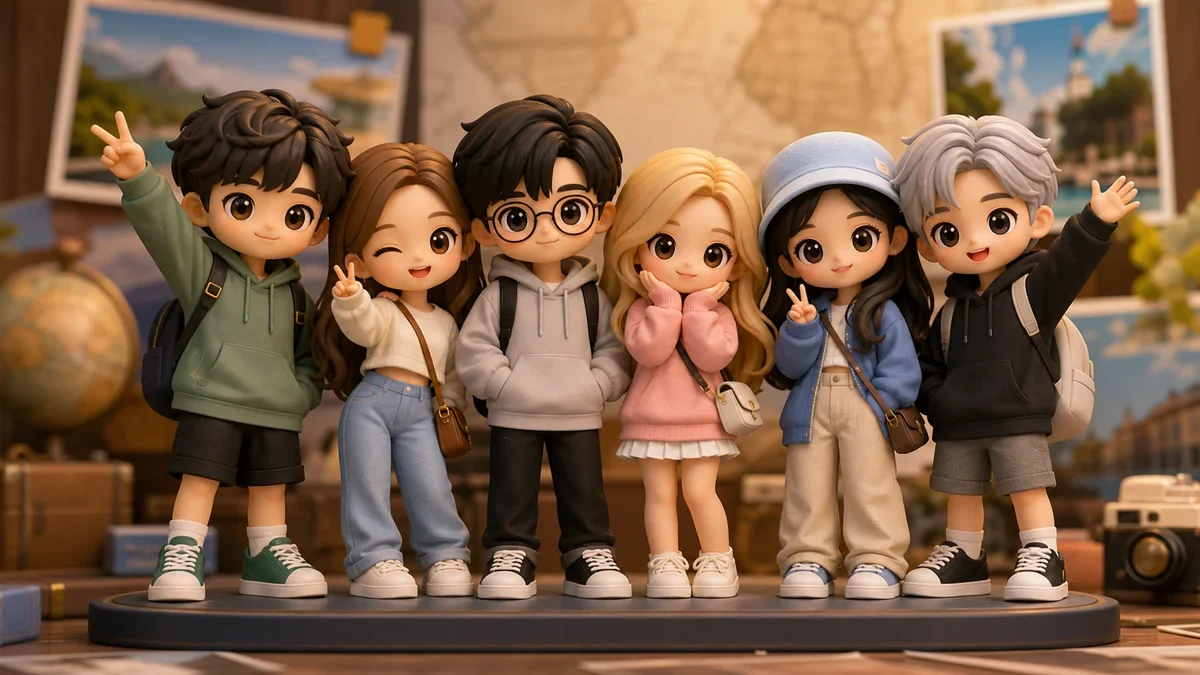
Best for: travel memories, friend groups, cafe visits, team snapshots, and birthday photos.
2. Soft Japanese Animation Scene
This version keeps the group composition but turns the environment into a warm hand-drawn animation frame.
Use the uploaded group photo as the identity reference. Convert the image into a gentle Japanese animated film style while preserving all people, face identity, hairstyles, clothing colors, expressions, body poses, and relative positions.

Use warm natural light, soft hand-painted textures, clean linework, subtle background simplification, and a calm nostalgic color palette. Keep the people recognizable and avoid making them look too young.

Do not add or remove people. Do not change faces, eyes, hands, or glasses. No random text, watermark, or copyrighted character references.
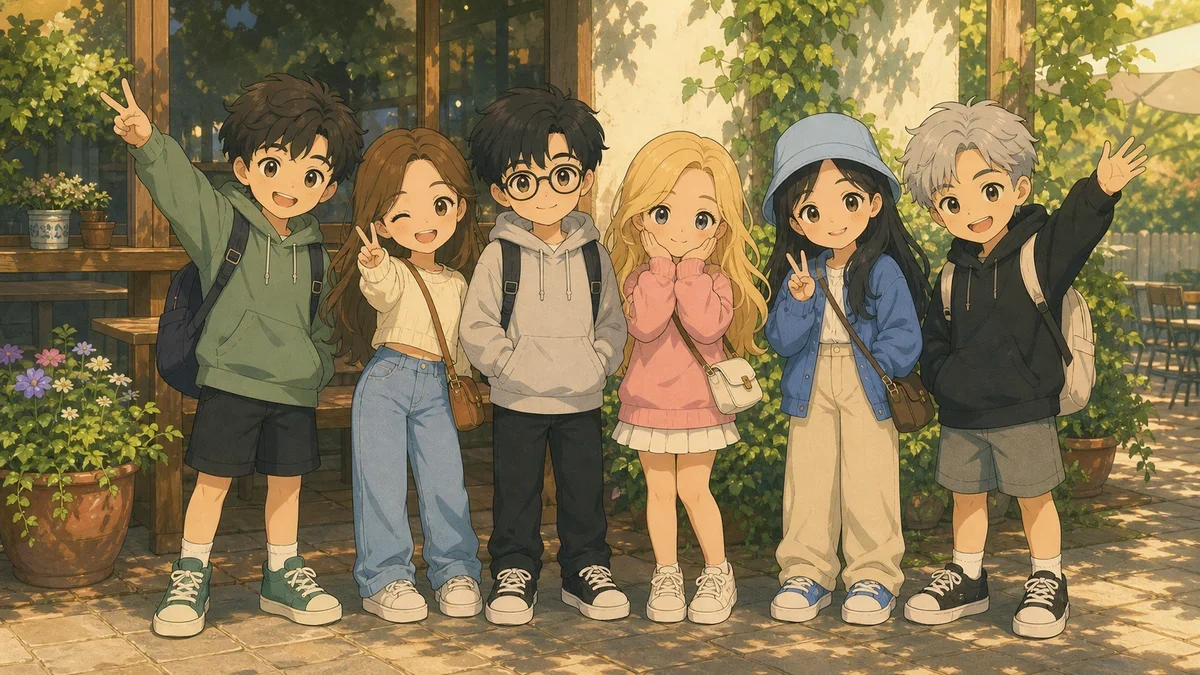
Best for: outdoor group photos, garden cafes, family trips, graduation photos, and warm daylight scenes.
3. Y2K Kawaii Magazine Collage
Use this for a louder social post: stickers, sparkles, magazine layout energy, and high saturation.
Use the uploaded group photo as the identity reference. Create a Y2K kawaii street magazine collage poster while preserving every person's identity, hairstyle, outfit colors, expression, pose, and position.

Add silver stars, transparent stickers, glossy highlights, pastel cutout shapes, small English decorative words, and a playful magazine cover layout. Use bright color, layered collage composition, and clean fashion editorial energy.

Render only short readable decorative text such as "BEST DAY", "FRIENDS", or "TRIP". Do not generate fake paragraphs, random letters, real logos, watermark, or extra people. Do not distort faces or hands.
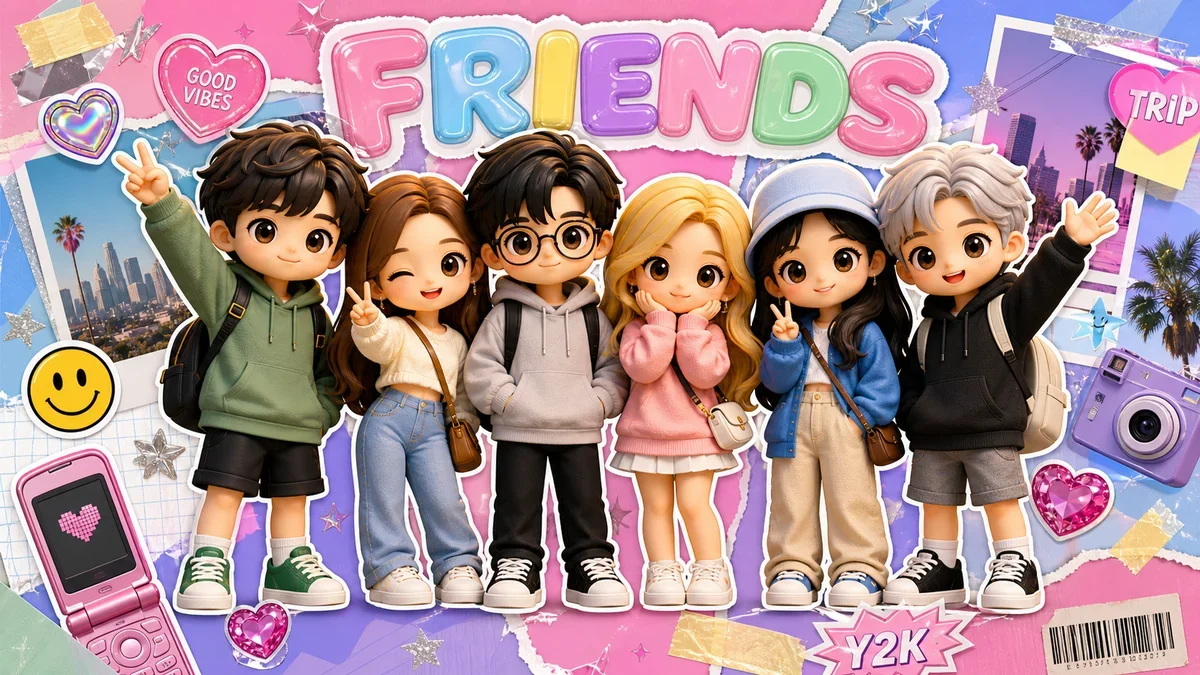
Best for: Xiaohongshu covers, Instagram carousels, party photos, and Gen Z-style friend edits.
4. Collectible Toy Box Display
This prompt turns a group photo into a toy shelf or packaging concept while avoiding real toy brands.
Use the uploaded group photo as the identity reference. Transform the group into a set of cute collectible figures displayed on a clean toy showcase shelf.

Preserve the headcount, face identity, hairstyles, clothing colors, expressions, poses, and the original standing order. Add soft display lighting, transparent packaging reflections, small nameplate-style bases with no readable names, and a premium toy photography look.

Do not add real toy brand logos, copyrighted packaging, random text, extra people, or missing people. Do not distort faces, hands, fingers, glasses, or important accessories.
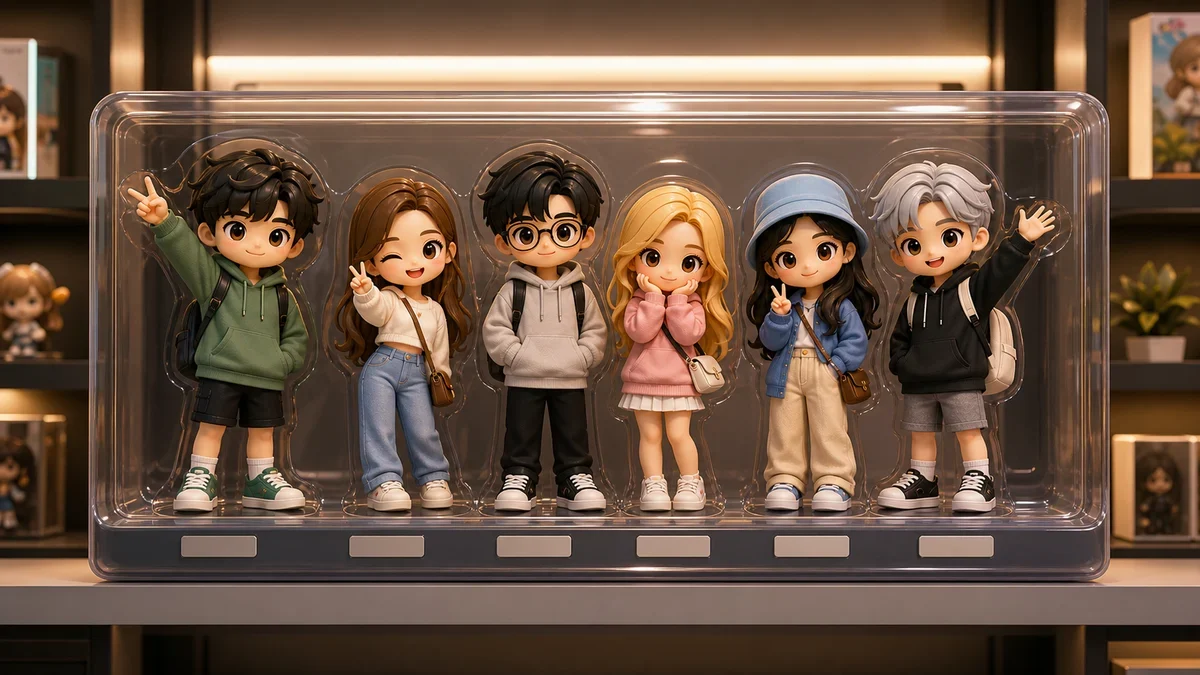
Best for: friend groups, creator teams, company offsites, and souvenir-style edits.
5. Travel Manga Cover
This style adds comic energy without turning the photo into a completely new scene.
Use the uploaded group photo as the identity reference. Redesign the image as an original travel manga cover while preserving all people's identities, hairstyles, clothing colors, expressions, poses, and relative positions.

Use crisp ink lines, semi-realistic manga coloring, energetic speed lines, friendly dramatic lighting, travel-themed small graphics, and a bold cover composition. Add one short original title in clean readable English, such as "GROUP TRIP" or "DAY OUT".

Do not change anyone's identity. Do not add or remove people. No copyrighted manga characters, no real logos, no unreadable text blocks, no distorted hands or faces.
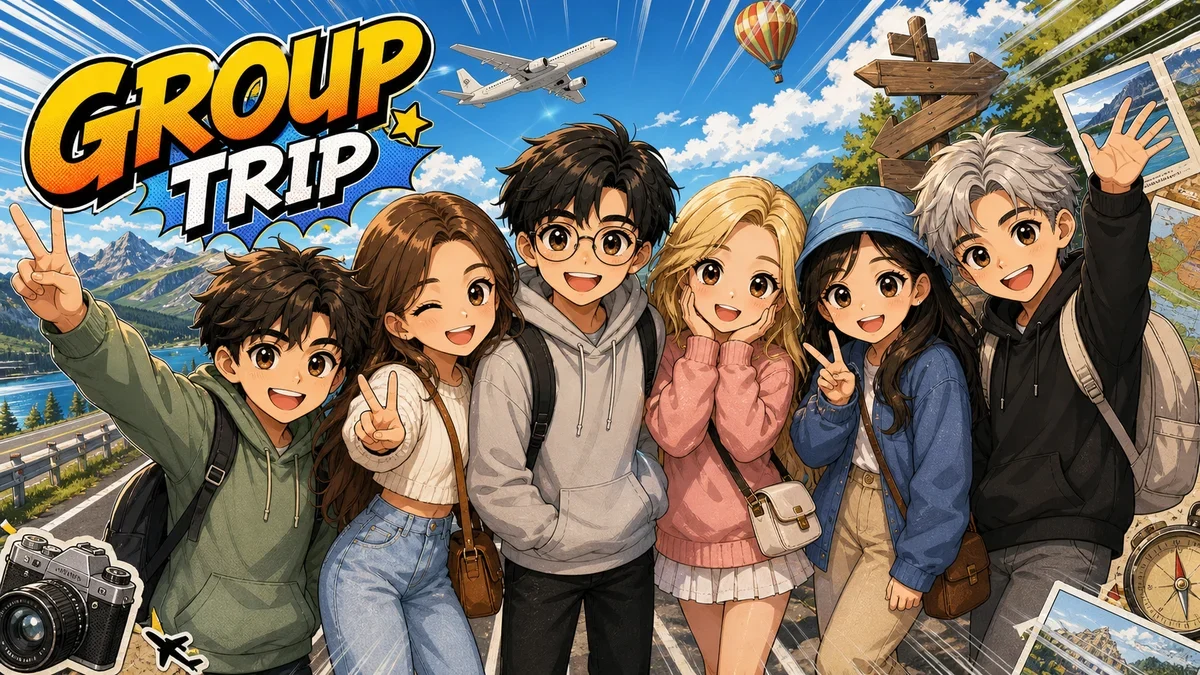
Best for: funny group reveals, trip recaps, team photos, and event covers.
6. Travel Postcard Layout
Use this when you want a printable keepsake instead of a pure filter.
Use the uploaded group photo as the identity reference. Design a travel postcard using the group photo as the main image while preserving every person's face identity, hairstyle, clothing, expression, pose, and headcount.

Create a split postcard layout: the group image on the left with a light illustrated treatment and torn-paper edges, and a clean postcard area on the right with a stamp, postmark, date line, and one short handwritten-style phrase like "A DAY TO REMEMBER".

Keep text short and readable. Do not add or remove people. Do not distort faces, hands, or glasses. No real postal marks, real logos, watermark, or random text.
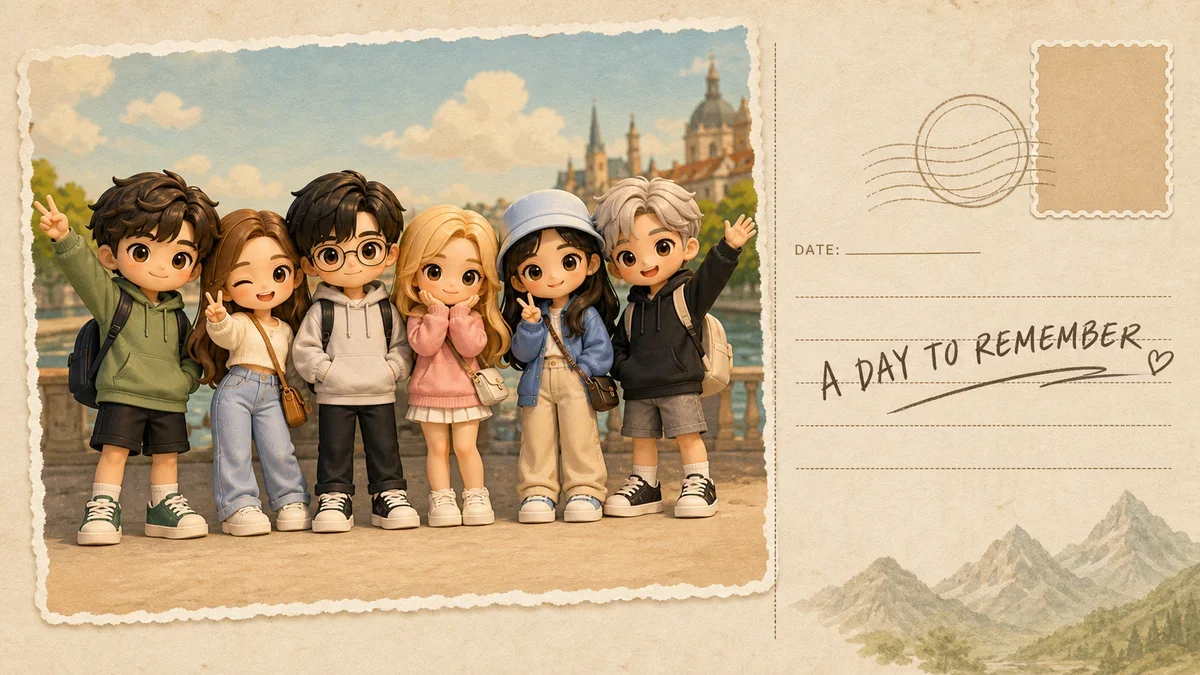
Best for: travel diaries, printable cards, thank-you notes, and friend group gifts.
7. White Border Sticker Group
This is the simplest prompt when you want an easy social sticker look.
Use the uploaded group photo as the identity reference. Turn the group into a clean sticker-style image while preserving everyone, face identity, hairstyles, clothing colors, expressions, poses, and relative positions.

Add a thick white outline around the full group, a very thin dark outer stroke, simplified soft background, subtle shadow, and a cute travel sticker mood.

Do not add or remove people. Do not change faces, hands, fingers, glasses, or clothing details. No random text, watermark, or unrelated objects.
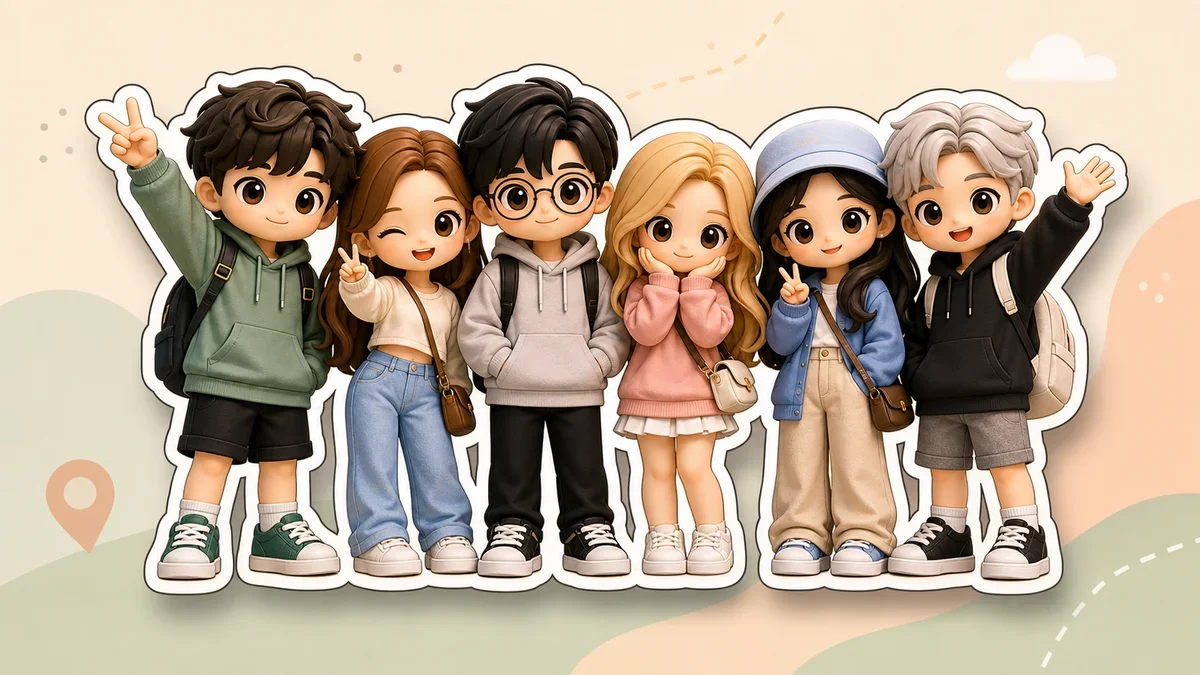
Best for: chat stickers, thumbnails, profile banners, and lighthearted recap posts.
8. Xiaohongshu Photo Sticker Collage
This prompt creates the bright photo-sticker collage look often used for friend-trip recap covers.
Use the uploaded group photo as the identity reference. Create a Xiaohongshu-style photo sticker collage with 2 to 4 small frames featuring the same friend group.

Preserve every person's identity, hairstyle, clothing colors, and group relationship. Each frame can have a slightly different crop, expression energy, or sticker decoration, but the people must stay recognizable and the headcount must remain consistent.

Add stars, hearts, handwritten doodles, date marks, small sticker elements, bright but not overexposed color, and a friend-trip memory mood. Do not generate random text, missing people, extra people, distorted faces, or unnatural hands.
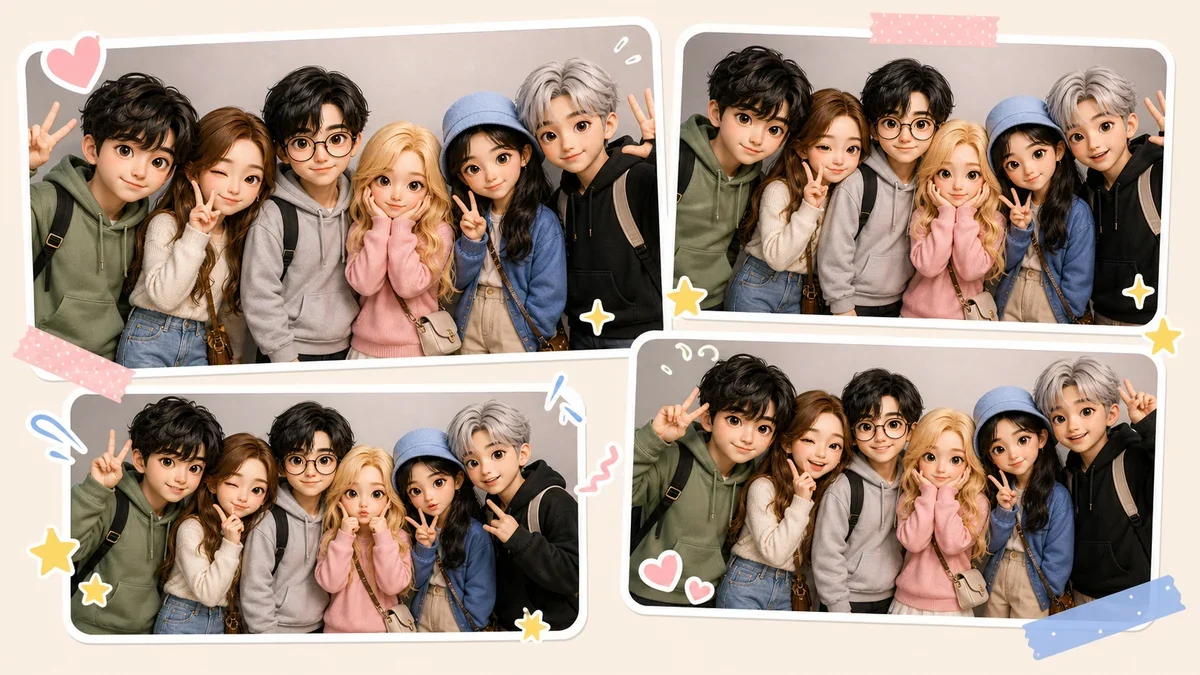
Best for: party recaps, friend outings, birthdays, and social feed covers.
9. Retro Photobooth Strip
Multi-frame prompts can fail more often, so this one is intentionally constrained.
Use the uploaded group photo as the identity reference. Create one vertical retro photobooth strip with four frames of the same group.

Keep the same people, identity, hairstyle, clothing colors, and group formation in every frame. Allow only subtle expression changes and tiny pose variations. Use warm vintage color, white borders, light film grain, date stamp styling, and a nostalgic party-photo mood.

Do not add or remove people in any frame. Do not create warped faces, broken hands, duplicated bodies, or unreadable text. If four frames become unstable, simplify to one clean photobooth-style frame.
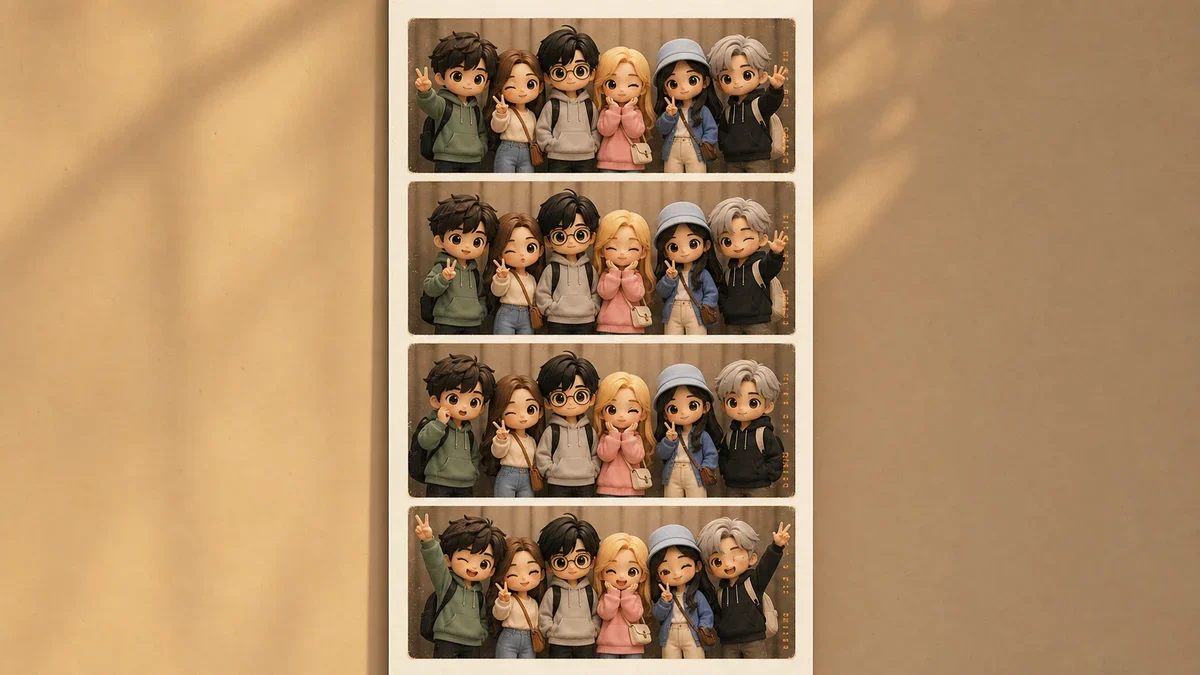
Best for: event keepsakes and nostalgic party edits. If the model struggles, switch to Prompt 8.
10. Cinematic Color Grade
Use this when the original photo is already good and you only want better atmosphere.
Use the uploaded group photo as the identity reference. Keep the original people, background, composition, headcount, faces, clothing, expressions, and poses unchanged.

Apply only cinematic color grading and subtle quality enhancement: natural skin tones, soft film grain, gentle highlights, richer color depth, mild background separation, and a polished movie-still mood.

Do not change anyone's face, body, clothing, hands, background structure, or group layout. Do not add text, props, logos, watermark, or extra people.
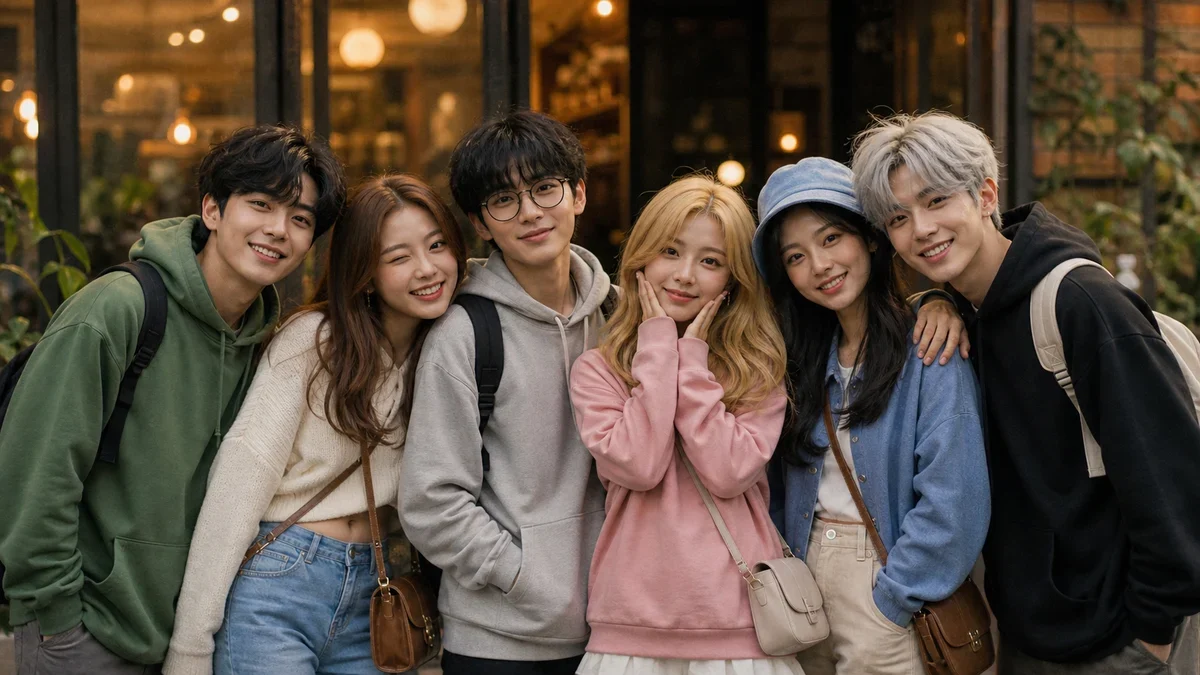
Best for: realistic edits, wedding groups, family photos, corporate events, and photos where accuracy matters more than novelty.
11. Matching Accessories Party Edit
This is useful when you want the photo to feel more themed without replacing the scene.
Use the uploaded group photo as the identity reference. Keep every person, face identity, hairstyle, outfit, expression, body pose, and background mostly unchanged.

Add small matching party accessories that naturally fit each person, such as playful sunglasses, hair clips, scarves, enamel pins, travel badges, or tiny celebration props. Accessories should feel attached to the existing photo, match the lighting, and never cover eyes or important facial features.

Do not add or remove people. Do not change faces, hands, clothing, or the environment. No random text, real logos, watermark, or oversized props.
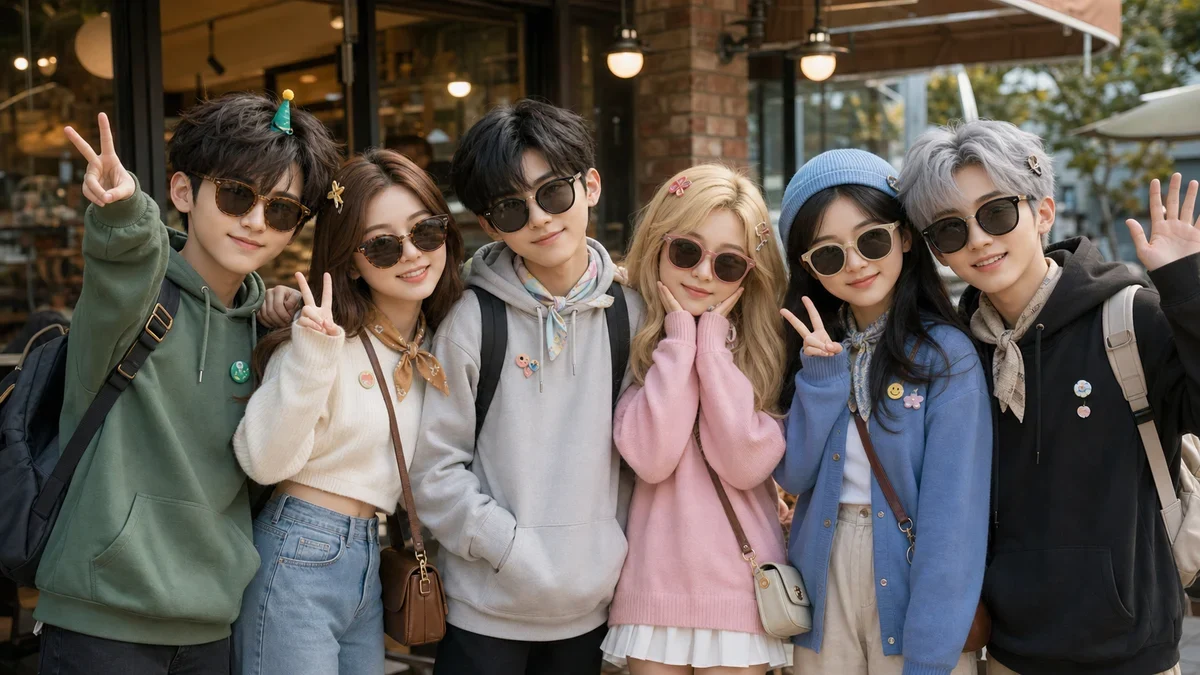
Best for: birthdays, themed events, holiday posts, and subtle group-photo upgrades.
12. Travel Scrapbook Sticker Page
Use this for a richer layout with multiple travel elements around the group.
Use the uploaded group photo as the identity reference. Turn the group photo into a clean travel scrapbook sticker page while preserving every person's identity, hairstyle, clothing colors, expression, pose, and position.

Add white sticker outlines, paper textures, ticket stubs, map fragments, camera icons, route dashes, small stars, date labels, and layered scrapbook elements around the group. Keep the composition clean, not crowded, with the group as the main subject.

Do not add or remove people. Do not distort faces, hands, fingers, or glasses. Do not use real travel brand logos, random text blocks, watermark, or unrelated objects.
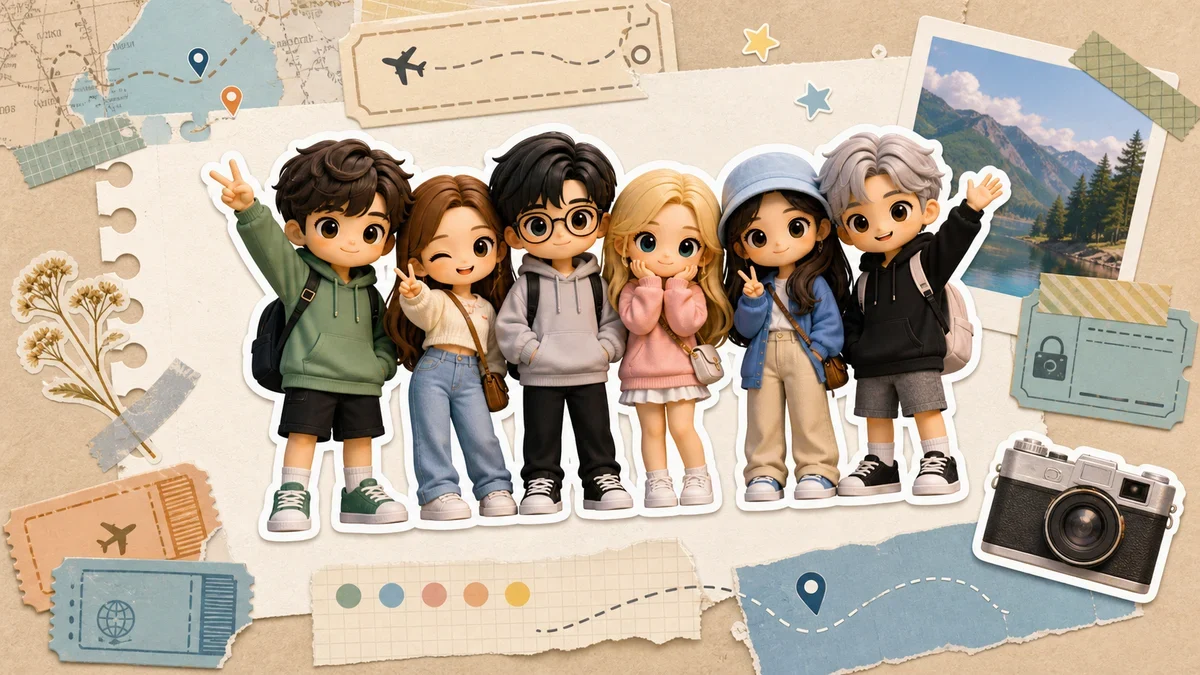
Best for: trip albums, printable memory pages, social story covers, and creator recap posts.
Troubleshooting Group Photo Edits
If the first output looks wrong, do not rewrite the whole prompt. Fix the failure mode directly.
If someone disappears
Add this line:
Count the people in the uploaded image first, then keep exactly the same number of people in the final image.
If faces change too much
Add this line:
Prioritize identity preservation over style intensity. Keep each face recognizable before applying the visual effect.
If hands or fingers break
Add this line:
Keep hands in their original pose and simplify hand detail if needed instead of changing finger positions.
If text becomes messy
Use fewer words. For posters and postcards, keep text to one short phrase such as:
FRIENDS
DAY OUT
GROUP TRIP
BEST DAY
Avoid full sentences inside the image unless you are prepared to regenerate several times.
Recommended GPT Image 2 Settings
For quick drafts:
quality: low or auto
size: 1024x1024, 1024x1536, or 1536x1024
For final social posts or printable keepsakes:
quality: high
size: 2048x2048 for square stickers and toy displays
size: 1024x1536 for postcards, covers, and photobooth layouts
size: 1536x1024 or 2048x1152 for wide group scenes
If your group has many people, start with a larger source photo and avoid very dense layouts. More faces means less room for the model to preserve detail.
A Simple Workflow
- Upload the original group photo.
- Start with the cinematic color grade or sticker prompt to test identity preservation.
- Move to a stronger style such as 3D figures, anime, Y2K collage, or manga cover.
- If a person changes, strengthen the preservation block before adding more style words.
- Keep text short, especially in posters and postcards.
- Generate a few variations, then pick the one where every person still looks right.
Group photo editing works best when the prompt behaves like a design brief, not a vague style request. Lock the people first, then let GPT Image 2 redesign the world around them.
FAQ
What are GPT Image 2 group photo prompts?
GPT Image 2 group photo prompts are editing instructions that tell the model what to preserve in a group image and what to redesign. A good prompt protects face identity, headcount, clothing, poses, and relative positions before asking for a new style.
Can I use these group photo prompts for free?
Yes. You can copy the prompts from this guide and test them on Image 2 with available free credits. New users can start with signup credits, then continue with plans, top-ups, check-ins, or referrals if they need more generations.
What is the best prompt for a large group photo?
Start with the cinematic color grade, white border sticker, or travel postcard prompt. These styles change less of the original composition, so they are more stable when a photo has many faces.
Can I use these prompts for family, team, or event photos?
Yes. The same prompt structure works for family trips, wedding groups, cafe outings, office teams, creator meetups, and party photos. For formal or sensitive photos, start with the cinematic color grade or travel postcard prompt before trying stronger styles like 3D figures, manga covers, or Y2K collage.
What kind of source photo works best?
Use a sharp group photo with visible faces, balanced lighting, and enough space around the group. Avoid heavy filters, strong motion blur, blocked faces, or very tiny faces, especially for photobooth, collage, and scrapbook prompts.
How do I stop GPT Image 2 from changing people in the photo?
Put identity preservation before style. Tell the model to keep the exact same people, headcount, face identity, hairstyles, clothing colors, expressions, poses, and relative positions. If the result still drifts, add: Prioritize identity preservation over style intensity.
Why do photobooth and collage prompts fail more often?
Multi-frame layouts ask the model to repeat the same group several times. That increases the chance of missing people, face drift, or strange hands. If the four-frame version looks unstable, use the social photo booth collage prompt or simplify to one clean framed image.
Which output size should I choose for group photo edits?
Use square output for stickers and toy displays, portrait output for postcards and photobooth layouts, and landscape output for wide group scenes. For final social posts or printable keepsakes, use higher quality so small faces and clothing details stay clearer.
Try These Group Photo Prompts
Open Image 2, upload a group photo, choose GPT Image 2, and paste one of the prompts above. For more copy-ready ideas, browse the GPT Image 2 prompt library or explore visual presets in Image 2 Style Templates.
Related Posts

GPT Image 2 Prompt Guide: What 2,636 Prompts Reveal (2026)
We analyzed 2,636 GPT Image 2 prompts across 11 categories. Learn practical prompt structures for portraits, ads, posters, UI, infographics, and more.
GPT Image 2 Ecommerce Prompts for Amazon & Instagram
Copy-ready AI prompts for Amazon main images, lifestyle photos, infographics, hero banners, and Instagram launch visuals — built on GPT Image 2.

10 Best Nano Banana Portrait Prompts for Men, Women & Couples (2026)
Use these 10 proven Nano Banana portrait prompts to create realistic LinkedIn headshots, lifestyle portraits, and cinematic couple photos in minutes.