Prompt
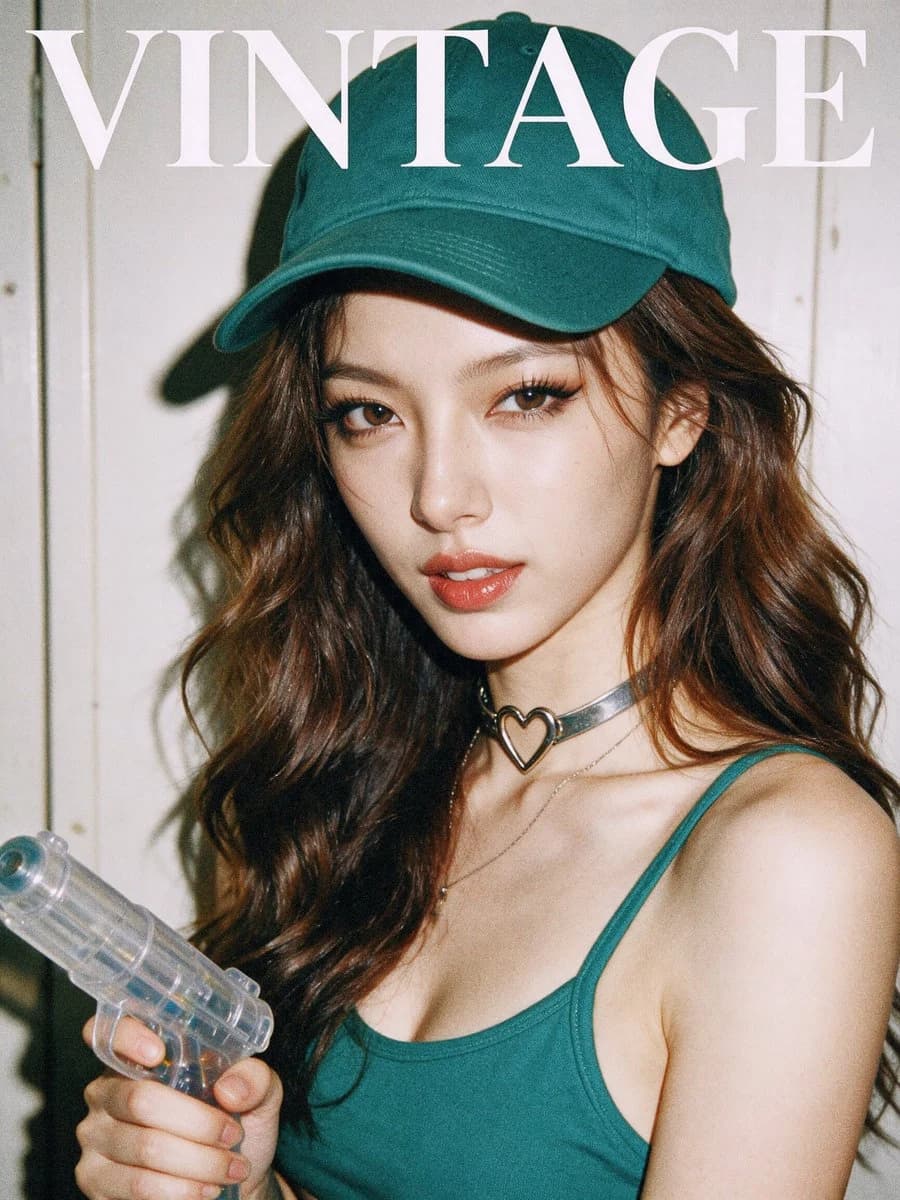
173 wordsFashion magazine-style snapshot, APS-C. 35mm film photography, faded, low color saturation, film grain, strong direct flash effect, clean and bright skin tones with pronounced shadows, a light-colored wooden cabinet door in the background to make the subject stand out. The person (facial features based on the reference image) faces the camera, wearing a {argument name="outfit color" default="green (#466b5a)"} sports camisole and {argument name="hat color" default="green (#466b5a)"} baseball cap, with long {argument name="hair color" default="coffee-brown"} wavy hair, paired with a metallic heart-shaped choker and necklace. Delicate makeup and thick eyelashes, expressing a slightly mischievous and playful pose and expression, holding a plastic water gun to create an urban trendy feel. The composition is centered slightly to the right, with a tight portrait framing that emphasizes the eyes and lip movements. Post-processing uses neutral-to-warm colors with low color saturation; the skin is smooth and grain-free, details are sharp, and the overall atmosphere is youthful street style, relaxed and bold. The word VINTAGE is written at the top of the image in a white serif font.About this prompt
Vintage Film Magazine Snapshot is a ready-to-use social media prompt for GPT Image 2 on Image 2. Copy the 173 words below, paste them into the Create form, and you will get a result close to the preview above. Tweak the Social Media, Food, Fashion tag if you want to push it somewhere new.
Use it as a starting point, then adjust the subject, lighting, or composition to suit your idea. The credit cost stays the same whether you use it as written or customize it.
Use case
A strong starting point for Social Media
Start here when you want a social media image inspired by Vintage Film Magazine Snapshot. The prompt already sets the look and composition; replace the subject, product, colors, or scene details to match your project.
Easy places to tweak
- Subject Swap in your person, product, place, or object without changing the overall composition.
- Look and mood Tune the lighting, palette, camera angle, or materials so the image fits your brand.
- Final format Set the aspect ratio, background, text, or layout notes before you generate.
More prompt paths to explore
Find more GPT Image 2 prompts with a similar style, use case, or subject.
How to use it
- Step 1
Copy the prompt
Hit the Copy button above to grab the full text.
- Step 2
Open Image 2 Create
Head to the Create form and paste it in.
- Step 3
Generate
Hit Generate. Your version lands in seconds.
Make it yours
Load the prompt into the Create form with one click, then start tweaking.