Prompt
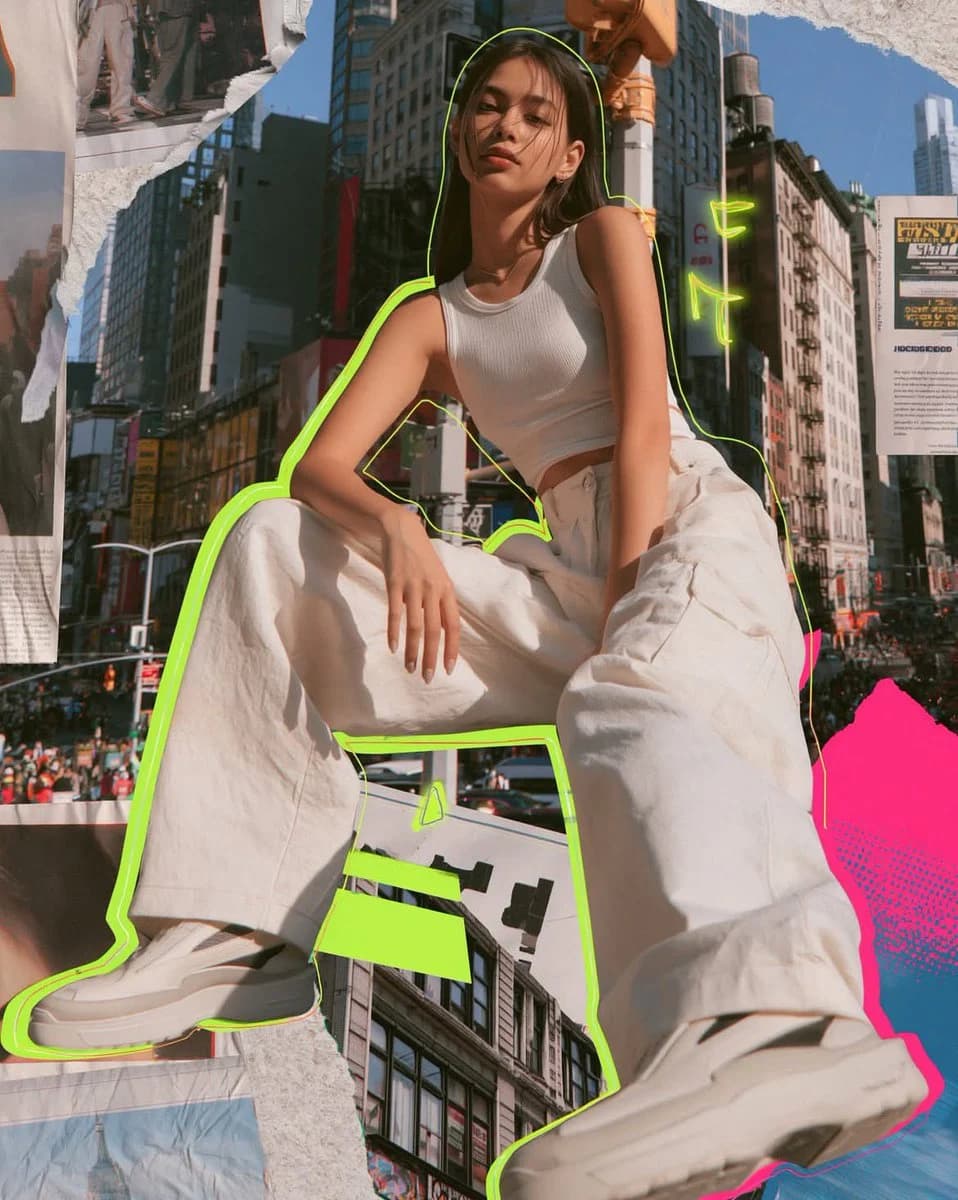
153 wordsPhotorealistic mixed media fashion collage of a {argument name="subject" default="cool young woman"} in a modern urban setting. Shot slightly below, straight on or soft 3/4 body composition. Confident cool girl presence wearing relaxed wide leg trousers, fitted cropped tank, and sleek streamlined sneakers. Full color, natural skin tones, dark hair, polished fashion editorial look. {argument name="background" default="Colorful New York style background"}: tall buildings, busy street energy, layered architecture, vibrant yet clean and editorial. Mixed media collage elements throughout: torn paper textures, editorial paper layers, subtle halftone details, graphic shapes. {argument name="neon colors" default="Vivid neon accents acid lime green and hot pink"} with high saturation. Thin but clearly visible neon outline around the woman, small glowing graphic details integrated into the collage. Bold, modern, visually striking but controlled and aesthetically clean. Subtle film grain. High end Instagram grid aesthetic: aspirational, modern, visually cohesive. --ar 4:5 --raw --profile f7ca75c --stylize 60 --weird 4 --hd --previewAbout this prompt
Urban Mixed Media Collage is a ready-to-use ad creative prompt for GPT Image 2 on Image 2. Copy the 153 words below, paste them into the Create form, and you will get a result close to the preview above. Tweak the Product Ad, Ad Creative, Social Media tag if you want to push it somewhere new.
Use it as a starting point, then adjust the subject, lighting, or composition to suit your idea. The credit cost stays the same whether you use it as written or customize it.
Use case
A strong starting point for Ad Creative
Start here when you want a ad creative image inspired by Urban Mixed Media Collage. The prompt already sets the look and composition; replace the subject, product, colors, or scene details to match your project.
Easy places to tweak
- Subject Swap in your person, product, place, or object without changing the overall composition.
- Look and mood Tune the lighting, palette, camera angle, or materials so the image fits your brand.
- Final format Set the aspect ratio, background, text, or layout notes before you generate.
More prompt paths to explore
Find more GPT Image 2 prompts with a similar style, use case, or subject.
How to use it
- Step 1
Copy the prompt
Hit the Copy button above to grab the full text.
- Step 2
Open Image 2 Create
Head to the Create form and paste it in.
- Step 3
Generate
Hit Generate. Your version lands in seconds.
Make it yours
Load the prompt into the Create form with one click, then start tweaking.