Prompt
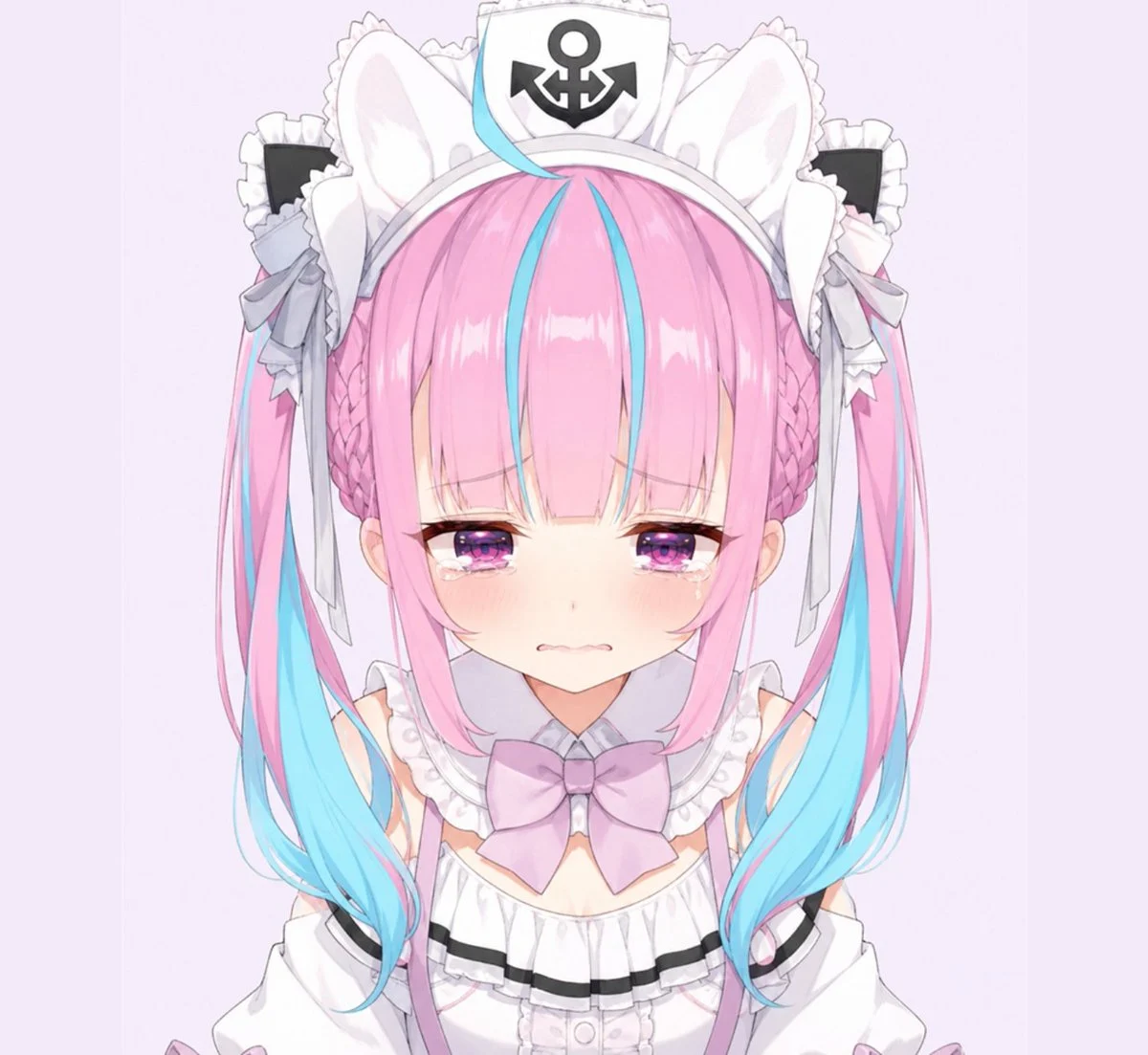
215 wordsCreate a square close-up anime portrait sticker of {argument name="character name" default="a cute virtual idol maid girl"} facing forward against a very pale lavender background. Show only the head, shoulders, and upper chest, centered and symmetrical, with an oversized chibi-like head and soft delicate line art. The character has long twin-tails with {argument name="hair color" default="cotton-candy pink hair with bright cyan-blue streaks and blue tips"}, straight blunt bangs, two braided side sections, and large white animal ears rising behind the hair. Add a white frilly maid headband with a small sailor-style cap at the top, displaying a bold black anchor emblem. Include exactly two large side hair accessories: black-and-white frilled rectangular maid clips with pale gray bows and dangling ribbons. Her expression is sad and teary: half-lidded purple-pink sparkling eyes, visible tears at both lower eyelids, flushed cheeks, tiny downturned mouth, and a vulnerable pout. Dress her in a white frilly maid outfit with a high ruffled collar, off-shoulder sleeves barely visible, black trim on the bodice, and one prominent pale lavender bow at the neck. Use a soft pastel VTuber fan-art style, glossy eyes, gentle blush gradients, clean cel shading, subtle highlights in the hair, no text, no watermark, no extra characters, and keep the composition tightly cropped like a digital sticker or emote.About this prompt
Teary Pastel Maid Anime Sticker is a ready-to-use portrait prompt for GPT Image 2 on Image 2. Copy the 215 words below, paste them into the Create form, and you will get a result close to the preview above. Tweak the Portrait, Fashion, Anime tag if you want to push it somewhere new.
Use it as a starting point, then adjust the subject, lighting, or composition to suit your idea. The credit cost stays the same whether you use it as written or customize it.
Use case
A strong starting point for Portrait
Start here when you want a portrait image inspired by Teary Pastel Maid Anime Sticker. The prompt already sets the look and composition; replace the subject, product, colors, or scene details to match your project.
Easy places to tweak
- Subject Swap in your person, product, place, or object without changing the overall composition.
- Look and mood Tune the lighting, palette, camera angle, or materials so the image fits your brand.
- Final format Set the aspect ratio, background, text, or layout notes before you generate.
More prompt paths to explore
Find more GPT Image 2 prompts with a similar style, use case, or subject.
How to use it
- Step 1
Copy the prompt
Hit the Copy button above to grab the full text.
- Step 2
Open Image 2 Create
Head to the Create form and paste it in.
- Step 3
Generate
Hit Generate. Your version lands in seconds.
Make it yours
Load the prompt into the Create form with one click, then start tweaking.