Prompt
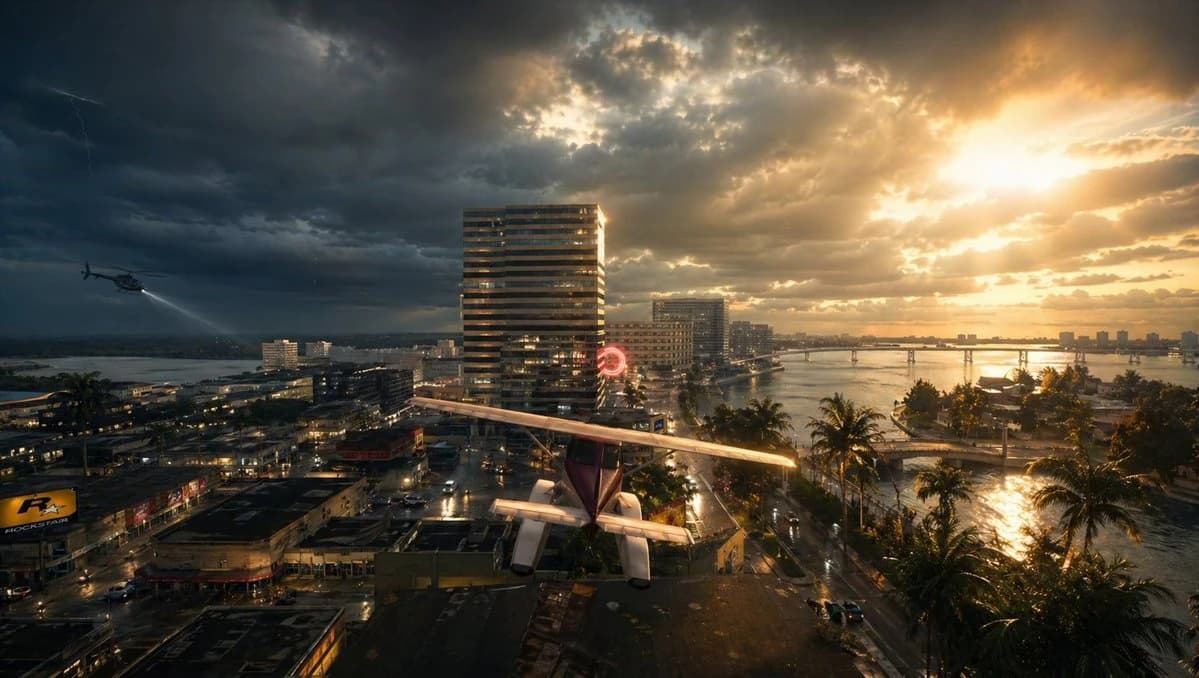
226 wordsA cinematic wide aerial view of a tropical coastal city at sunset during a violent storm, split dramatically between dark storm clouds on the left and blazing golden sunlight on the right. In the foreground, a small single-engine light airplane with a high wing and visible tail is parked or perched precariously on a flat rooftop, seen from behind and slightly above, centered near the bottom of the frame. To the left midair, 1 helicopter flies low over the city with its searchlight cast downward. In the sky, include 1 faint lightning bolt on the far left. The city below is dense with wet streets, reflective pavement, low-rise commercial buildings, and a few taller modern towers, including 1 prominent striped high-rise near the center. A glowing red circular neon sign is visible near the middle distance. On the right side, a calm bay or inlet curves through the city, lined with 1 row of tall palm trees along the waterfront road, and crossed by 1 long low bridge in the distance. The water and streets glisten from recent rain, reflecting the orange sunlight breaking through the clouds. Mood is tense, dramatic, and slightly surreal, like a movie still from an urban disaster thriller. Photorealistic, ultra-detailed, high dynamic range lighting, volumetric sun rays, storm atmosphere, wet surfaces, rich contrast, deep shadows, golden highlights, wide-angle lens, epic composition.
About this prompt
Stormy Tropical City With Rooftop Plane is a ready-to-use poster prompt for GPT Image 2 on Image 2. Copy the 226 words below, paste them into the Create form, and you will get a result close to the preview above. Tweak the Product Ad, Poster, Cyberpunk tag if you want to push it somewhere new.
Use it as a starting point, then adjust the subject, lighting, or composition to suit your idea. The credit cost stays the same whether you use it as written or customize it.
Use case
A strong starting point for Poster
Start here when you want a poster image inspired by Stormy Tropical City With Rooftop Plane. The prompt already sets the look and composition; replace the subject, product, colors, or scene details to match your project.
Easy places to tweak
- Subject Swap in your person, product, place, or object without changing the overall composition.
- Look and mood Tune the lighting, palette, camera angle, or materials so the image fits your brand.
- Final format Set the aspect ratio, background, text, or layout notes before you generate.
More prompt paths to explore
Find more GPT Image 2 prompts with a similar style, use case, or subject.
How to use it
- Step 1
Copy the prompt
Hit the Copy button above to grab the full text.
- Step 2
Open Image 2 Create
Head to the Create form and paste it in.
- Step 3
Generate
Hit Generate. Your version lands in seconds.
Make it yours
Load the prompt into the Create form with one click, then start tweaking.