Prompt
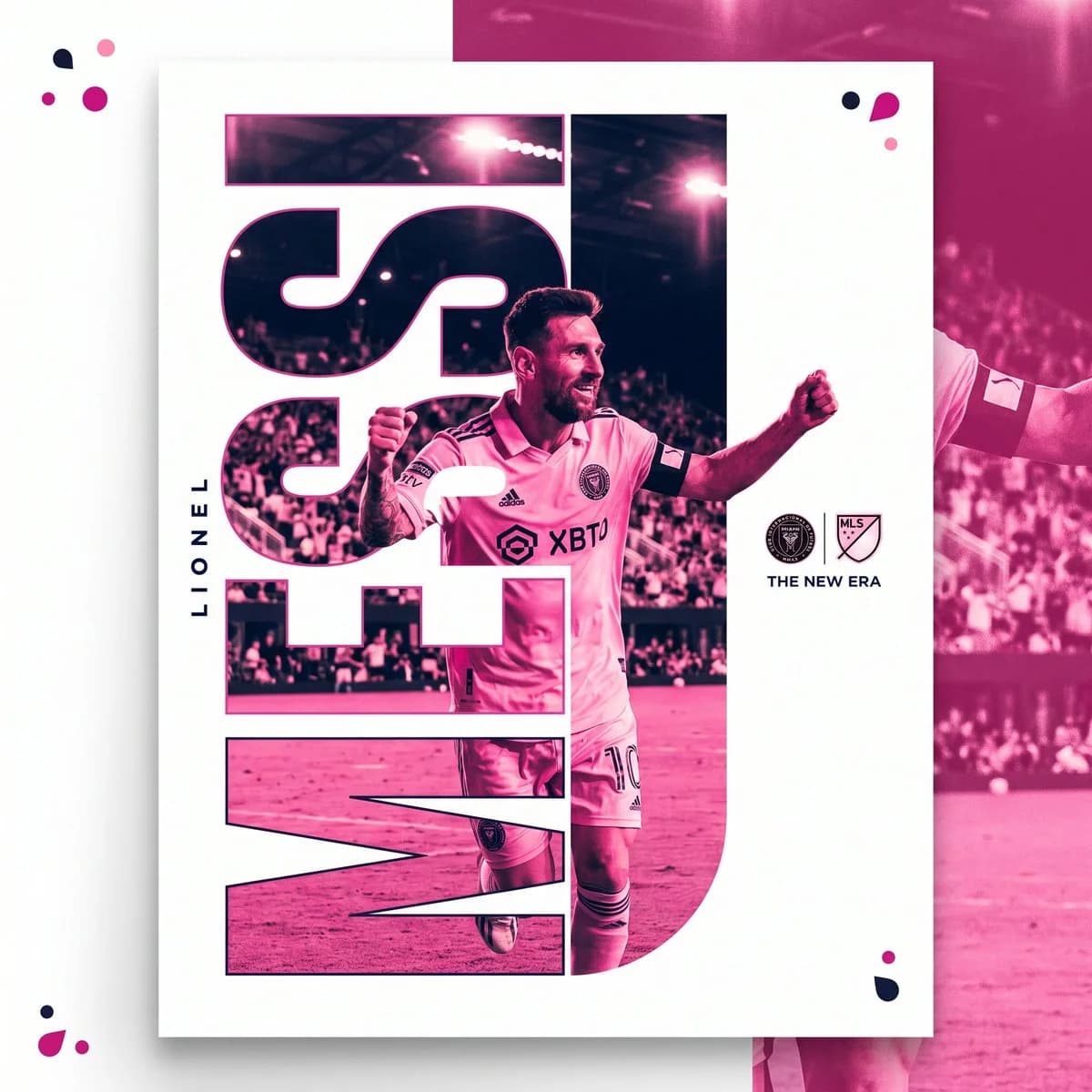
115 wordsSports poster design, fictional {argument name="subject" default="male soccer player"} with short dark hair, light stubble, confident gesture pointing toward camera with one hand near chin, other arm extended outward, wearing {argument name="jersey" default="pink soccer jersey with black trim and sponsor logo"}, tattoo visible on forearm, duotone pink color treatment over photograph, giant bold cutout typography spelling fictional surname "{argument name="player name" default="RIVERA"}" acting as a window revealing the photo behind the letters, asymmetric editorial layout with player name vertical along left edge in small white text, floating translucent color dot accents in orange and pink scattered in corners, clean white negative space background, magazine-quality sports editorial poster design, vertical 4:5 composition --ar 4:5 --v 6About this prompt
Sports Editorial Poster Design is a ready-to-use ad creative prompt for GPT Image 2 on Image 2. Copy the 115 words below, paste them into the Create form, and you will get a result close to the preview above. Tweak the Product Ad, Ad Creative, Product tag if you want to push it somewhere new.
Use it as a starting point, then adjust the subject, lighting, or composition to suit your idea. The credit cost stays the same whether you use it as written or customize it.
Use case
A strong starting point for Ad Creative
Start here when you want a ad creative image inspired by Sports Editorial Poster Design. The prompt already sets the look and composition; replace the subject, product, colors, or scene details to match your project.
Easy places to tweak
- Subject Swap in your person, product, place, or object without changing the overall composition.
- Look and mood Tune the lighting, palette, camera angle, or materials so the image fits your brand.
- Final format Set the aspect ratio, background, text, or layout notes before you generate.
More prompt paths to explore
Find more GPT Image 2 prompts with a similar style, use case, or subject.
How to use it
- Step 1
Copy the prompt
Hit the Copy button above to grab the full text.
- Step 2
Open Image 2 Create
Head to the Create form and paste it in.
- Step 3
Generate
Hit Generate. Your version lands in seconds.
Make it yours
Load the prompt into the Create form with one click, then start tweaking.