Prompt
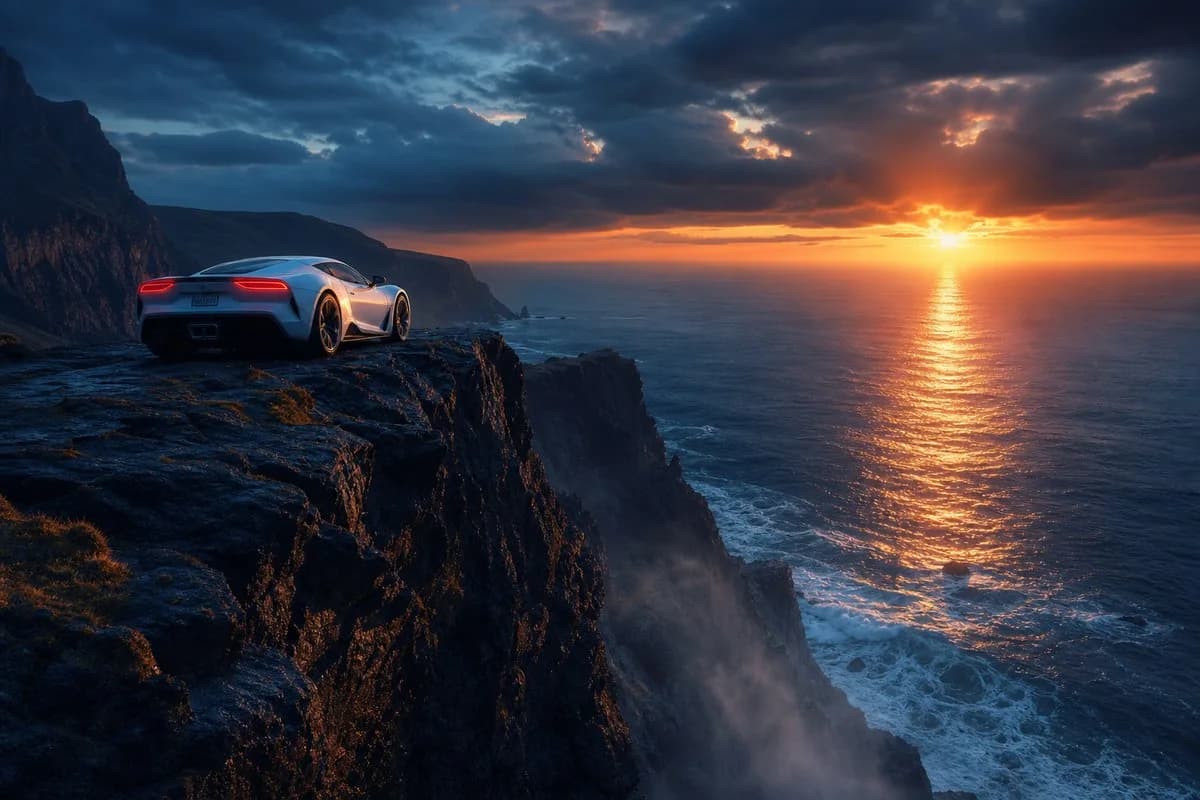
166 wordsCreate a cinematic photorealistic landscape scene at the edge of the world: a single sleek {argument name="car color" default="silver-white"} high-performance sports car parked near the left foreground on a wet, dark volcanic cliff ledge, viewed from behind at a low three-quarter angle, with glowing red taillights and polished body reflections. The cliff drops dramatically into a vast ocean on the right, with jagged black rock faces, sparse grass patches, sea mist rising from below, and white waves crashing against rocks far beneath. In the distance, rugged coastal mountains recede along the left horizon. The sun is setting low over the ocean near the right-center horizon, casting a brilliant orange-gold reflection path across the water, while the sky is filled with heavy dark blue storm clouds broken by warm fiery light. Emphasize elegance and power, solitude, extreme height, cinematic scale, moody atmosphere, ultra-detailed textures, realistic lighting, high dynamic range, wide-angle composition, dramatic contrast between cool blue shadows and warm sunset glow. No people, no text, no watermark.About this prompt
Sports Car on Ocean Cliff at Sunset is a ready-to-use social media prompt for GPT Image 2 on Image 2. Copy the 166 words below, paste them into the Create form, and you will get a result close to the preview above. Tweak the Social Media, Sports, Cinematic tag if you want to push it somewhere new.
Use it as a starting point, then adjust the subject, lighting, or composition to suit your idea. The credit cost stays the same whether you use it as written or customize it.
Use case
A strong starting point for Social Media
Start here when you want a social media image inspired by Sports Car on Ocean Cliff at Sunset. The prompt already sets the look and composition; replace the subject, product, colors, or scene details to match your project.
Easy places to tweak
- Subject Swap in your person, product, place, or object without changing the overall composition.
- Look and mood Tune the lighting, palette, camera angle, or materials so the image fits your brand.
- Final format Set the aspect ratio, background, text, or layout notes before you generate.
More prompt paths to explore
Find more GPT Image 2 prompts with a similar style, use case, or subject.
How to use it
- Step 1
Copy the prompt
Hit the Copy button above to grab the full text.
- Step 2
Open Image 2 Create
Head to the Create form and paste it in.
- Step 3
Generate
Hit Generate. Your version lands in seconds.
Make it yours
Load the prompt into the Create form with one click, then start tweaking.