Prompt
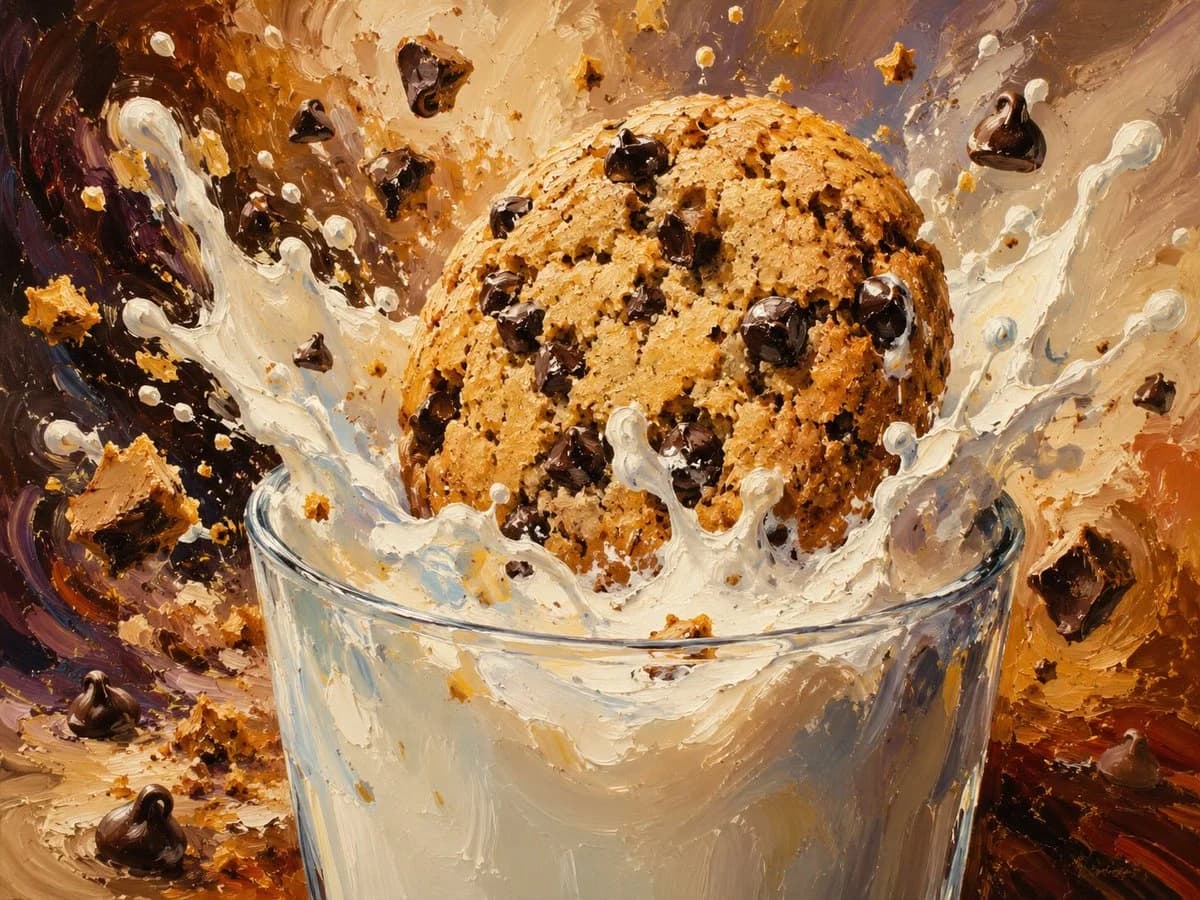
210 wordsCreate a dynamic close-up food illustration of a giant {argument name="cookie type" default="chocolate chip cookie"} crashing into a clear glass of {argument name="milk type" default="whole milk"}, frozen at the instant of impact. The cookie is large, golden brown, round, rough and crumbly, packed with many glossy dark chocolate chips, with visible baked texture and small cracks. Milk erupts upward in dramatic thick splashes and droplets around the cookie, with white arcs, beads, and ribbons of liquid partially obscuring the glass rim. Include exactly 5 prominent flying chocolate chunks or chips outside the cookie: one near the upper left, one near the upper center, one near the upper right, one at the right edge, and one near the lower left foreground; also include numerous tiny cookie crumbs and milk droplets scattered through the air. The glass is transparent with a slightly elliptical rim, thick reflective sides, and creamy milk visible inside. Use an expressive impasto oil-painting style with heavy palette-knife texture, visible brush strokes, warm caramel, cream, chocolate brown, amber, and muted purple tones. The background should be abstract and energetic, swirling like a dessert explosion, with warm studio lighting, high contrast highlights on the milk and chocolate, shallow depth of field, no text, no watermark, no hands, no broken glass.About this prompt
Impasto Cookie Milk Splash is a ready-to-use ad creative prompt for GPT Image 2 on Image 2. Copy the 210 words below, paste them into the Create form, and you will get a result close to the preview above. Tweak the Product Ad, Ad Creative, Portrait tag if you want to push it somewhere new.
Use it as a starting point, then adjust the subject, lighting, or composition to suit your idea. The credit cost stays the same whether you use it as written or customize it.
Use case
A strong starting point for Ad Creative
Start here when you want a ad creative image inspired by Impasto Cookie Milk Splash. The prompt already sets the look and composition; replace the subject, product, colors, or scene details to match your project.
Easy places to tweak
- Subject Swap in your person, product, place, or object without changing the overall composition.
- Look and mood Tune the lighting, palette, camera angle, or materials so the image fits your brand.
- Final format Set the aspect ratio, background, text, or layout notes before you generate.
More prompt paths to explore
Find more GPT Image 2 prompts with a similar style, use case, or subject.
How to use it
- Step 1
Copy the prompt
Hit the Copy button above to grab the full text.
- Step 2
Open Image 2 Create
Head to the Create form and paste it in.
- Step 3
Generate
Hit Generate. Your version lands in seconds.
Make it yours
Load the prompt into the Create form with one click, then start tweaking.