Prompt
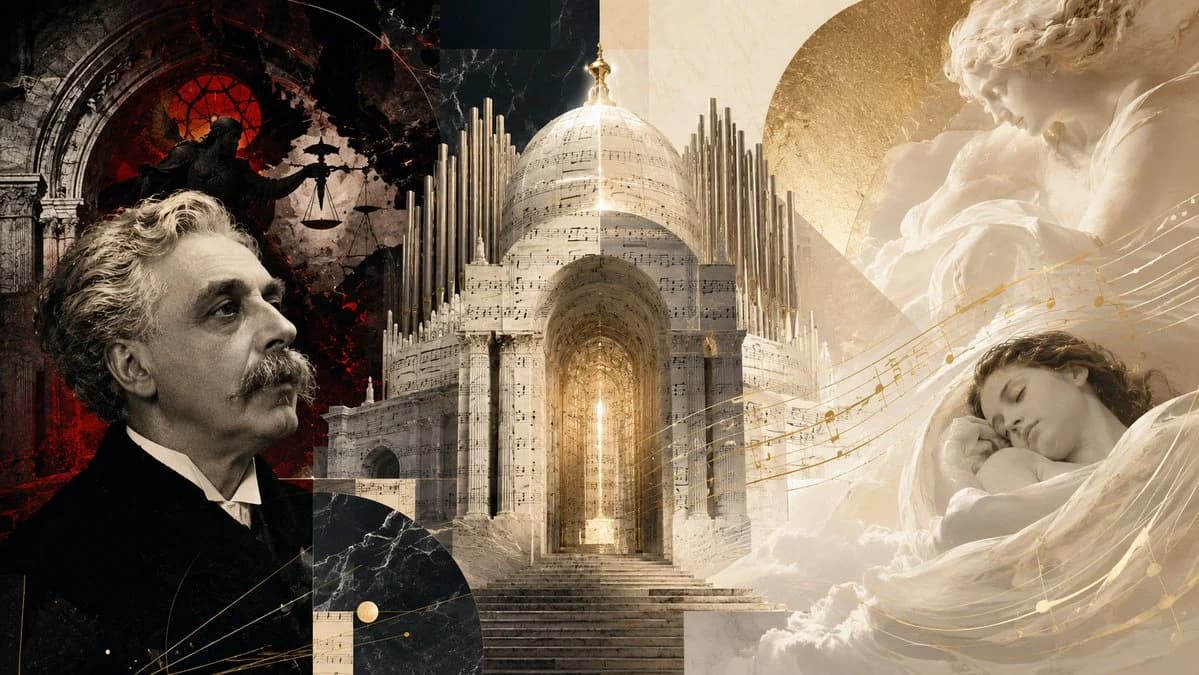
285 wordsCreate a wide cinematic editorial collage about {argument name="composer name" default="Gabriel Fauré"} and the concept of a gentle requiem rather than divine punishment. Use a 16:9 horizontal canvas with a dramatic split composition: the left third is dark, black and crimson, with a realistic sepia portrait of an older 19th-century French composer in a black suit, white shirt, curled gray hair and mustache, looking upward in profile toward the center. Behind him, show a ruined Gothic church arch with a glowing red circular stained-glass window and a shadowy statue of justice holding scales, creating an atmosphere of judgment and wrath. The center of the image is a luminous monumental funerary cathedral or mausoleum made of pale marble and translucent sheet music, with a grand arched entrance, stairs leading upward, a glowing golden light inside, a large domed roof, and many vertical organ pipes rising around it like architecture. The right third becomes soft ivory and gold: include a large classical marble angel or mother figure above, tenderly holding a child, and below it a peaceful sleeping young person wrapped in white fabric and clouds, suggesting death as sleep. Add flowing golden musical staff lines and notes sweeping diagonally from the central monument across the sleeping figure, tying the composition together. Use exactly four main symbolic zones: 1) composer portrait, 2) dark Catholic judgment scene, 3) central requiem monument with organ pipes and sheet music, 4) serene angelic sleep scene. Visual style should be high-end historical photomontage, baroque sacred art, marble sculpture, antique paper texture, dramatic chiaroscuro on the left, soft heavenly diffusion on the right, warm gold accents, subtle dust, cracks, and layered geometric collage shapes. No text, no captions, no watermark, no modern objects.About this prompt
Fauré Requiem Sacred Collage is a ready-to-use infographic prompt for GPT Image 2 on Image 2. Copy the 285 words below, paste them into the Create form, and you will get a result close to the preview above. Tweak the Infographic, Architecture, 3D tag if you want to push it somewhere new.
Use it as a starting point, then adjust the subject, lighting, or composition to suit your idea. The credit cost stays the same whether you use it as written or customize it.
Use case
A strong starting point for Infographic
Start here when you want a infographic image inspired by Fauré Requiem Sacred Collage. The prompt already sets the look and composition; replace the subject, product, colors, or scene details to match your project.
Easy places to tweak
- Subject Swap in your person, product, place, or object without changing the overall composition.
- Look and mood Tune the lighting, palette, camera angle, or materials so the image fits your brand.
- Final format Set the aspect ratio, background, text, or layout notes before you generate.
More prompt paths to explore
Find more GPT Image 2 prompts with a similar style, use case, or subject.
How to use it
- Step 1
Copy the prompt
Hit the Copy button above to grab the full text.
- Step 2
Open Image 2 Create
Head to the Create form and paste it in.
- Step 3
Generate
Hit Generate. Your version lands in seconds.
Make it yours
Load the prompt into the Create form with one click, then start tweaking.