Prompt
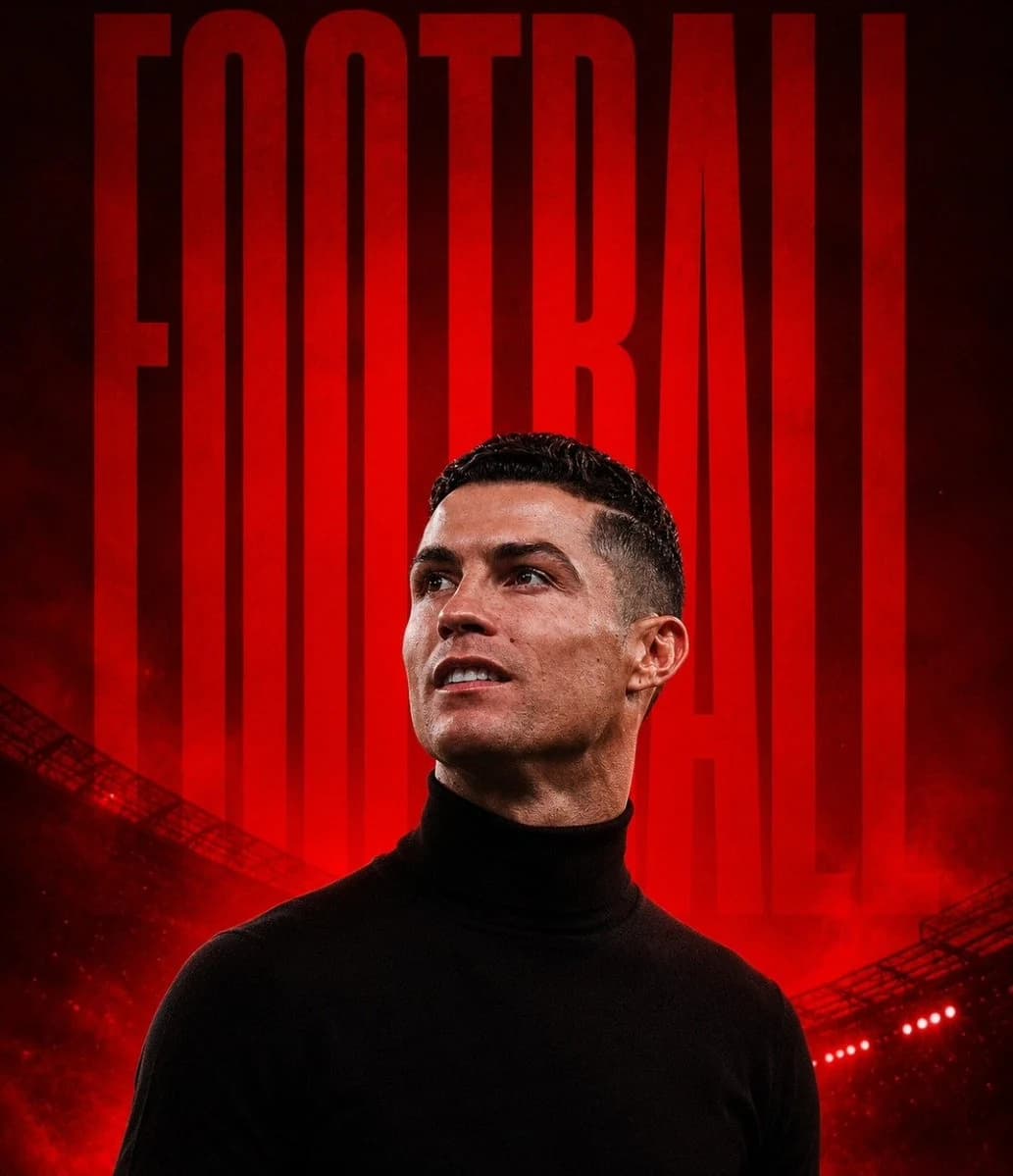
185 wordsCreate a premium cinematic sports poster in a 4:5 vertical format featuring a {argument name="subject" default="legendary football player"} standing confidently in front of a dramatic football stadium. The player wears a {argument name="clothing" default="fitted black turtleneck sweater"}, looking upward with a calm, determined expression. Ultra-realistic facial details, sharp jawline, natural skin texture, subtle smile, short neatly styled hair, studio-quality lighting with strong red rim light outlining the silhouette. The background is a dark football stadium filled with glowing red floodlights, atmospheric smoke, cinematic haze, and deep shadows. Behind the player, place one giant bold uppercase word in an ultra-condensed sans-serif font stretching from top to bottom, colored glowing crimson red with a subtle grunge texture. Examples: "{argument name="branding word" default="FOOTBALL"}", "BELIEVE", "FOCUS", or "LEGEND". The text should sit behind the subject without covering the face. Color palette: black, crimson red, and dark charcoal. High contrast, premium sports branding aesthetic, Adidas × Nike × UEFA campaign style, dramatic backlighting, volumetric lighting, HDR, editorial fashion photography, 85mm lens, shallow depth of field, hyper-realistic, razor-sharp focus, ultra-detailed, 8K, masterpiece, clean composition, no watermark, no logo, no extra text.About this prompt
Cinematic Sports Branding Poster is a ready-to-use ad creative prompt for GPT Image 2 on Image 2. Copy the 185 words below, paste them into the Create form, and you will get a result close to the preview above. Tweak the Product Ad, Ad Creative, Fashion tag if you want to push it somewhere new.
Use it as a starting point, then adjust the subject, lighting, or composition to suit your idea. The credit cost stays the same whether you use it as written or customize it.
Use case
A strong starting point for Ad Creative
Start here when you want a ad creative image inspired by Cinematic Sports Branding Poster. The prompt already sets the look and composition; replace the subject, product, colors, or scene details to match your project.
Easy places to tweak
- Subject Swap in your person, product, place, or object without changing the overall composition.
- Look and mood Tune the lighting, palette, camera angle, or materials so the image fits your brand.
- Final format Set the aspect ratio, background, text, or layout notes before you generate.
More prompt paths to explore
Find more GPT Image 2 prompts with a similar style, use case, or subject.
How to use it
- Step 1
Copy the prompt
Hit the Copy button above to grab the full text.
- Step 2
Open Image 2 Create
Head to the Create form and paste it in.
- Step 3
Generate
Hit Generate. Your version lands in seconds.
Make it yours
Load the prompt into the Create form with one click, then start tweaking.