Prompt
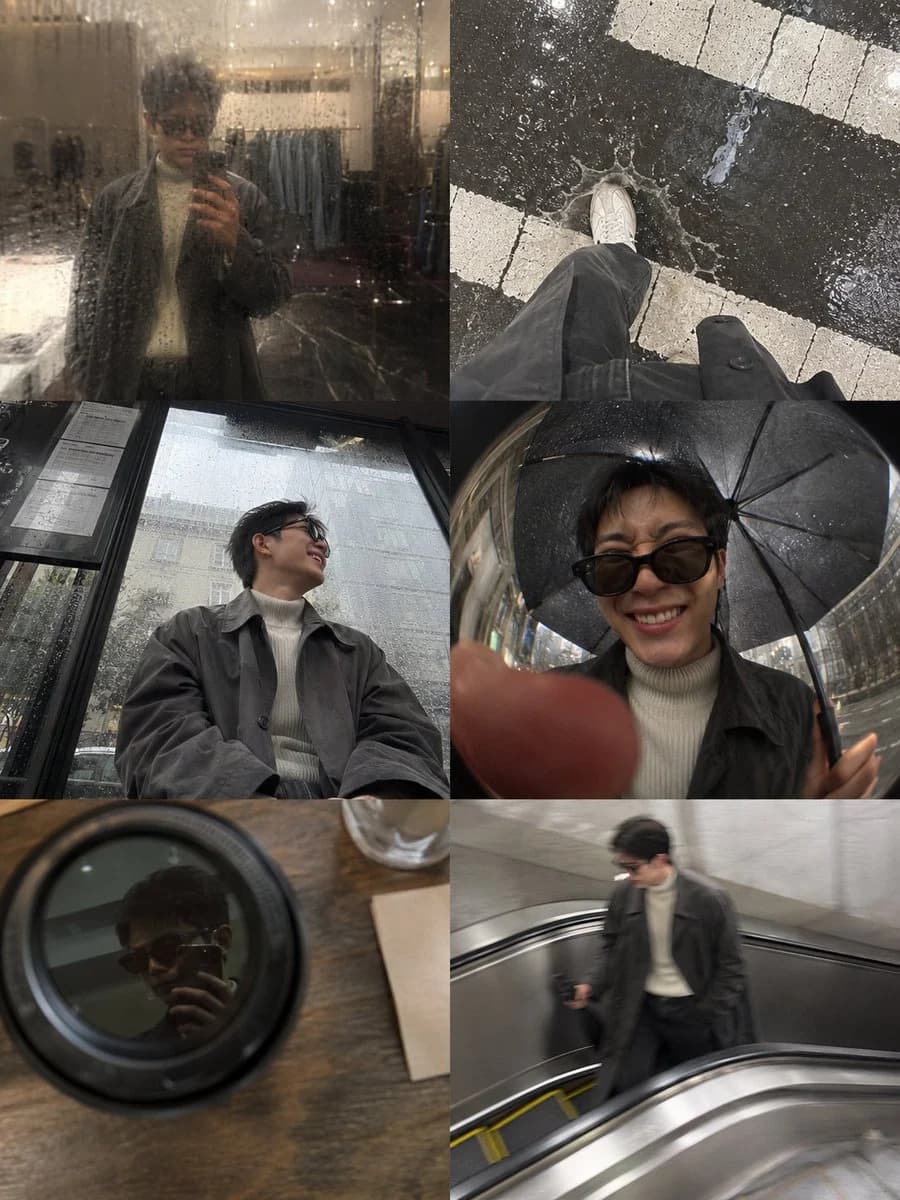
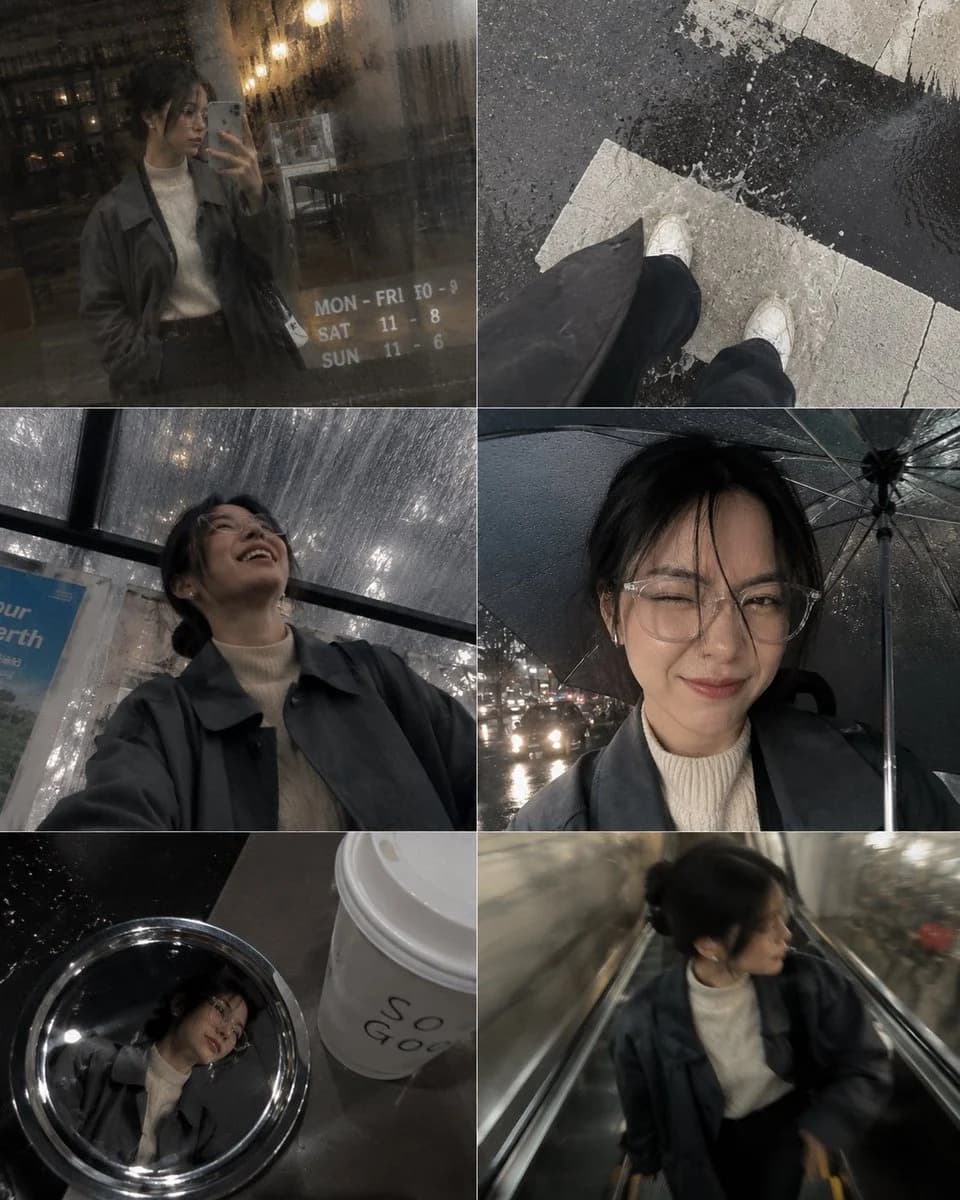
190 wordsA candid photo-dump collage designed to feel like {argument name="person" default="[HUMAN]"}'s phone gallery from one {argument name="weather" default="rainy afternoon"} running errands downtown. [HUMAN] wears a damp {argument name="outfit" default="charcoal-grey oversized trench coat layered over a cream ribbed turtleneck"}, faded black straight-leg jeans and worn white leather sneakers. The mechanic is a six-panel grid stitched together like an iPhone camera roll, each photo slightly water-speckled on the lens with soft flash hotspots bouncing off wet pavement. Panels: a blurry mirror shot in a shop's rain-fogged window, an overhead shot of shoes splashing through a puddle at a crosswalk, a low-angle shot from a bus shelter bench looking up mid-laugh, a fisheye selfie under an umbrella inches from the lens, a candid shot reflected in a coffee cup lid on a café table, and a motion-blurred shot taken mid-stride on an escalator. Expressions shift from a squinting laugh in the rain to a skeptical side-eye at a shop window to a quiet, unposed half-smile on the bus. Cohesive charcoal grey, cream, faded black and wet-pavement silver palette. Premium candid lifestyle photography, visible grain and uneven exposure, no glossy textures, aspect ratio 4:5.About this prompt
Candid Phone Gallery Photo Dump Collage is a ready-to-use social media prompt for GPT Image 2 on Image 2. Copy the 190 words below, paste them into the Create form, and you will get a result close to the preview above. Tweak the Social Media, Storyboard, Portrait tag if you want to push it somewhere new.
Use it as a starting point, then adjust the subject, lighting, or composition to suit your idea. The credit cost stays the same whether you use it as written or customize it.
Use case
A strong starting point for Social Media
Start here when you want a social media image inspired by Candid Phone Gallery Photo Dump Collage. The prompt already sets the look and composition; replace the subject, product, colors, or scene details to match your project.
Easy places to tweak
- Subject Swap in your person, product, place, or object without changing the overall composition.
- Look and mood Tune the lighting, palette, camera angle, or materials so the image fits your brand.
- Final format Set the aspect ratio, background, text, or layout notes before you generate.
More prompt paths to explore
Find more GPT Image 2 prompts with a similar style, use case, or subject.
How to use it
- Step 1
Copy the prompt
Hit the Copy button above to grab the full text.
- Step 2
Open Image 2 Create
Head to the Create form and paste it in.
- Step 3
Generate
Hit Generate. Your version lands in seconds.
Make it yours
Load the prompt into the Create form with one click, then start tweaking.