Prompt
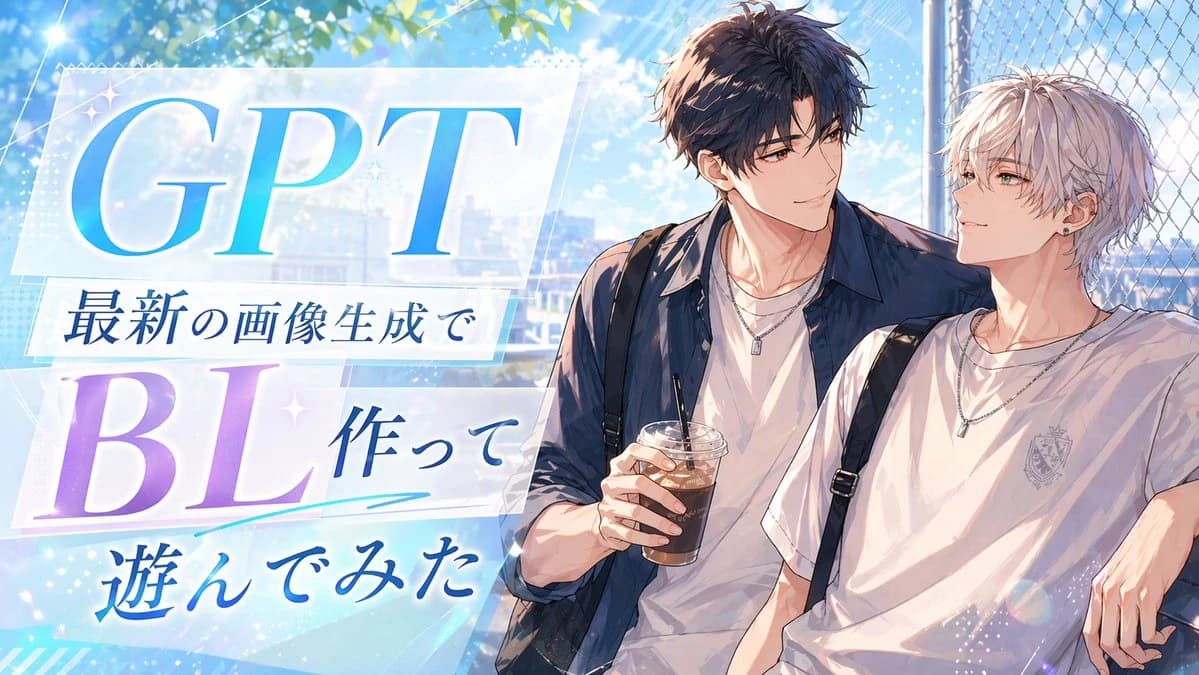
238 wordsA bright, polished anime-style promotional thumbnail with a summer romance atmosphere. The composition is split visually, with large typography on the left and two handsome young men on the right. On the left side, place layered translucent white panels with soft glow and sparkles over a sky-blue background, featuring large elegant serif text "GPT" in a blue gradient at the top and "BL" in a lavender-to-violet gradient below. Add three lines of Japanese text arranged between and under them: "最新の画像生成で", "作って", and "遊んでみた", in deep blue calligraphic Japanese type. Include subtle decorative accents such as small star glints, diagonal light streaks, dotted texture, and a cyan underline swoosh beneath the middle text. On the right side, show 2 anime boys from the waist up, leaning casually together beside a chain-link fence under leafy trees. The taller boy has tousled dark brown hair, a navy overshirt worn open over a white T-shirt, layered silver necklaces, and holds 1 plastic cup of iced coffee with a straw. The shorter boy has messy silver-white hair, a white T-shirt with a small crest emblem on the chest, black backpack straps over both shoulders, layered silver necklaces, and one small earring. Their poses are relaxed and intimate, with the dark-haired boy’s arm resting around the other. Use a luminous blue-and-white palette with soft sunlight, lens flare, bokeh, and a faint cityscape in the background, creating a clean social-media header or article thumbnail aesthetic.
About this prompt
Anime BL Promo Thumbnail is a ready-to-use ad creative prompt for GPT Image 2 on Image 2. Copy the 238 words below, paste them into the Create form, and you will get a result close to the preview above. Tweak the Product Ad, Ad Creative, Social Media tag if you want to push it somewhere new.
Use it as a starting point, then adjust the subject, lighting, or composition to suit your idea. The credit cost stays the same whether you use it as written or customize it.
Use case
A strong starting point for Ad Creative
Start here when you want a ad creative image inspired by Anime BL Promo Thumbnail. The prompt already sets the look and composition; replace the subject, product, colors, or scene details to match your project.
Easy places to tweak
- Subject Swap in your person, product, place, or object without changing the overall composition.
- Look and mood Tune the lighting, palette, camera angle, or materials so the image fits your brand.
- Final format Set the aspect ratio, background, text, or layout notes before you generate.
More prompt paths to explore
Find more GPT Image 2 prompts with a similar style, use case, or subject.
How to use it
- Step 1
Copy the prompt
Hit the Copy button above to grab the full text.
- Step 2
Open Image 2 Create
Head to the Create form and paste it in.
- Step 3
Generate
Hit Generate. Your version lands in seconds.
Make it yours
Load the prompt into the Create form with one click, then start tweaking.