Prompt
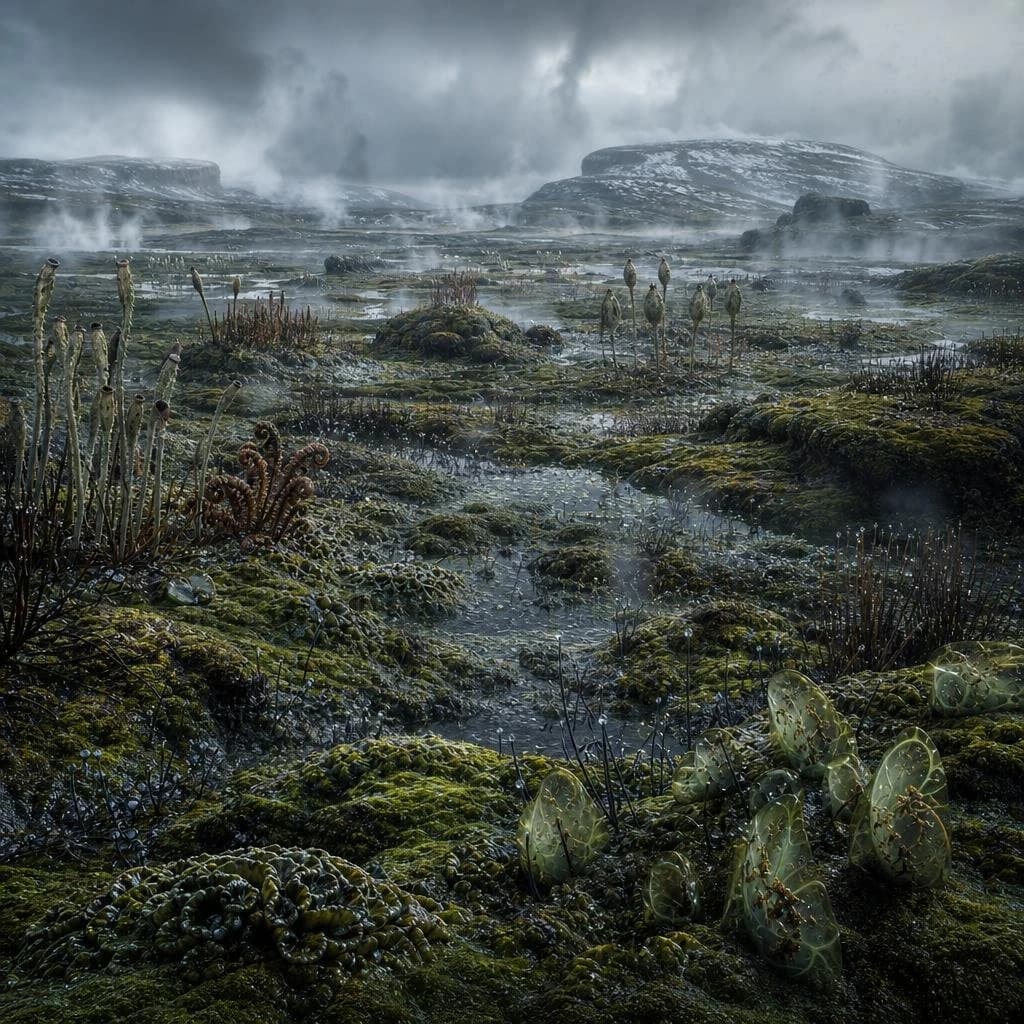
169 wordsCreate a highly detailed cinematic paleoart landscape showing a wet, alien-looking prehistoric swamp from the early land-plant era, with no animals or humans. The view is from low ground level across a shallow flooded marsh full of mossy green hummocks, slick mud, puddles, and winding rivulets reflecting a cold gray sky. Populate the foreground and midground with primitive vegetation: tall thin reed-like stalks with dark club-shaped tips, sparse brushy thickets, curled fern-like fronds, spiky low plants, bead-like wet growths, and exactly one prominent cluster of translucent pale green oval jelly-like sacs or seed pods in the lower right foreground, glowing subtly with brown vein-like interiors. In the distance, show flat-topped rocky mesas and low hills dusted with patches of snow, softened by drifting mist and steam rising in multiple wisps across the marsh. The atmosphere should be bleak, cold, ancient, and stormy, with heavy layered clouds, blue-gray lighting, damp surfaces, high realism, rich texture, scientific-documentary detail, wide-angle composition, deep depth of field, no text, no buildings, no modern objects.
About this prompt
Ancient Prehistoric Swamp Landscape is a ready-to-use infographic prompt for GPT Image 2 on Image 2. Copy the 169 words below, paste them into the Create form, and you will get a result close to the preview above. Tweak the Infographic tag if you want to push it somewhere new.
Use it as a starting point, then adjust the subject, lighting, or composition to suit your idea. The credit cost stays the same whether you use it as written or customize it.
Use case
A strong starting point for Infographic
Start here when you want a infographic image inspired by Ancient Prehistoric Swamp Landscape. The prompt already sets the look and composition; replace the subject, product, colors, or scene details to match your project.
Easy places to tweak
- Subject Swap in your person, product, place, or object without changing the overall composition.
- Look and mood Tune the lighting, palette, camera angle, or materials so the image fits your brand.
- Final format Set the aspect ratio, background, text, or layout notes before you generate.
More prompt paths to explore
Find more GPT Image 2 prompts with a similar style, use case, or subject.
How to use it
- Step 1
Copy the prompt
Hit the Copy button above to grab the full text.
- Step 2
Open Image 2 Create
Head to the Create form and paste it in.
- Step 3
Generate
Hit Generate. Your version lands in seconds.
Make it yours
Load the prompt into the Create form with one click, then start tweaking.