Prompt
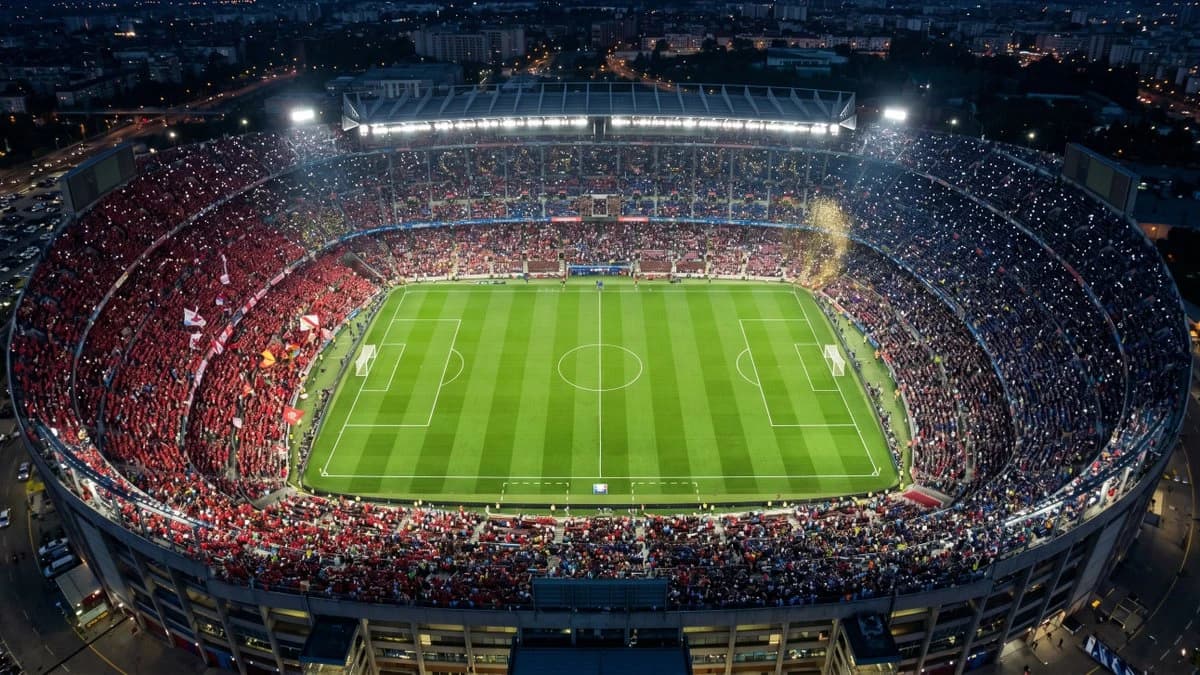
178 wordsCreate a photorealistic aerial top-down wide shot of a packed championship-night soccer stadium in a large city at dusk/night, viewed from high above the near end so the entire oval bowl and full green pitch are visible. The stadium is brightly illuminated by floodlights and roof lighting, with a vivid striped grass field, crisp white soccer markings, two goals, center circle, penalty boxes, and touchlines. The stands are completely filled with fans split into two dominant color sections: a large red crowd on the left side with flags and banners, and a darker blue crowd on the right side, with thousands of tiny phone lights sparkling throughout. Add a burst of golden confetti or smoke near the upper-right stands, glowing floodlight haze, realistic crowd density, stadium architecture, scoreboard screens at both far corners, and surrounding city streets and buildings fading into the dark background. Use a cinematic drone-photography look, ultra-detailed realism, high dynamic range, cool blue night tones contrasted with bright stadium greens and warm city lights, 16:9 landscape composition, no text, no drawn route overlay, no watermark.
About this prompt
Aerial Championship Night Stadium is a ready-to-use ad creative prompt for GPT Image 2 on Image 2. Copy the 178 words below, paste them into the Create form, and you will get a result close to the preview above. Tweak the Product Ad, Ad Creative, Poster tag if you want to push it somewhere new.
Use it as a starting point, then adjust the subject, lighting, or composition to suit your idea. The credit cost stays the same whether you use it as written or customize it.
Use case
A strong starting point for Ad Creative
Start here when you want a ad creative image inspired by Aerial Championship Night Stadium. The prompt already sets the look and composition; replace the subject, product, colors, or scene details to match your project.
Easy places to tweak
- Subject Swap in your person, product, place, or object without changing the overall composition.
- Look and mood Tune the lighting, palette, camera angle, or materials so the image fits your brand.
- Final format Set the aspect ratio, background, text, or layout notes before you generate.
More prompt paths to explore
Find more GPT Image 2 prompts with a similar style, use case, or subject.
How to use it
- Step 1
Copy the prompt
Hit the Copy button above to grab the full text.
- Step 2
Open Image 2 Create
Head to the Create form and paste it in.
- Step 3
Generate
Hit Generate. Your version lands in seconds.
Make it yours
Load the prompt into the Create form with one click, then start tweaking.