GPT Image 2 Prompt Guide: What 2,636 Prompts Reveal (2026)
We analyzed 2,636 GPT Image 2 prompts across 11 categories. Learn practical prompt structures for portraits, ads, posters, UI, infographics, and more.
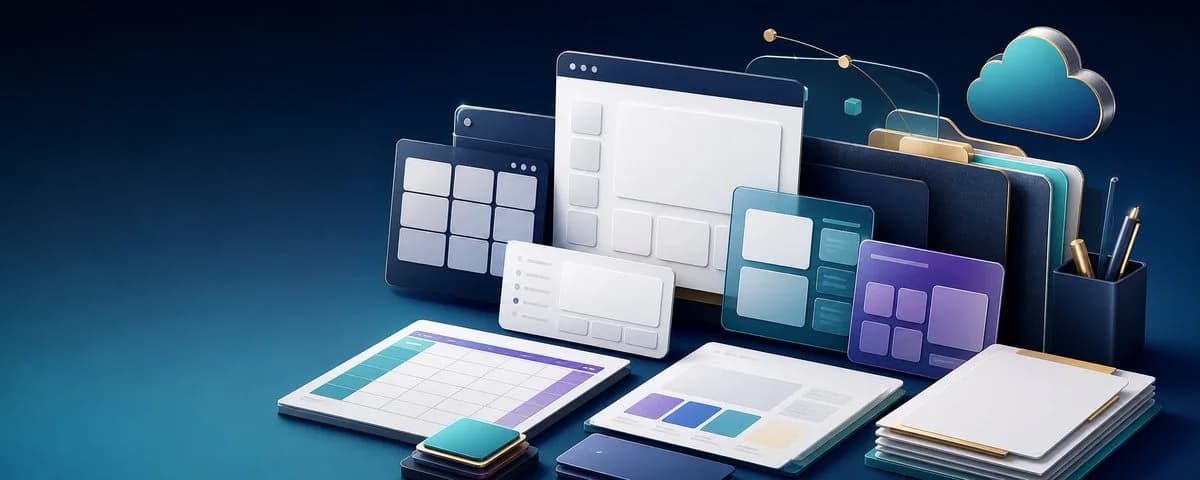
Most GPT Image 2 prompt lists give you a handful of attractive examples. That is useful for inspiration, but it does not answer the harder question: what information consistently belongs in a useful image prompt?
To find out, we analyzed all 2,636 prompts in the Image 2 prompt library as of August 1, 2026. The collection spans portraits, social graphics, ads, posters, character designs, UI mockups, infographics, storyboards, ecommerce images, comparison layouts, and game assets.
This GPT Image 2 prompt guide turns that library into a practical system. You will see what the largest categories are, what each category needs, and copy-ready templates you can adapt without turning every request into a wall of adjectives.
Browse all 2,636 GPT Image 2 prompts and generated examples →
In This Guide
- The prompt structure that works
- What the 2,636-prompt dataset reveals
- Prompt categories: Portrait, Social Media, Product Ads, Posters, Character Design, UI Mockups, Infographics, Storyboards, Ecommerce, Comparisons, and Game Assets
- Five common prompt mistakes
- How long a GPT Image 2 prompt should be
- Frequently asked questions
The Short Answer: Use a Creative Brief, Not a Keyword Pile
A reliable GPT Image 2 prompt usually answers six questions:
- Goal: What finished asset are you making?
- Subject: What must appear, and what must remain recognizable?
- Composition: Where does each element go?
- Visual system: What medium, lighting, color, and design language should it use?
- Content: What exact text, labels, panels, or product details are required?
- Constraints: What must not change or appear?
Use this reusable structure:
Create a [finished asset] for [use case or platform].

Subject: [main subject, product, person, character, or scene].
Composition: [aspect ratio, framing, camera angle, layout, and hierarchy].
Visual style: [medium, lighting, color palette, materials, and mood].
Required content: [exact text in quotes, labels, panels, or props].
Keep: [identity, product geometry, logo placement, colors, or reference details].
Avoid: [extra text, extra people, distorted hands, unrelated logos, watermark, or clutter].
That format is intentionally plain. GPT Image 2 needs a clear job and visual relationships more than it needs ornate prompt-engineering language.
What 2,636 GPT Image 2 Prompts Reveal
The current library falls into 11 primary categories:
- Portrait — 671 prompts (25.5%)
- Social Media — 463 prompts (17.6%)
- Ad Creative — 387 prompts (14.7%)
- Poster — 372 prompts (14.1%)
- Character Design — 206 prompts (7.8%)
- Storyboard — 125 prompts (4.7%)
- Infographic — 124 prompts (4.7%)
- UI Mockup — 112 prompts (4.2%)
- E-commerce — 87 prompts (3.3%)
- Comparison — 72 prompts (2.7%)
- Game Asset — 17 prompts (0.6%)
This is a snapshot of the Image 2 library, not a claim about global search volume. It does show where reusable prompting patterns are most developed: portraits dominate, while ads and posters together account for almost 30% of the collection. Structured visual work is also substantial—UI mockups, infographics, storyboards, comparisons, and game assets add up to more than 400 examples.
How We Analyzed the Library
We counted every record exposed by the live Image 2 promptExamples collection on August 1, 2026, including the imported GPT Image 2 dataset and the site's curated prompt entries. Each prompt was counted once under its primary category field, which produced the 11-category distribution above.
Tags such as Product Ad, Infographic, Fashion, and Storyboard can overlap, so tag totals are intentionally not used as category totals. The analysis describes the current Image 2 library and its reusable prompt patterns; it does not estimate global keyword volume or claim that a larger category automatically has more search demand.
The category counts also explain why one universal “best GPT Image 2 prompt” does not exist. A portrait prompt needs identity, lens, and light. A poster needs hierarchy and exact text. A storyboard needs panel count and continuity. The correct structure depends on the deliverable.
1. GPT Image 2 Portrait Prompts
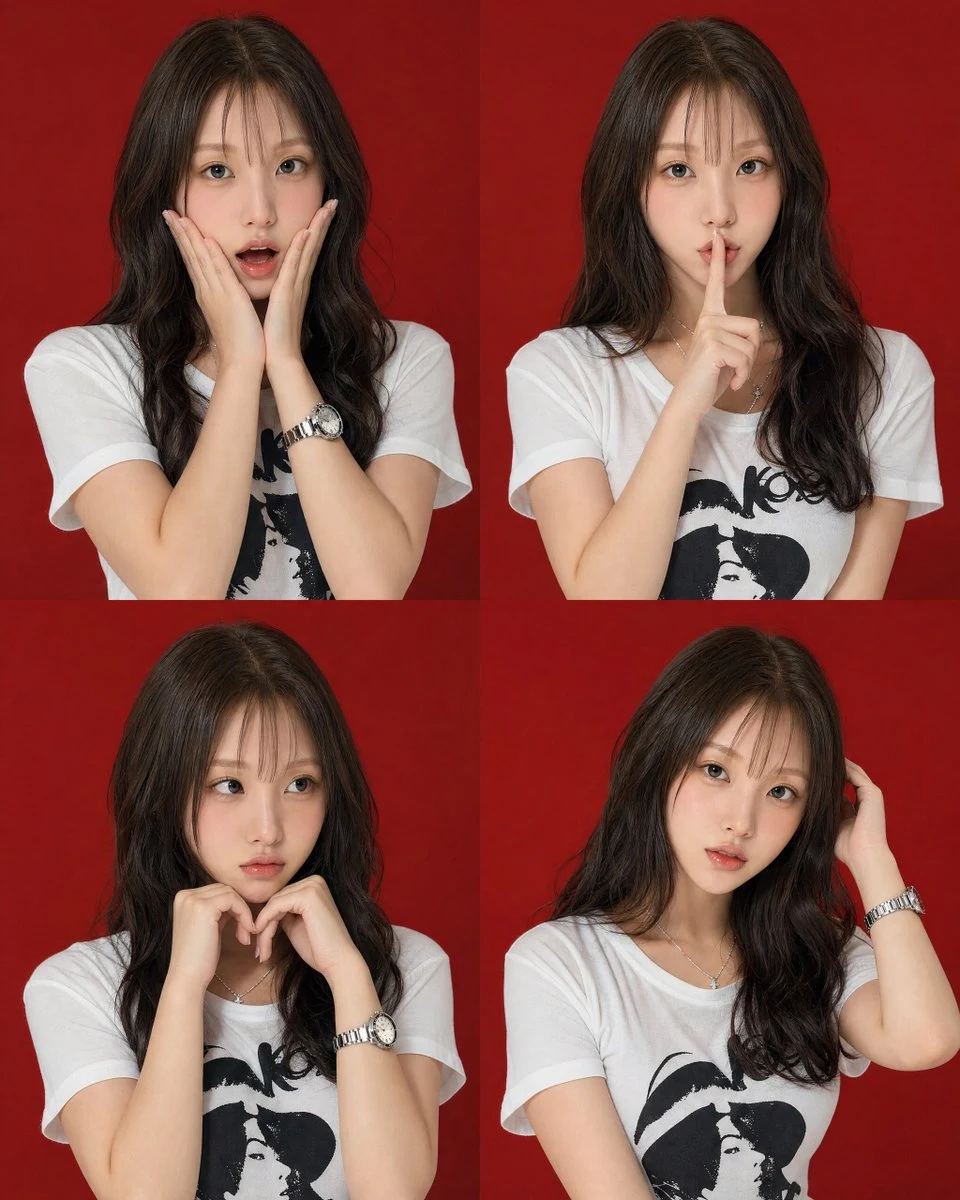
Portrait is the largest category, with 671 examples. The strongest portrait prompts do more than describe a person as “cinematic” or “beautiful.” They define the crop, pose, lighting direction, environment, camera feel, and level of retouching.
Create a vertical 4:5 editorial portrait of [adult subject]. Frame the subject
from the chest up at a three-quarter angle, looking slightly past the camera.
Use soft window light from the left, a neutral textured studio background,
natural skin texture, subtle film grain, and an 85mm portrait-lens look.
Keep facial features, hairstyle, skin tone, and age recognizable. Avoid plastic
skin, warped jewelry, extra accessories, text, logos, and watermark.
For edits, say what must stay fixed before describing the new style. “Keep the same face, pose, clothing, and background layout” is more useful than repeating “accurate identity” several times.
See a more structured example in the Four-Pose Studio Portrait Grid.
2. Social Media Image Prompts
The 463 social-media prompts are built around a destination: feed post, story, Reel cover, carousel, thumbnail, announcement, or profile image. Platform context changes the framing, safe area, text length, and visual hook.
Create a vertical 4:5 Instagram feed graphic for [topic or campaign]. Use one
clear focal subject in the center, a bold color contrast that reads on a phone,
and clean negative space near the top for a short headline. Add exactly the text
"[HEADLINE]" in a large modern sans-serif typeface. Keep all important elements
inside the central safe area. No extra captions, UI icons, watermark, or logos.
Specify the platform and placement. “Social media graphic” is vague; “4:5 Instagram feed launch graphic with top-safe headline space” is a real design brief.
3. Product Ad Prompts
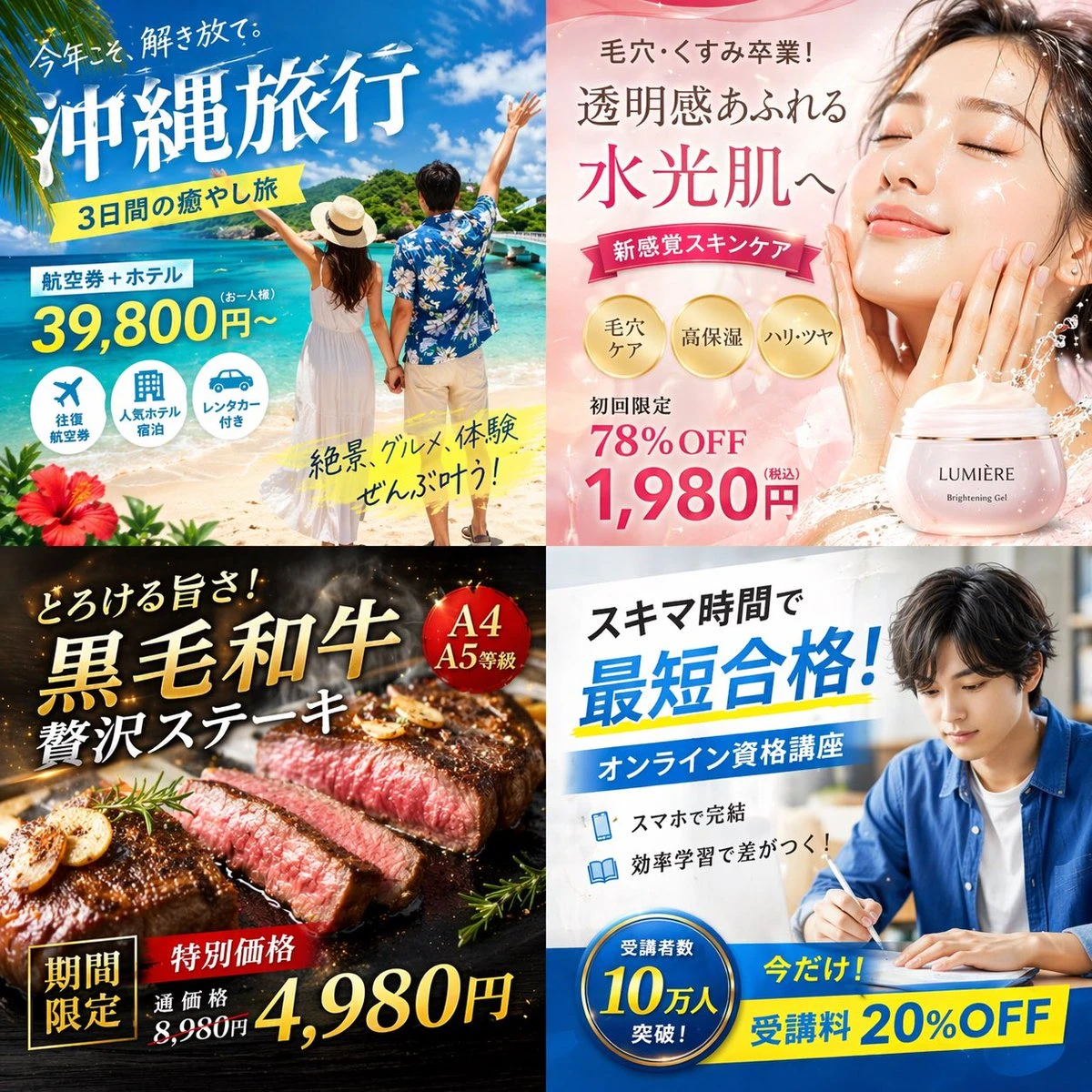
Ad Creative contains 387 prompts, and the broader Product Ad tag appears on 670 examples. These prompts work best when they separate the product truth from the campaign treatment.
Create a premium 4:5 paid-social product ad for [product]. Preserve the exact
product shape, material, packaging colors, cap, and label placement from the
reference image. Place it on [surface] with [two supporting props], leaving
clean space for a headline. Use [lighting direction], realistic contact shadows,
and a [brand mood] commercial-photography finish. No redesigned packaging,
duplicate products, unrelated logos, random text, or watermark.
Lock the physical product first. Then change the set, lighting, props, or campaign mood. Browse the dedicated GPT Image 2 product ad prompts when you need more campaign patterns.
4. Poster Prompts
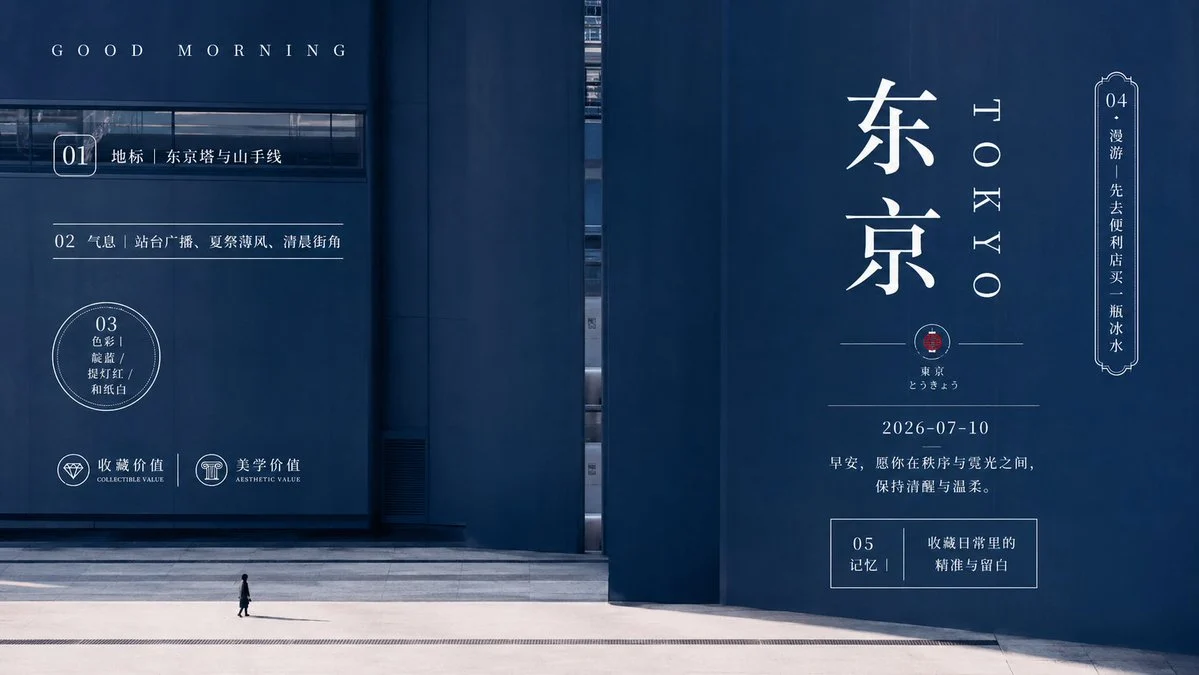
Poster is nearly as large as Ad Creative, with 372 prompts. Poster requests fail when they describe only a style and leave the content hierarchy unstated.
Create a vertical 2:3 event poster for [event]. Use one dominant hero image,
an oversized headline reading "[EVENT NAME]" at the top, the date "[DATE]"
below it, and one small information block at the bottom. Use [color palette],
[poster style], strong contrast, and generous margins. Render the quoted text
exactly once. No extra sponsors, fake logos, random microcopy, QR codes, or
watermark.
Keep in-image copy short. If the poster needs many details, generate the visual system and major headline first, then finish dense body copy in a design tool.
Explore more GPT Image 2 poster prompts, including editorial, travel, campaign, event, and cinematic layouts.
5. Character Design Prompts
The library contains 206 Character Design prompts. Good character prompts define stable identity anchors before they ask for alternate poses, outfits, expressions, or views.
Create a clean character design sheet for [character]. Identity anchors:
[face shape], [hair], [age range], [body proportions], [signature colors], and
[recognizable accessory]. Show exactly three views—front, side, and back—with
the same outfit and proportions in every panel. Use a plain light background,
consistent scale, clean spacing, and [art style]. No extra characters, alternate
costumes, text blocks, cropped feet, or changing facial features.
The word “same” is not enough by itself. List the features that make the character the same.
6. UI Mockup Prompts
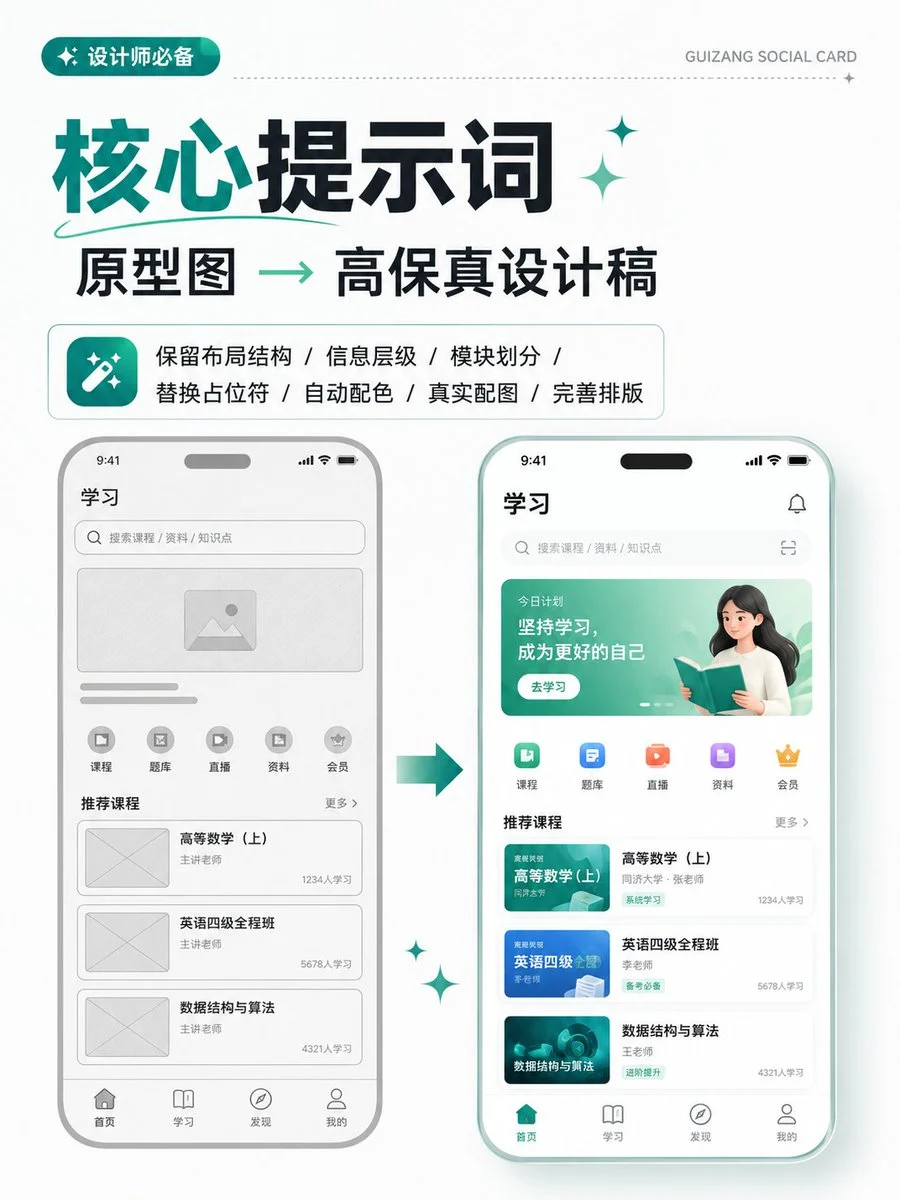
UI Mockup has 112 prompts. These are image-generation prompts for visual design concepts, not instructions for building a functional product. A useful UI prompt names the screen, user goal, information hierarchy, components, and design system.
Turn the uploaded wireframe into a high-fidelity desktop landing-page mockup.
Preserve the section order and information hierarchy. Include a navigation bar,
hero headline, primary CTA, product preview, three benefit cards, social proof,
and a final CTA. Use a 12-column grid, [brand colors], accessible contrast,
modern sans-serif typography, and realistic spacing. Do not add new sections,
fake browser chrome, unreadable filler text, or extra screens.
If a wireframe exists, use it as the composition source of truth. The Wireframe to High-Fidelity Design example shows the right level of specificity.
7. Infographic Prompts
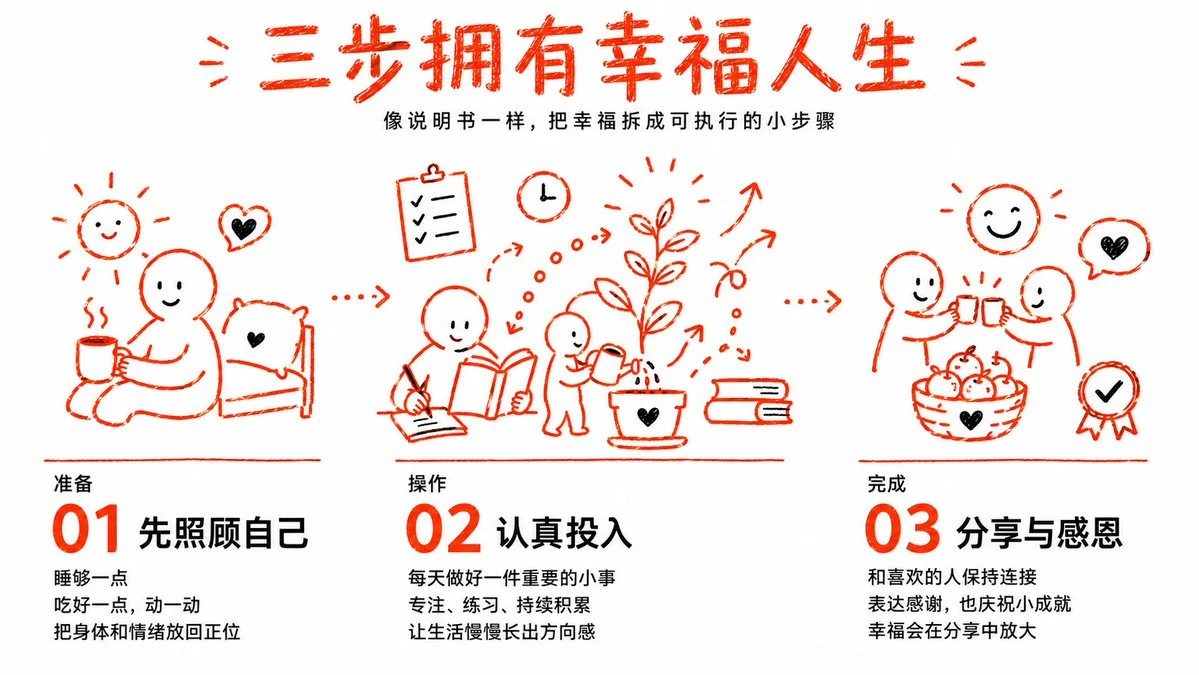
There are 124 prompts categorized as Infographic, while the broader Infographic tag appears on 335 examples. The difference matters: infographics also appear inside posters, ads, product sheets, and UI-style layouts.
Create a clean 16:9 educational infographic titled "[TITLE]". Explain [topic]
in exactly three numbered steps. Give each step one short heading, one sentence,
and one simple icon. Arrange the steps left to right with clear visual hierarchy,
high-contrast text, generous spacing, and a restrained [color palette]. Render
only the supplied copy. No extra statistics, citations, decorative paragraphs,
logos, or watermark.
Write the content before the visual prompt. Models are much more reliable when the number of sections and exact labels are fixed.
8. Storyboard Prompts
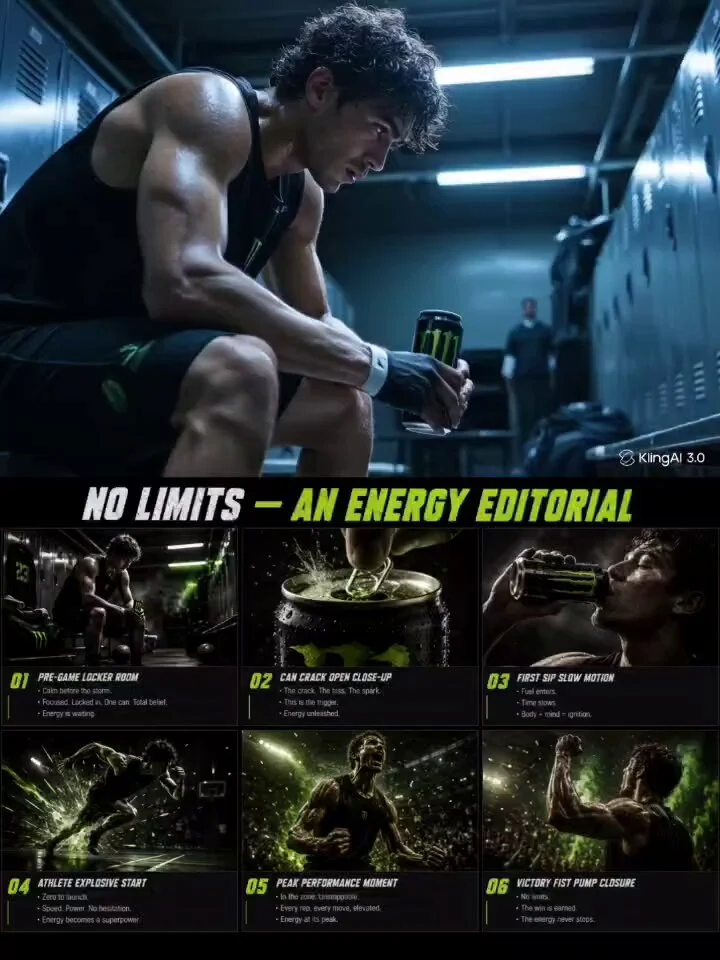
Storyboard includes 125 primary examples, and the Storyboard tag appears across 501 prompts. Many ad, character, and social concepts use storyboard structure even when Storyboard is not their main category.
Create a six-panel 16:9 storyboard for a 15-second [product or story] video.
Keep the same character, product, wardrobe, location, and color grade in every
panel. Panel 1: [opening]. Panel 2: [action]. Panel 3: [detail]. Panel 4:
[turning point]. Panel 5: [payoff]. Panel 6: [end frame]. Use clear camera-shot
variation and left-to-right progression. No extra panels, scene rearrangement,
unreadable notes, logos, or watermark.
Exact panel count and continuity anchors matter more than cinematic adjectives. For a full workflow rather than a single grid, use the AI Storyboard Generator.
9. Ecommerce Image Prompts
The 87 E-commerce prompts focus on images that need to fit a product page or marketplace slot. Unlike a campaign ad, an ecommerce image should optimize inspection, clarity, scale, and product consistency.
Create a square ecommerce listing image for [product]. Preserve the exact
product geometry, material, color, label, and accessories from the reference.
Show the full product centered on a clean [white or light neutral] background,
filling about 85% of the frame, with crisp edges and one subtle contact shadow.
No props, badges, claims, duplicate products, cropped edges, redesigned labels,
unrelated logos, or watermark.
Start with the clean listing image, then branch into lifestyle, detail, infographic, and campaign variations. The GPT Image 2 ecommerce prompt collection is organized around those practical outputs.
10. Comparison Image Prompts
Comparison contains 72 prompts. The key is controlled variation: decide what stays identical and what changes in each cell.
Create a clean 2x2 comparison grid showing the same [subject or scene] in four
different [styles, materials, lighting setups, or stages]. Keep camera angle,
crop, scale, subject identity, and background structure consistent in all four
cells. Label the cells exactly "A", "B", "C", and "D". Use equal gutters and
matching exposure. No additional panels, decorative text, or watermark.
Comparison prompts are useful for A/B concepts, material studies, model evaluations, before/after layouts, and design exploration. Change one meaningful variable at a time.
11. Game Asset Prompts
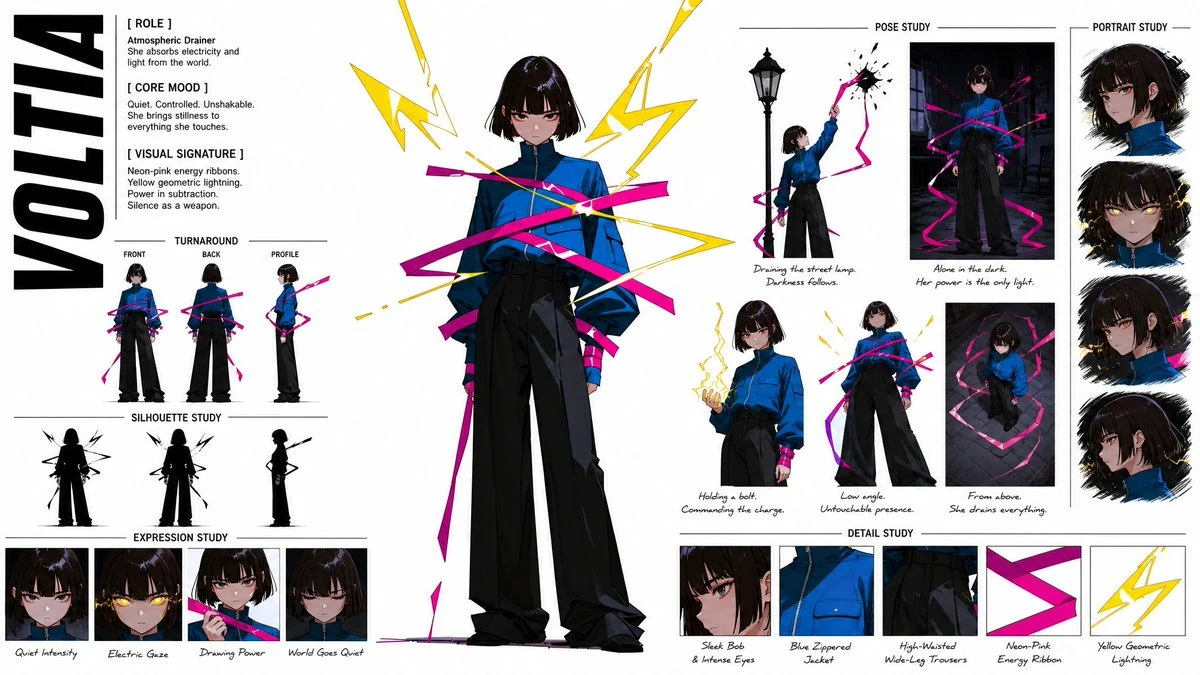
Game Asset is the smallest primary category, with 17 prompts, but its requirements are distinctive. Asset prompts need a defined production role: character sheet, environment concept, loading screen, item icon, texture, or interface.
Create a widescreen 16:9 game character concept sheet for [character]. Include
one full-body front view, one side view, three facial expressions, a color
palette, and close-ups of [two key props]. Keep proportions, costume materials,
colors, and facial identity consistent. Use a plain studio background and clean
concept-art presentation. No additional characters, cut-off views, alternate
outfits, real game logos, or watermark.
Name the asset type and downstream use. “Fantasy game art” is an aesthetic; “character concept sheet with one turnaround and three expressions” is a deliverable.
Five Prompt Mistakes That Cause Most Bad Results
Across categories, the same structural problems appear again and again.
1. Starting with style instead of the asset
“Cinematic, premium, viral, 8K” does not tell the model whether you need a portrait, product listing, poster, storyboard, or app screen. Name the finished asset first.
2. Mixing several visual systems
Combining minimal Swiss design, ornate Art Nouveau, cyberpunk neon, watercolor, and photorealism gives the model competing directions. Pick one primary system and one supporting texture or influence.
3. Asking for text without supplying a hierarchy
Quote exact words, keep them short, state where they go, and say “no other text.” For a dense report or long paragraph, use the model for the visual foundation and typeset the final copy separately.
4. Forgetting counts and positions
Use concrete instructions such as “exactly six panels,” “one product centered,” “headline at the top,” and “three callouts on the right.” Spatial language turns an idea into a layout.
5. Hiding the non-negotiables at the end
If identity, packaging, pose, or composition must stay fixed, state that early and repeat it once in the constraints. Do not bury the most important requirement after several paragraphs of style language.
How Long Should a GPT Image 2 Prompt Be?
Use the shortest prompt that fully defines the job.
- Simple scene or portrait: often 1–3 clear sentences
- Poster or product ad: a short creative brief with layout and constraints
- Infographic, UI, or storyboard: longer structured sections because the content and panel relationships matter
- Image edit: a concise change request plus an explicit preservation block
OpenAI's own image prompting guidance recommends clear descriptions of purpose, subject, action, setting, style, framing, lighting, and constraints. It also recommends short quoted text and specific placement for text-heavy images. The practical lesson is not “always write more.” It is be precise about the parts that affect the output.
For current model capabilities and parameters, see the official GPT Image 2 model page and GPT Image Generation Models Prompting Guide.
FAQ
What is the best prompt structure for GPT Image 2?
Start with the finished asset and its purpose, then define the subject, composition, visual system, required content, preservation rules, and exclusions. For structured designs, use labeled sections instead of one long sentence.
Can I copy and paste these GPT Image 2 prompts?
Yes. Replace the bracketed placeholders, remove any line that does not apply, and keep the composition and constraints. You can also browse the full GPT Image 2 prompt library for prompts paired with their generated images.
Is GPT Image 2 good at adding text to images?
It can generate text-heavy visuals such as posters, labels, diagrams, and infographics, but short and explicit copy is still easier to control. Put exact wording in quotes, define placement and style, and ask for no other text. Proofread every final image before publishing.
Should I use a reference image?
Use a reference when identity, product packaging, composition, or style consistency matters. Explain what the reference controls and what may change. For precise edits, state both parts directly: “Change only X; keep Y and Z unchanged.”
Where can I generate these prompts?
Open any example in the Image 2 prompt library, copy the prompt, and use it as a starting point. If you have only a rough idea, the AI Image Prompt Generator can turn it into a structured brief before you generate.
Start With the Category, Then Customize
The fastest way to improve a GPT Image 2 prompt is to stop asking for “a good image” and decide what kind of asset you actually need.
Choose the closest category, copy its structure, replace the subject and content, and run one version before adding more detail. If the composition is wrong, fix the layout. If the identity drifts, strengthen the preservation block. If the image feels generic, refine the visual system—not every line at once.
Related Posts
Free GPT Image 2 Group Photo Prompts | Image 2
Copy free GPT Image 2 group photo prompts with AI group photo editing examples for 3D figures, anime scenes, Y2K posters, stickers, and scrapbooks on Image 2.
GPT Image 2 Ecommerce Prompts for Amazon & Instagram
Copy-ready AI prompts for Amazon main images, lifestyle photos, infographics, hero banners, and Instagram launch visuals — built on GPT Image 2.

10 Best Nano Banana Portrait Prompts for Men, Women & Couples (2026)
Use these 10 proven Nano Banana portrait prompts to create realistic LinkedIn headshots, lifestyle portraits, and cinematic couple photos in minutes.