Prompt
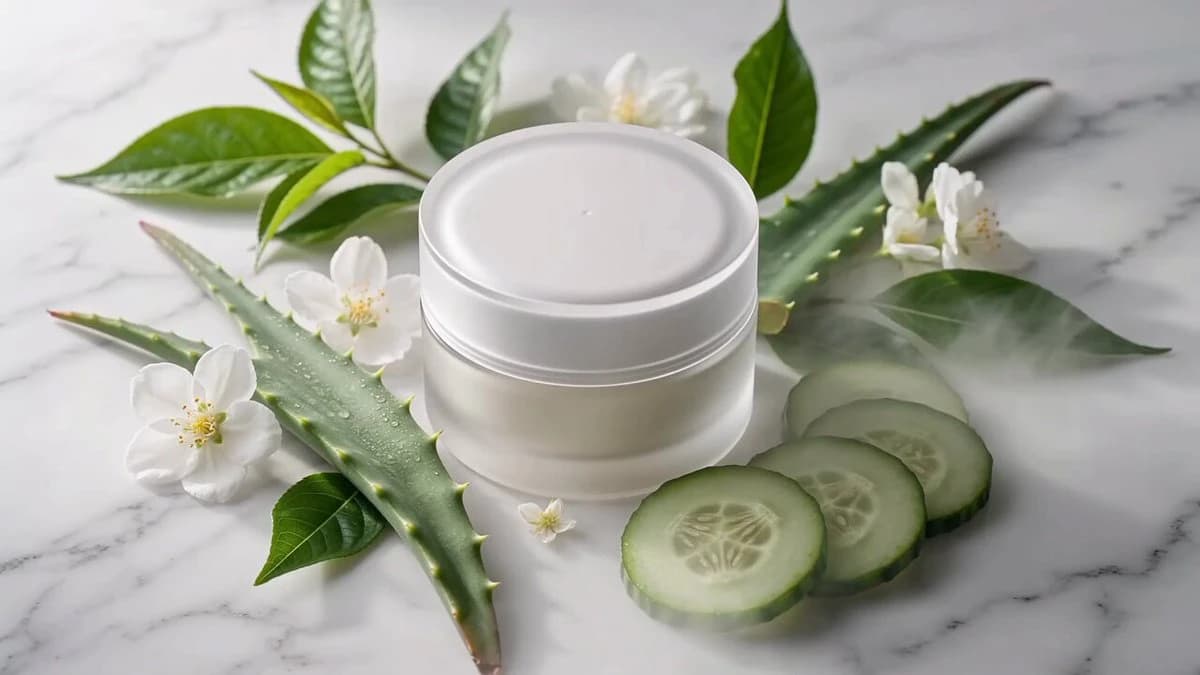
238 wordsCreate a 15-second premium skincare commercial in cinematic 4K. The video should look like a luxury beauty brand advertisement with realistic lighting, soft pastel colors, macro product cinematography, smooth camera motion, and highly detailed skin textures. Use the same female model in every scene. Shot 1 (0–2.5s) A premium moisturizer jar is displayed among aloe vera, cucumber slices, white flowers, and fresh green leaves on a clean white surface. Fine mist creates a refreshing atmosphere. Model Speech: "Dry skin? Not anymore." Shot 2 (2.5–5s) The lid slowly opens while the rich cream forms a beautiful swirl. Macro cinematic close-up emphasizing texture. Model Speech: "Deep hydration in every scoop." Shot 3 (5–7.5s) The model gently applies the moisturizer to her cheeks using circular motions. Bright natural daylight creates a fresh appearance. Model Speech: "Soft, smooth, and lightweight." Shot 4 (7.5–10s) Macro close-up showing the moisturizer blending perfectly into the skin without any greasy finish. Model Speech: "No greasy feeling." Shot 5 (10–12.5s) Beauty portrait of the model smiling confidently with fresh glowing skin in a bright minimalist room filled with natural sunlight. Model Speech: "Just fresh, glowing skin." Shot 6 (12.5–15s) Hero product shot with water mist, floating leaves, elegant reflections, and premium commercial lighting. Model Speech: "Hydrate. Glow. Repeat." Negative Prompt: Blurry, low resolution, bad skin texture, fake-looking face, duplicated hands, deformed fingers, unrealistic lighting, noisy image, camera shake, flicker, cartoon style, CGI appearance, low-detail product, compression artifacts.
About this prompt
Premium Skincare Luxury Commercial is a Commercial Seedance 2.0 prompt with 238 words, structured around shot timing, camera direction, motion cues, and remixable scene details.
Use the visual preview, when available, to understand the composition, then treat the prompt text as a production brief you can adapt for your own subject, brand, or story.
Video prompt structure
Use it for Commercial videos
Best for Seedance 2.0 generations that need Commercial, Multi-Shot, Dialogue. Replace the subject, setting, product, dialogue, music, and timing before sending it to the generator.
Customize before generating
- Swap the subject. Keep the camera and timing structure, but change the character, product, or environment.
- Tighten the timeline. Shorten or expand shot blocks so they match the duration you want to render.
- Add reference media. Use first frames, last frames, images, video, or audio when the prompt depends on a specific look or rhythm.
More Seedance paths to explore
Browse adjacent styles and techniques from the same Seedance 2.0 prompt library.
How to use it
- Step 1
Copy or start from this prompt
Use the full prompt as a structured draft rather than rewriting the whole video brief.
- Step 2
Open Seedance 2.0
Send the text into the Seedance generator and choose text, image, or reference mode.
- Step 3
Adapt and render
Tune duration, aspect ratio, reference media, camera notes, and dialogue before generating.
Make it a Seedance video
Start from this prompt in the Seedance 2.0 generator, then adjust the scene, duration, aspect ratio, and reference media.