Prompt
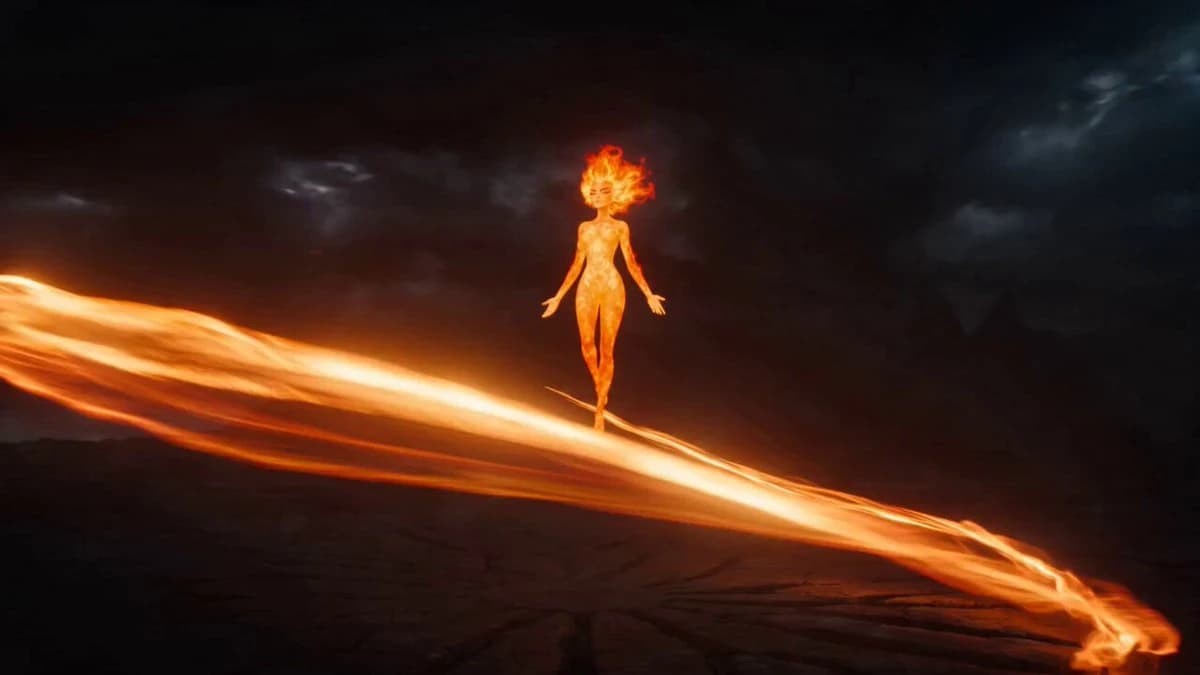
78 wordsFull magical transformation sequence: a fire empress suspended in an abstract volcanic void as ribbons of molten orange light orbit and wrap around her hair lifting like flame, black-and-gold armor forming in glowing ember panels, lava cracks igniting across the floor as a sun sigil blooms underfoot the camera orbiting opposite the ribbons’ spin, each beat synced to a rising heroic chord, ending in a powerful hand-forward signature pose held against a blazing starburst. Stock-footage grandeur, played sincere.
About this prompt
Magical Transformation Sequence is a Cinematic Seedance 2.0 prompt with 78 words, structured around shot timing, camera direction, motion cues, and remixable scene details.
Use the visual preview, when available, to understand the composition, then treat the prompt text as a production brief you can adapt for your own subject, brand, or story.
Video prompt structure
Use it for Cinematic videos
Best for Seedance 2.0 generations that need Cinematic, Multi-Shot. Replace the subject, setting, product, dialogue, music, and timing before sending it to the generator.
Customize before generating
- Swap the subject. Keep the camera and timing structure, but change the character, product, or environment.
- Tighten the timeline. Shorten or expand shot blocks so they match the duration you want to render.
- Add reference media. Use first frames, last frames, images, video, or audio when the prompt depends on a specific look or rhythm.
More Seedance paths to explore
Browse adjacent styles and techniques from the same Seedance 2.0 prompt library.
How to use it
- Step 1
Copy or start from this prompt
Use the full prompt as a structured draft rather than rewriting the whole video brief.
- Step 2
Open Seedance 2.0
Send the text into the Seedance generator and choose text, image, or reference mode.
- Step 3
Adapt and render
Tune duration, aspect ratio, reference media, camera notes, and dialogue before generating.
Make it a Seedance video
Start from this prompt in the Seedance 2.0 generator, then adjust the scene, duration, aspect ratio, and reference media.