Prompt
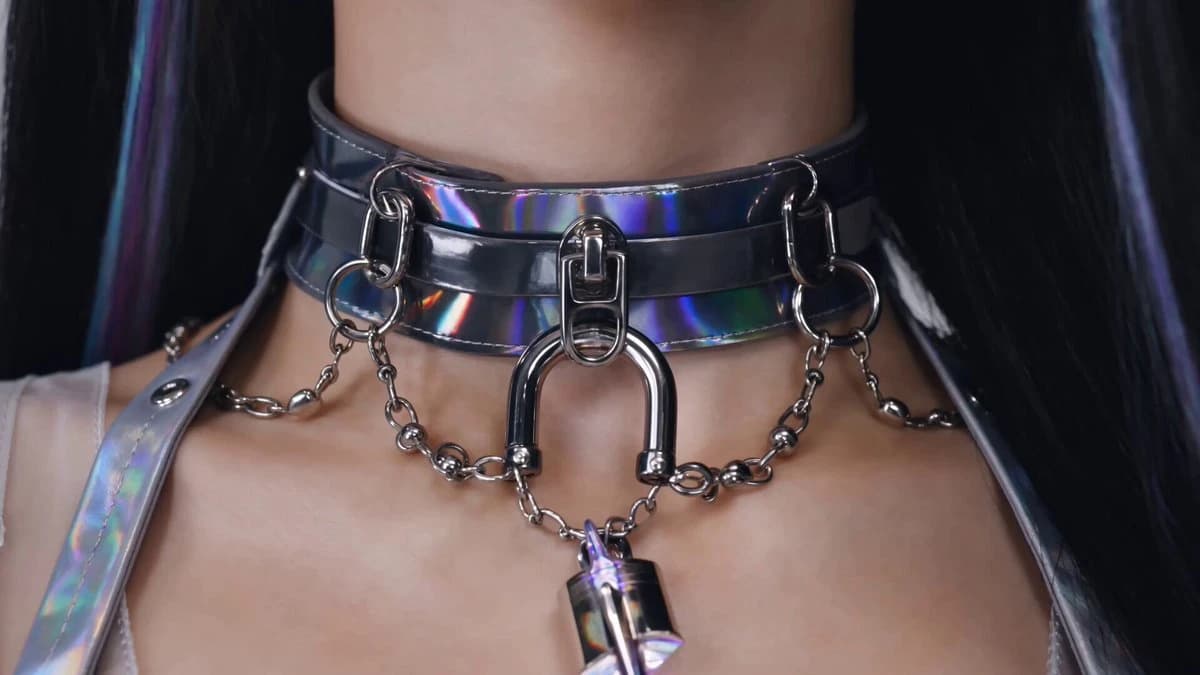
237 wordsVibe: High-Fashion Editorial meets Cyberpunk Action. The Hook: The viewer thinks they are watching a standard fashion lookbook or pop teaser, but the clothing materials suddenly reveal their true, dangerous purpose. 15-Second Storyboard Timestamp Visual Action Audio / Sound Design 0:00 - 0:03 The Setup: Extreme close-up on the holographic vinyl choker and titanium lock from @image1. The lock suddenly spins like a combination dial and glows deep purple. Upbeat, glossy pop music playing softly. A sudden, sharp, mechanical CLICK. 0:03 - 0:06 The Shift: The camera snaps back. The character flashes her perfect "Bright Smile" directly at the lens. Suddenly, the image glitches heavily. Her expression drops instantly into the cold, deadpan "editorial stare." The pop music violently stutters, pitches down, and drops into a heavy, aggressive dark synth-bass. 0:06 - 0:11 The Twist: She spins into her "Dynamic Pose." The unexpected element: The sheer organza sleeves aren't just fabric—they ignite with iridescent light, acting as a kinetic energy shield that deflects an unseen laser blast off-screen. High-frequency hum of energy. A loud CRACK of a deflected laser blast. 0:11 - 0:15 The climax: Dropping into "Stage Focus," she grabs the heavy chain hanging from her distressed denim cutouts. She yanks it free—it superheats into a glowing plasma whip. She lashes the chain directly at the camera lens. Sound of grinding metal, a roaring crackle of energy, and the sound of shattering glass. Cut to silence.
About this prompt
Cyberpunk pop Demon Hunter Teaser is a Short Drama Seedance 2.0 prompt with 237 words, structured around shot timing, camera direction, motion cues, and remixable scene details.
Use the visual preview, when available, to understand the composition, then treat the prompt text as a production brief you can adapt for your own subject, brand, or story.
Video prompt structure
Use it for Short Drama videos
Best for Seedance 2.0 generations that need Short Drama, Multi-Shot, Dialogue. Replace the subject, setting, product, dialogue, music, and timing before sending it to the generator.
Customize before generating
- Swap the subject. Keep the camera and timing structure, but change the character, product, or environment.
- Tighten the timeline. Shorten or expand shot blocks so they match the duration you want to render.
- Add reference media. Use first frames, last frames, images, video, or audio when the prompt depends on a specific look or rhythm.
More Seedance paths to explore
Browse adjacent styles and techniques from the same Seedance 2.0 prompt library.
How to use it
- Step 1
Copy or start from this prompt
Use the full prompt as a structured draft rather than rewriting the whole video brief.
- Step 2
Open Seedance 2.0
Send the text into the Seedance generator and choose text, image, or reference mode.
- Step 3
Adapt and render
Tune duration, aspect ratio, reference media, camera notes, and dialogue before generating.
Make it a Seedance video
Start from this prompt in the Seedance 2.0 generator, then adjust the scene, duration, aspect ratio, and reference media.