Prompt
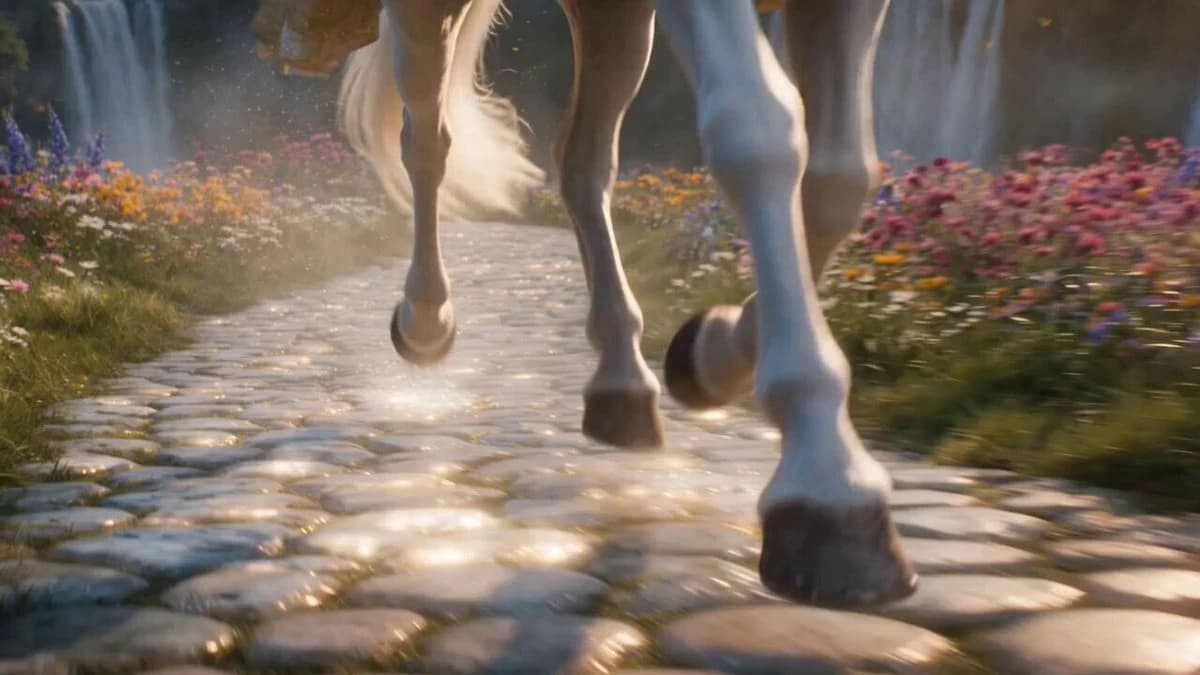
176 wordsA breathtaking cinematic fantasy scene of a beautiful princess wearing an elegant white and gold royal gown riding a majestic white horse through a magical kingdom. The camera starts with a low-angle close-up of the horse's hooves galloping over a glowing cobblestone path, then smoothly pulls back to reveal the princess as her long hair and flowing cape move gracefully in the wind. Colorful flowers bloom along the roadside, butterflies flutter through the air, and sparkling magical particles float around her. In the distance stands a magnificent golden castle surrounded by waterfalls and lush green hills. Two enormous dragons soar gracefully above the castle, their wings casting dramatic shadows as they circle the towers. The princess looks up with a gentle smile while sunlight streams through the clouds, creating god rays and a dreamy atmosphere. The camera performs a slow cinematic orbit before ending on a wide aerial shot of the magical kingdom. Ultra-realistic, fantasy epic, volumetric lighting, soft fog, HDR, highly detailed, cinematic color grading, smooth camera movement, 4K, 24fps, shallow depth of field, masterpiece.
About this prompt
Cinematic Fantasy Princess Dragon Flight is a Short Drama Seedance 2.0 prompt with 176 words, structured around shot timing, camera direction, motion cues, and remixable scene details.
Use the visual preview, when available, to understand the composition, then treat the prompt text as a production brief you can adapt for your own subject, brand, or story.
Video prompt structure
Use it for Short Drama videos
Best for Seedance 2.0 generations that need Short Drama, Multi-Shot. Replace the subject, setting, product, dialogue, music, and timing before sending it to the generator.
Customize before generating
- Swap the subject. Keep the camera and timing structure, but change the character, product, or environment.
- Tighten the timeline. Shorten or expand shot blocks so they match the duration you want to render.
- Add reference media. Use first frames, last frames, images, video, or audio when the prompt depends on a specific look or rhythm.
More Seedance paths to explore
Browse adjacent styles and techniques from the same Seedance 2.0 prompt library.
How to use it
- Step 1
Copy or start from this prompt
Use the full prompt as a structured draft rather than rewriting the whole video brief.
- Step 2
Open Seedance 2.0
Send the text into the Seedance generator and choose text, image, or reference mode.
- Step 3
Adapt and render
Tune duration, aspect ratio, reference media, camera notes, and dialogue before generating.
Make it a Seedance video
Start from this prompt in the Seedance 2.0 generator, then adjust the scene, duration, aspect ratio, and reference media.