Prompt
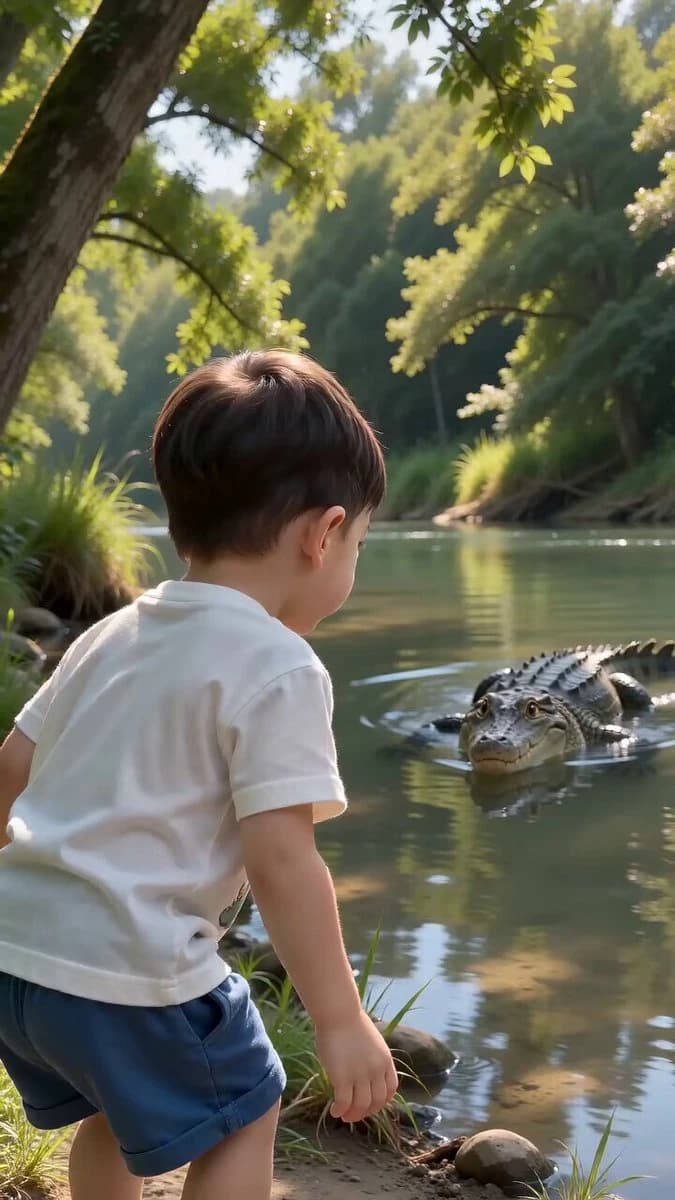
201 wordsSubject: A 5-year-old boy Scene: By a river in the wild, with a crocodile slowly swimming in the river Photography Style: Handheld mobile phone shooting, slight screen shake, a casual video recording a fun moment, expressing the boy's progression from being mischievous, curious, happy, and surprised to sad Storyboard: 0-2s: The little boy stands by the river with his back to the camera, watching the crocodile slowly swim over. 2-4s: The boy picks up a small stone and throws it at the crocodile; the crocodile is hit and stops. 4-5s: The crocodile remains still in the river; the boy laughs, looking very proud. 5-7s: The crocodile suddenly rises and uses its forelimbs to pick up a small piece of mud and throw it at the boy. The boy is caught off guard and tries to dodge but is hit by the mud. 7-10s: The boy turns around with mud all over his face and body, looking aggrieved and crying sadly. The camera turns to the river where the crocodile continues to lie in the water and slowly swims away, gently slapping the surface with its tail, splashing water. Sound: Summer riverside cicadas and birds chirping, the little boy's voice, water sounds.
About this prompt
Boy and Crocodile Mud Encounter is a Short Drama Seedance 2.0 prompt with 201 words, structured around shot timing, camera direction, motion cues, and remixable scene details.
Use the visual preview, when available, to understand the composition, then treat the prompt text as a production brief you can adapt for your own subject, brand, or story.
Video prompt structure
Use it for Short Drama videos
Best for Seedance 2.0 generations that need Short Drama, Multi-Shot, Dialogue. Replace the subject, setting, product, dialogue, music, and timing before sending it to the generator.
Customize before generating
- Swap the subject. Keep the camera and timing structure, but change the character, product, or environment.
- Tighten the timeline. Shorten or expand shot blocks so they match the duration you want to render.
- Add reference media. Use first frames, last frames, images, video, or audio when the prompt depends on a specific look or rhythm.
More Seedance paths to explore
Browse adjacent styles and techniques from the same Seedance 2.0 prompt library.
How to use it
- Step 1
Copy or start from this prompt
Use the full prompt as a structured draft rather than rewriting the whole video brief.
- Step 2
Open Seedance 2.0
Send the text into the Seedance generator and choose text, image, or reference mode.
- Step 3
Adapt and render
Tune duration, aspect ratio, reference media, camera notes, and dialogue before generating.
Make it a Seedance video
Start from this prompt in the Seedance 2.0 generator, then adjust the scene, duration, aspect ratio, and reference media.