Prompt
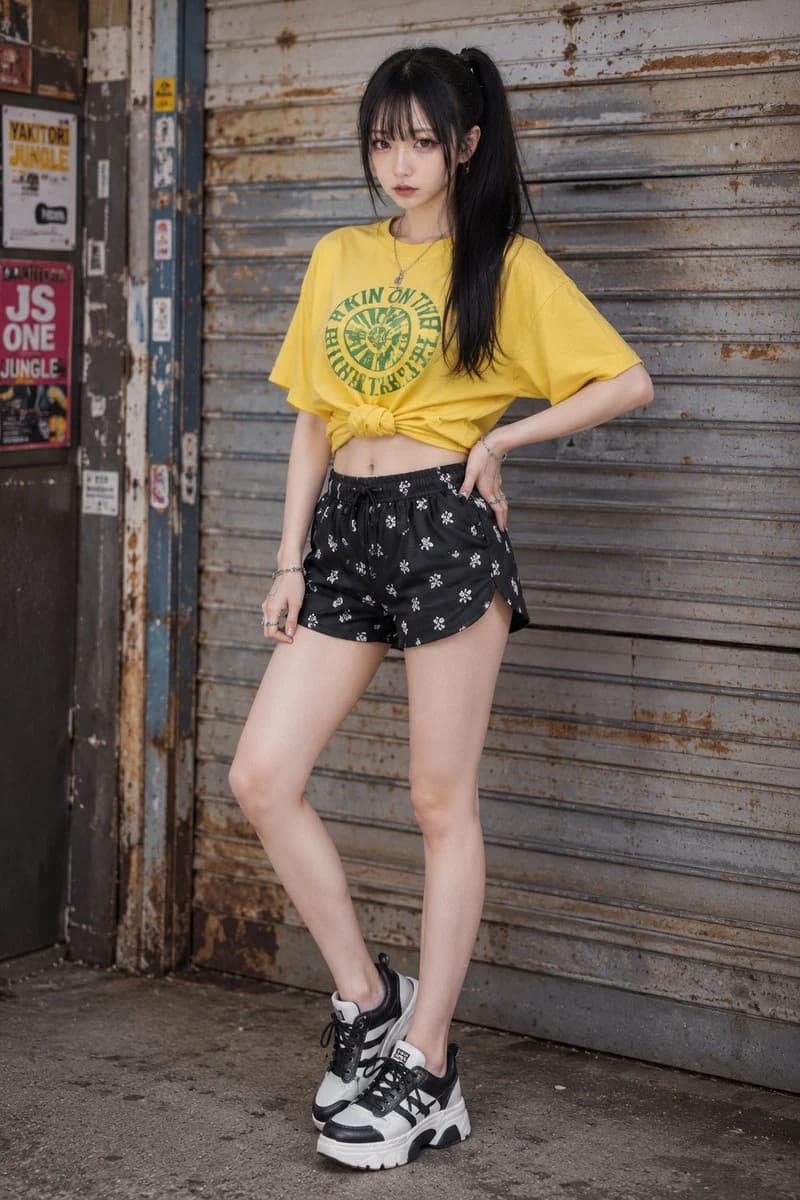
144 wordsOutfit: a bright summer Y2K casual street outfit with an oversized {argument name="shirt color" default="vivid yellow"} cotton jersey short-sleeve T-shirt featuring a green generalized circular text-style graphic print, styled with a front twisted knot or gathered cropped hem, paired with black mini shorts in lightweight woven fabric with an all-over small white generalized graphic print, white and black chunky sneakers with black laces, spotted or paneled black details, layered synthetic leather or canvas upper, and thick rubber soles; premium fabric texture, realistic garment construction, clean stitching, natural seam tension, believable fabric weight, subtle wrinkles, realistic drape, refined edge finishing, visible seams, real folds, well-made clothing details, high-quality material feel, detailed garment realism, not costume-like, not cheap-looking; add a random mix of playful Y2K {argument name="accessory material" default="silver-tone"} accessories such as bangles, rings, and small earrings that naturally match the outfit without fixing exact pieces.About this prompt
Y2K Casual Summer Streetwear is a ready-to-use ad creative prompt for GPT Image 2 on Image 2. Copy the 144 words below, paste them into the Create form, and you will get a result close to the preview above. Tweak the Product Ad, Ad Creative, Product tag if you want to push it somewhere new.
Use it as a starting point, then adjust the subject, lighting, or composition to suit your idea. The credit cost stays the same whether you use it as written or customize it.
Use case
A strong starting point for Ad Creative
Start here when you want a ad creative image inspired by Y2K Casual Summer Streetwear. The prompt already sets the look and composition; replace the subject, product, colors, or scene details to match your project.
Easy places to tweak
- Subject Swap in your person, product, place, or object without changing the overall composition.
- Look and mood Tune the lighting, palette, camera angle, or materials so the image fits your brand.
- Final format Set the aspect ratio, background, text, or layout notes before you generate.
More prompt paths to explore
Find more GPT Image 2 prompts with a similar style, use case, or subject.
How to use it
- Step 1
Copy the prompt
Hit the Copy button above to grab the full text.
- Step 2
Open Image 2 Create
Head to the Create form and paste it in.
- Step 3
Generate
Hit Generate. Your version lands in seconds.
Make it yours
Load the prompt into the Create form with one click, then start tweaking.