Prompt
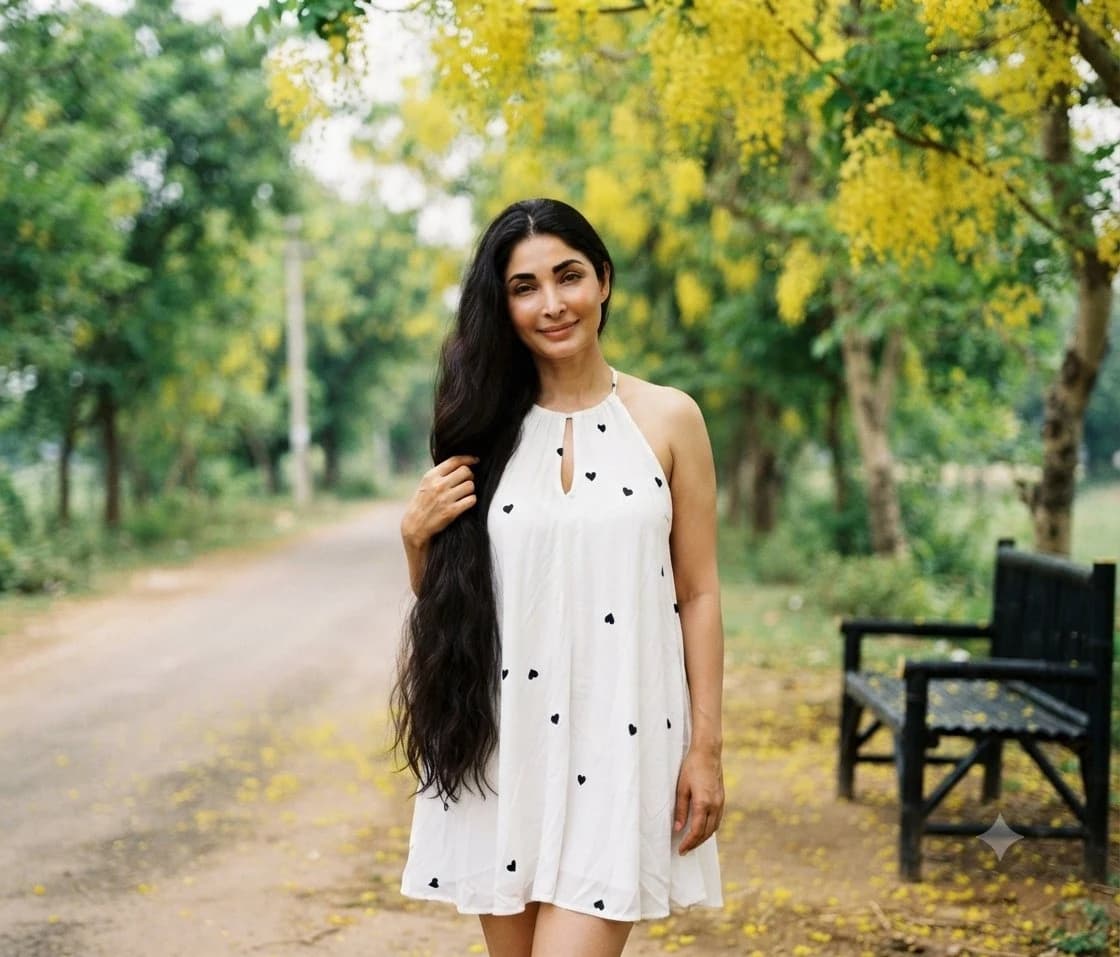
176 wordsCreate a realistic outdoor fashion portrait of a {argument name="subject" default="young woman with very long wavy black hair"} standing centered on a quiet park path, facing the camera with a soft confident smile. She is wearing a {argument name="dress" default="loose white sleeveless halter mini dress with small black heart prints and a keyhole neckline"}, lightly holding a section of her hair with one hand while the other arm rests naturally by her side. The setting is a lush green garden avenue with a softly curving paved walkway receding into the background, dense trees on both sides, and abundant hanging clusters of bright yellow flowers overhead and scattered yellow petals on the ground. Include exactly one black wooden park bench on the right side in the midground, partially blurred. Use natural daylight, warm spring atmosphere, shallow depth of field, creamy bokeh, realistic skin tones, high-detail DSLR photography look, 50mm portrait lens feel, full-body framing from slightly above knee to head with extra environment around her, centered composition, soft background blur, no text, no watermark, no extra people.About this prompt
Woman in White Dress on Park Path is a ready-to-use portrait prompt for GPT Image 2 on Image 2. Copy the 176 words below, paste them into the Create form, and you will get a result close to the preview above. Tweak the Social Media, Portrait, Fashion tag if you want to push it somewhere new.
Use it as a starting point, then adjust the subject, lighting, or composition to suit your idea. The credit cost stays the same whether you use it as written or customize it.
Use case
A strong starting point for Portrait
Start here when you want a portrait image inspired by Woman in White Dress on Park Path. The prompt already sets the look and composition; replace the subject, product, colors, or scene details to match your project.
Easy places to tweak
- Subject Swap in your person, product, place, or object without changing the overall composition.
- Look and mood Tune the lighting, palette, camera angle, or materials so the image fits your brand.
- Final format Set the aspect ratio, background, text, or layout notes before you generate.
More prompt paths to explore
Find more GPT Image 2 prompts with a similar style, use case, or subject.
How to use it
- Step 1
Copy the prompt
Hit the Copy button above to grab the full text.
- Step 2
Open Image 2 Create
Head to the Create form and paste it in.
- Step 3
Generate
Hit Generate. Your version lands in seconds.
Make it yours
Load the prompt into the Create form with one click, then start tweaking.