Prompt
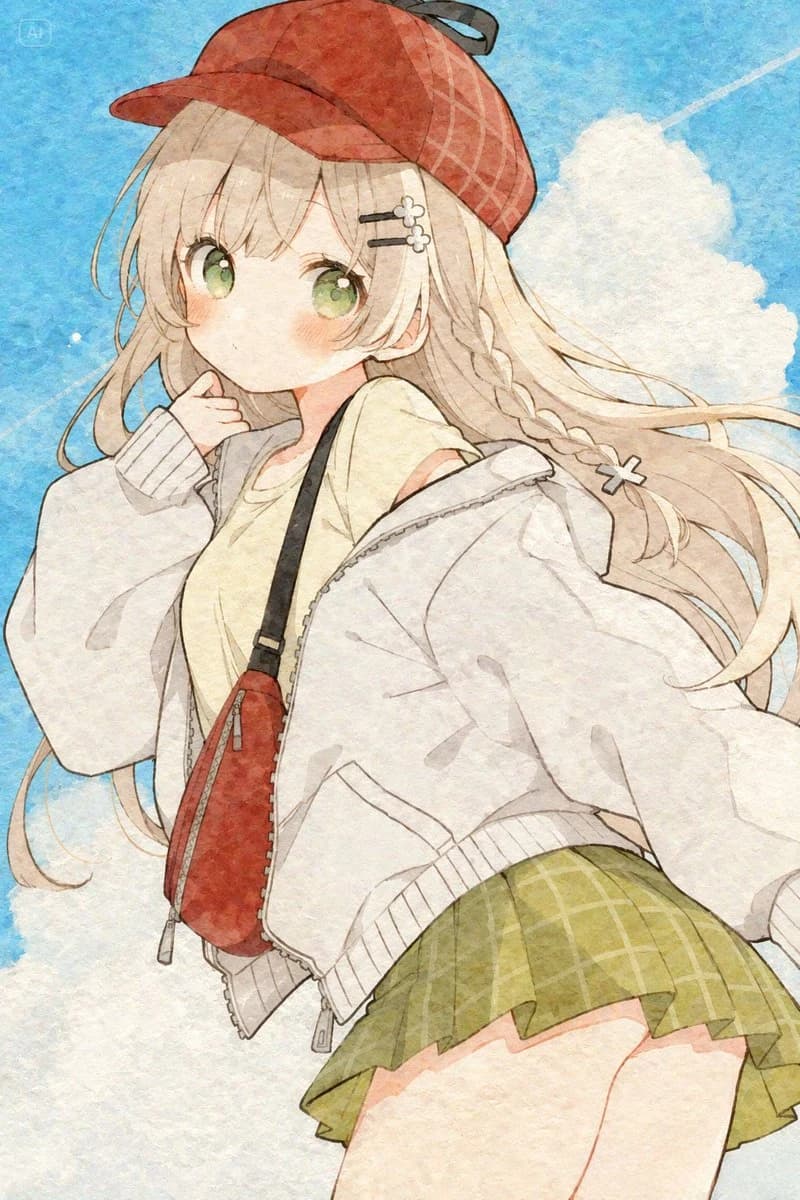
214 wordsCreate a vertical anime-style watercolor illustration of a cute teenage girl seen from a slightly low, close-up three-quarter angle against a bright blue sky with soft white clouds and a faint diagonal airplane contrail. The girl has long flowing {argument name="hair color" default="pale blonde"} hair, large glossy {argument name="eye color" default="green"} eyes, rosy cheeks, and a shy, thoughtful expression with one hand raised near her mouth. She wears a {argument name="cap color" default="red"} baseball cap with subtle plaid stitching and a small dark bow or ribbon at the back, two small flower hairpins on one side, and a side braid tied with a tiny white bow. Her outfit consists of exactly 5 main visible clothing/accessory pieces: an oversized white zip hoodie slipping off one shoulder, a pale yellow short-sleeve top, a green plaid pleated mini skirt, a red crossbody sling bag with black strap and silver zipper pulls, and the red cap. Make the fabric loose and airy, with wind pushing her hair and hoodie outward to the right. Use delicate thin brown line art, soft pastel colors, translucent watercolor washes, paper grain texture, gentle bloom, and a dreamy light summer atmosphere. Keep the composition cropped dynamically from head to upper thighs, with no text, no extra characters, no photorealism, and no harsh shadows.About this prompt
Watercolor Anime Girl in Summer Sky is a ready-to-use portrait prompt for GPT Image 2 on Image 2. Copy the 214 words below, paste them into the Create form, and you will get a result close to the preview above. Tweak the Portrait, Fashion, Anime tag if you want to push it somewhere new.
Use it as a starting point, then adjust the subject, lighting, or composition to suit your idea. The credit cost stays the same whether you use it as written or customize it.
Use case
A strong starting point for Portrait
Start here when you want a portrait image inspired by Watercolor Anime Girl in Summer Sky. The prompt already sets the look and composition; replace the subject, product, colors, or scene details to match your project.
Easy places to tweak
- Subject Swap in your person, product, place, or object without changing the overall composition.
- Look and mood Tune the lighting, palette, camera angle, or materials so the image fits your brand.
- Final format Set the aspect ratio, background, text, or layout notes before you generate.
More prompt paths to explore
Find more GPT Image 2 prompts with a similar style, use case, or subject.
How to use it
- Step 1
Copy the prompt
Hit the Copy button above to grab the full text.
- Step 2
Open Image 2 Create
Head to the Create form and paste it in.
- Step 3
Generate
Hit Generate. Your version lands in seconds.
Make it yours
Load the prompt into the Create form with one click, then start tweaking.