Prompt
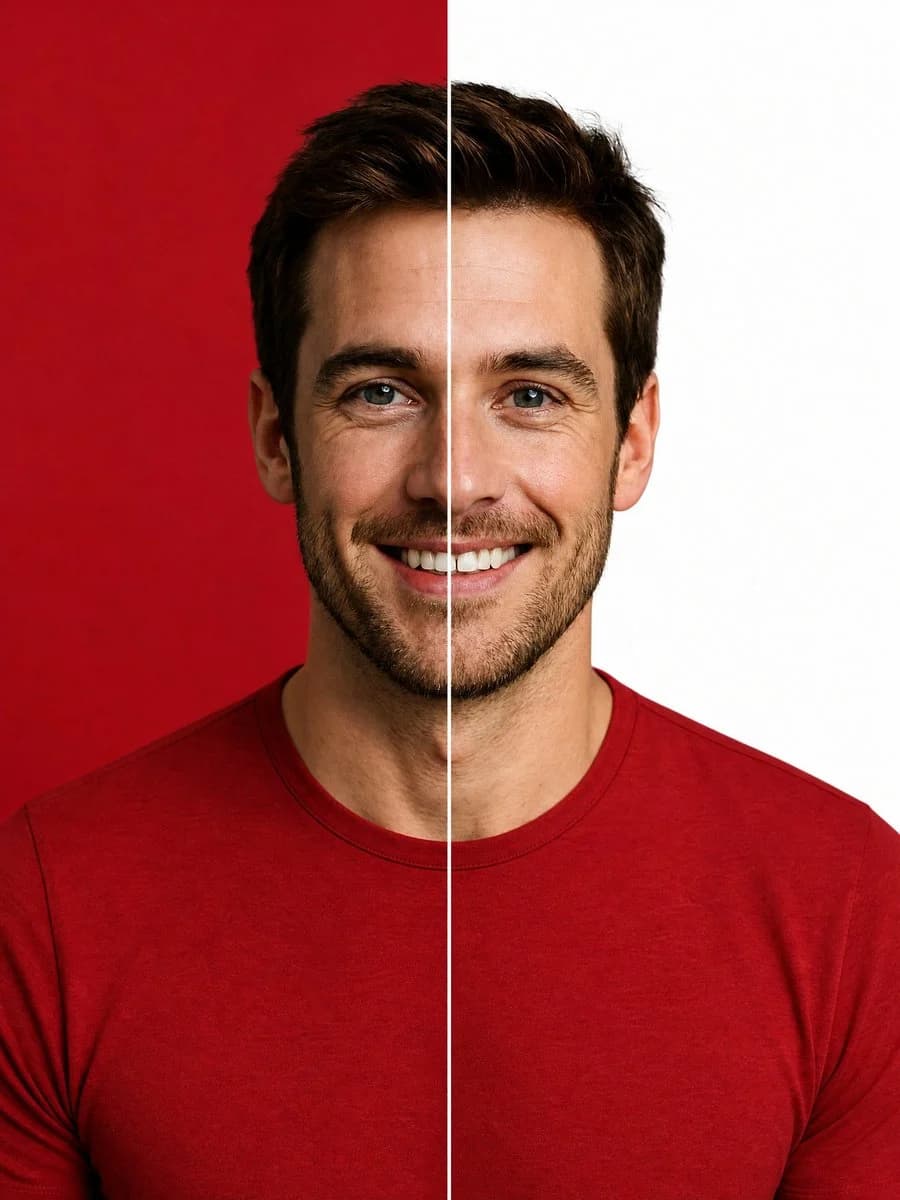
177 wordsCreate a high-end studio portrait of a smiling {argument name="subject description" default="young adult man with short dark brown hair, blue eyes, light skin, and neatly trimmed stubble"} facing straight toward the camera, centered and cropped from the upper chest upward. He wears a fitted {argument name="shirt color and style" default="premium crimson red crew-neck t-shirt"}. Split the entire image into exactly 2 vertical halves with a razor-sharp thin white divider line running perfectly from the top edge to the bottom edge through the center of his face and torso: the left half has a solid {argument name="left background color" default="deep crimson red"} studio backdrop, and the right half has a solid {argument name="right background color" default="clean white"} studio backdrop. Keep the subject symmetrical and aligned with the divider, with one half of his face on each side, a natural friendly smile, crisp facial detail, realistic skin texture, polished commercial lighting, soft shadows, sharp focus, and premium editorial retouching. Use a vertical 3:4 composition, minimal background, no text, no logos, no props, no border other than the central divider.About this prompt
Split Background Studio Portrait is a ready-to-use portrait prompt for GPT Image 2 on Image 2. Copy the 177 words below, paste them into the Create form, and you will get a result close to the preview above. Tweak the Product Ad, Portrait, Sports tag if you want to push it somewhere new.
Use it as a starting point, then adjust the subject, lighting, or composition to suit your idea. The credit cost stays the same whether you use it as written or customize it.
Use case
A strong starting point for Portrait
Start here when you want a portrait image inspired by Split Background Studio Portrait. The prompt already sets the look and composition; replace the subject, product, colors, or scene details to match your project.
Easy places to tweak
- Subject Swap in your person, product, place, or object without changing the overall composition.
- Look and mood Tune the lighting, palette, camera angle, or materials so the image fits your brand.
- Final format Set the aspect ratio, background, text, or layout notes before you generate.
More prompt paths to explore
Find more GPT Image 2 prompts with a similar style, use case, or subject.
How to use it
- Step 1
Copy the prompt
Hit the Copy button above to grab the full text.
- Step 2
Open Image 2 Create
Head to the Create form and paste it in.
- Step 3
Generate
Hit Generate. Your version lands in seconds.
Make it yours
Load the prompt into the Create form with one click, then start tweaking.