Prompt
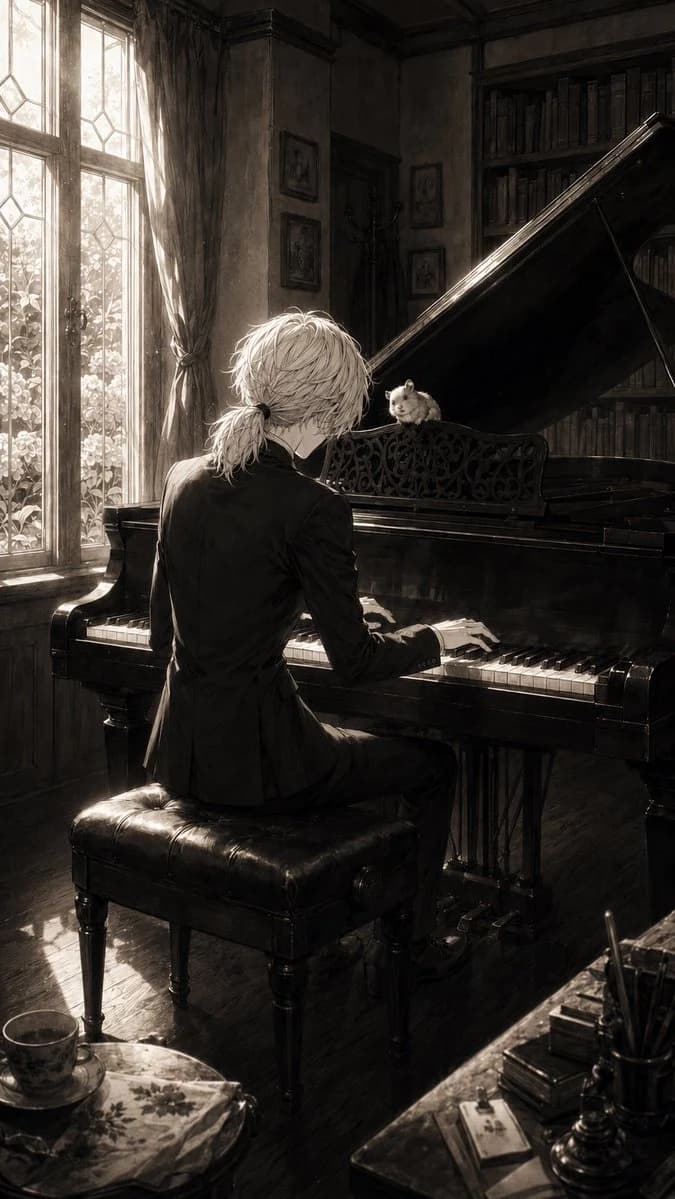
203 wordsCreate a vertical monochrome/sepia anime-style album-cover illustration of {argument name="character name" default="a slender young pianist"} seated with their back mostly to the viewer at a glossy black grand piano in an old European study. The pianist has {argument name="hair color" default="pale silver-white"} tousled medium-length hair tied into a small low ponytail, wears a fitted black suit, and is mid-performance with both hands on the keys. A small {argument name="animal" default="hamster"} sits on the ornate music stand of the grand piano, facing the pianist like a tiny attentive audience. The room is richly detailed and realistic: tall leaded-glass windows on the left with sheer bright daylight streaming in, heavy curtains, dusty sunbeams, dark wood floor, wall molding, framed pictures, a coat stand, and a tall bookcase packed with books behind the raised piano lid. Include exactly 1 pianist, 1 grand piano, 1 piano bench, 1 hamster, 2 tall window panels, 1 large bookcase, 1 foreground teacup and saucer, and 1 cluttered writing desk corner with pens and stacked books. Use dramatic chiaroscuro lighting, strong backlight from the windows, reflective black piano surfaces, fine line-art detail blended with painterly realism, muted sepia grayscale tones, melancholic intimate atmosphere, cinematic composition, high detail, no text, no watermark.About this prompt
Sepia Pianist and Hamster is a ready-to-use social media prompt for GPT Image 2 on Image 2. Copy the 203 words below, paste them into the Create form, and you will get a result close to the preview above. Tweak the Social Media, Storyboard, Architecture tag if you want to push it somewhere new.
Use it as a starting point, then adjust the subject, lighting, or composition to suit your idea. The credit cost stays the same whether you use it as written or customize it.
Use case
A strong starting point for Social Media
Start here when you want a social media image inspired by Sepia Pianist and Hamster. The prompt already sets the look and composition; replace the subject, product, colors, or scene details to match your project.
Easy places to tweak
- Subject Swap in your person, product, place, or object without changing the overall composition.
- Look and mood Tune the lighting, palette, camera angle, or materials so the image fits your brand.
- Final format Set the aspect ratio, background, text, or layout notes before you generate.
More prompt paths to explore
Find more GPT Image 2 prompts with a similar style, use case, or subject.
How to use it
- Step 1
Copy the prompt
Hit the Copy button above to grab the full text.
- Step 2
Open Image 2 Create
Head to the Create form and paste it in.
- Step 3
Generate
Hit Generate. Your version lands in seconds.
Make it yours
Load the prompt into the Create form with one click, then start tweaking.