Prompt
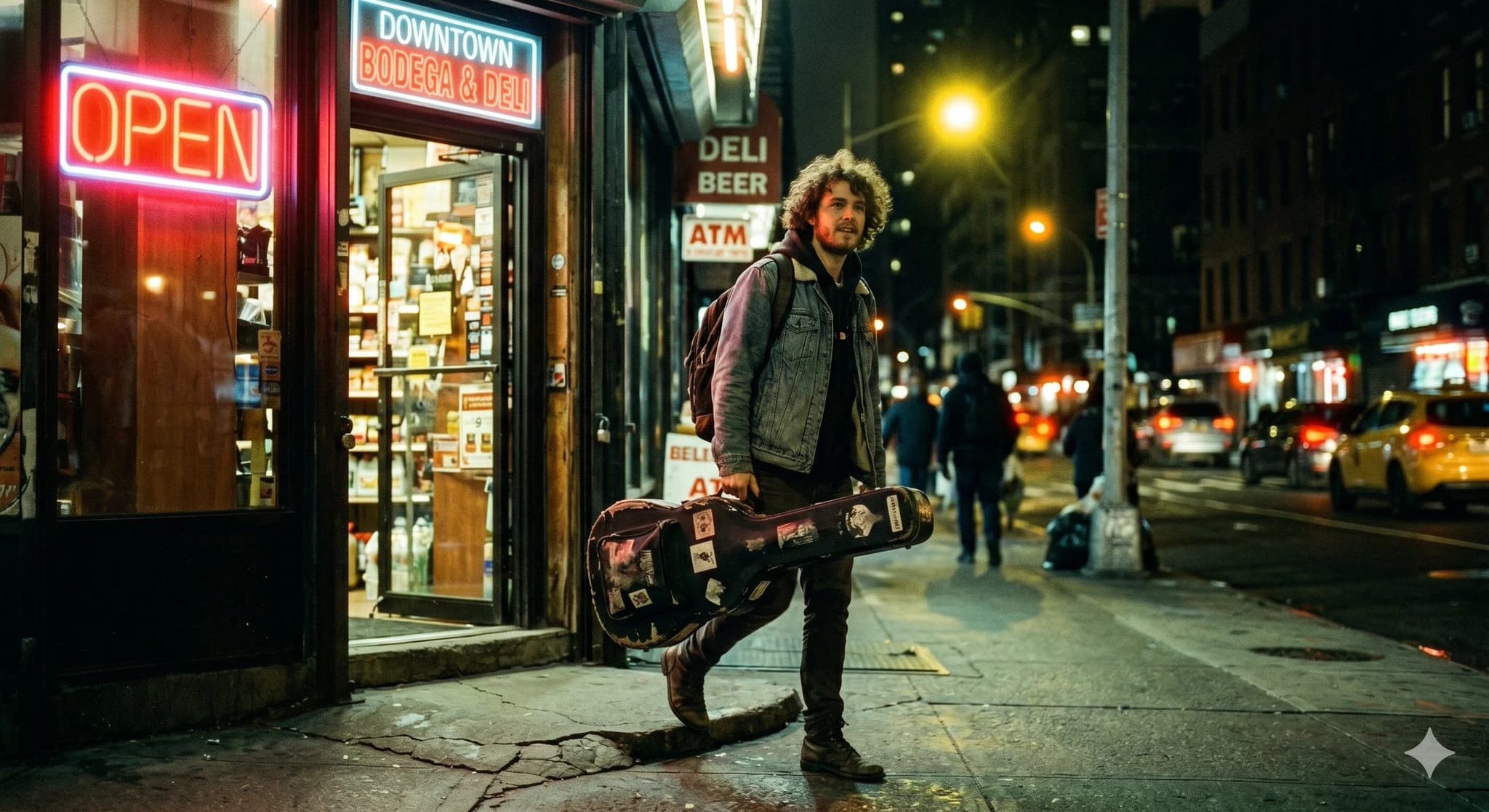
133 wordsA candid, magazine-cover quality documentary photograph of a young musician with curly hair, casually carrying a worn guitar case, stepping out of a classic downtown bodega at 11 PM. The lighting features a complex mixed color temperature: a bright neon "OPEN" sign casts an intense, warm red glow across his face, while a yellow streetlamp provides a striking backlight behind him. The image perfectly emulates 35mm film shot on a Canon AE-1 with a 50mm f/1.4 lens wide open, exhibiting a shallow depth of field with the background beautifully blurred. It captures the exact aesthetics of CineStill 800T film, specifically featuring the distinctive soft red halation bloom radiating outward from the neon light sources, a tungsten white balance, and moody, slightly green-tinted shadows in the darkest areas. Cinematic night photography, photorealistic, highly detailed.
About this prompt
Musician Leaving Bodega Night Cinematic Portrait is a ready-to-use portrait prompt for GPT Image 2 on Image 2. Copy the 133 words below, paste them into the Create form, and you will get a result close to the preview above. Tweak the Portrait, Cinematic, Cyberpunk tag if you want to push it somewhere new.
Use it as a starting point, then adjust the subject, lighting, or composition to suit your idea. The credit cost stays the same whether you use it as written or customize it.
Use case
A strong starting point for Portrait
Start here when you want a portrait image inspired by Musician Leaving Bodega Night Cinematic Portrait. The prompt already sets the look and composition; replace the subject, product, colors, or scene details to match your project.
Easy places to tweak
- Subject Swap in your person, product, place, or object without changing the overall composition.
- Look and mood Tune the lighting, palette, camera angle, or materials so the image fits your brand.
- Final format Set the aspect ratio, background, text, or layout notes before you generate.
More prompt paths to explore
Find more GPT Image 2 prompts with a similar style, use case, or subject.
How to use it
- Step 1
Copy the prompt
Hit the Copy button above to grab the full text.
- Step 2
Open Image 2 Create
Head to the Create form and paste it in.
- Step 3
Generate
Hit Generate. Your version lands in seconds.
Make it yours
Load the prompt into the Create form with one click, then start tweaking.