Prompt
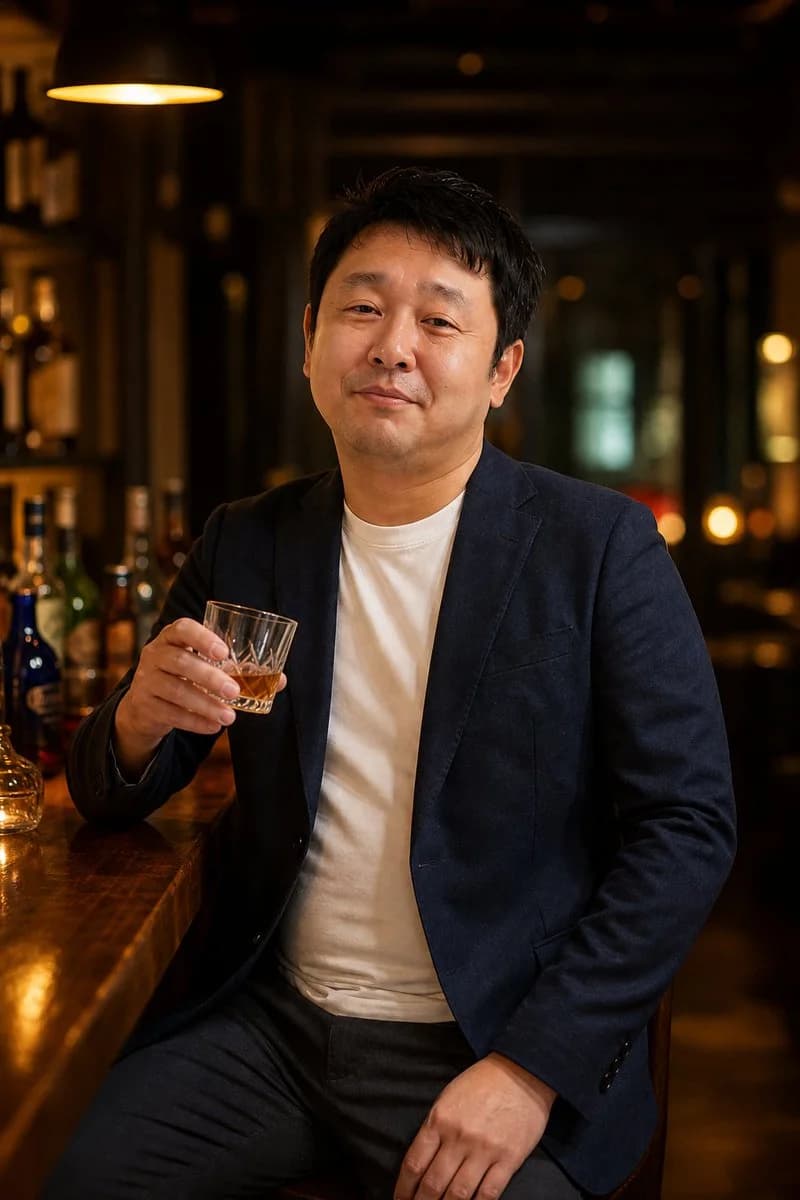
185 wordsCreate a realistic cinematic portrait photograph of a {argument name="subject" default="middle-aged Japanese man"} sitting at a polished wooden bar counter in a dim, upscale cocktail bar. He faces the camera in a relaxed three-quarter seated pose, wearing a {argument name="jacket color" default="navy blazer"} over a plain white crew-neck T-shirt with dark trousers. His expression is calm and slightly amused, with a subtle closed-mouth smile, short slightly tousled black hair, natural skin texture, and an approachable business-casual look. His right hand holds a small cut-glass tumbler containing amber whiskey with ice, raised casually near chest height, while his left hand rests on his thigh. The background shows softly blurred liquor bottles, warm golden bokeh lights, dark wood shelves, and one large warm pendant lamp glowing in the upper left. Use moody bar lighting with rich amber highlights, shallow depth of field, realistic proportions, natural facial details, and high-end editorial photography style. Vertical portrait composition, waist-up to mid-thigh framing, 2:3 aspect ratio, subject centered slightly right, bar counter running diagonally from the lower left toward the subject. No text, no watermark, no extra people, no exaggerated retouching.About this prompt
Middle-Aged Man at Whiskey Bar is a ready-to-use portrait prompt for GPT Image 2 on Image 2. Copy the 185 words below, paste them into the Create form, and you will get a result close to the preview above. Tweak the Portrait, Sports tag if you want to push it somewhere new.
Use it as a starting point, then adjust the subject, lighting, or composition to suit your idea. The credit cost stays the same whether you use it as written or customize it.
Use case
A strong starting point for Portrait
Start here when you want a portrait image inspired by Middle-Aged Man at Whiskey Bar. The prompt already sets the look and composition; replace the subject, product, colors, or scene details to match your project.
Easy places to tweak
- Subject Swap in your person, product, place, or object without changing the overall composition.
- Look and mood Tune the lighting, palette, camera angle, or materials so the image fits your brand.
- Final format Set the aspect ratio, background, text, or layout notes before you generate.
More prompt paths to explore
Find more GPT Image 2 prompts with a similar style, use case, or subject.
How to use it
- Step 1
Copy the prompt
Hit the Copy button above to grab the full text.
- Step 2
Open Image 2 Create
Head to the Create form and paste it in.
- Step 3
Generate
Hit Generate. Your version lands in seconds.
Make it yours
Load the prompt into the Create form with one click, then start tweaking.