Prompt
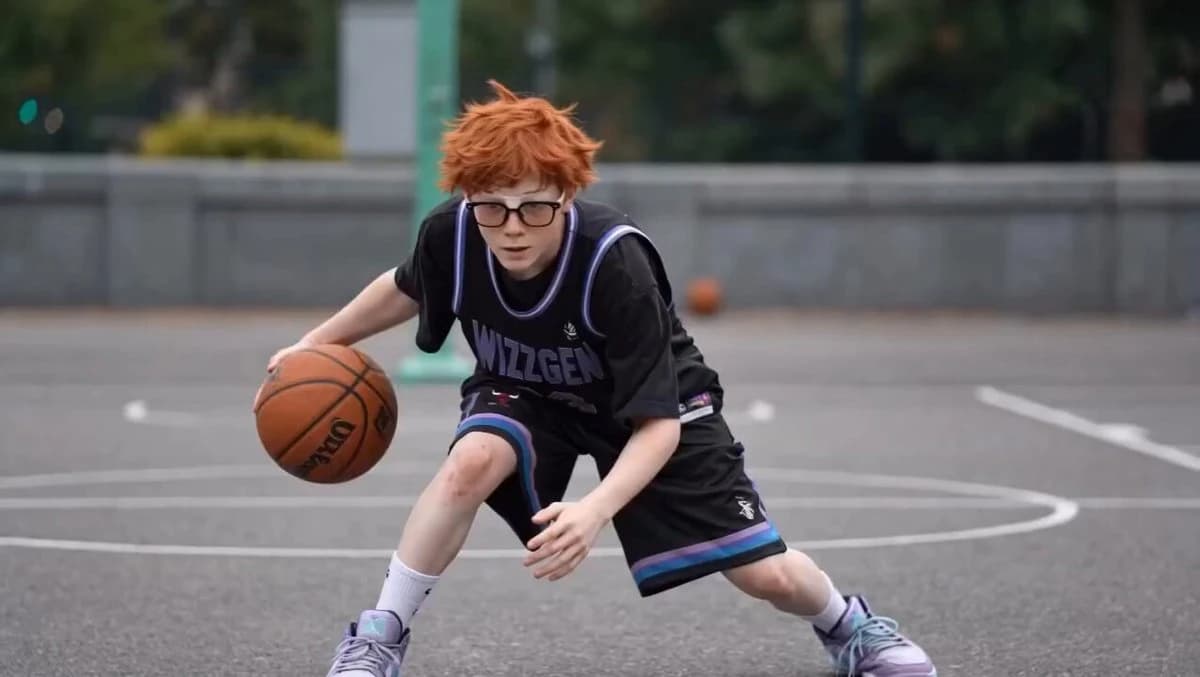
135 wordsA photorealistic video sequence captures a young boy with messy orange hair and thick-framed glasses, as seen in image_0.png, image_1.png, and other source frames. He is dressed in a black basketball jersey and matching shorts with purple and blue trim, featuring the text "WIZZGEN 23" on the front and "CHICAGO 23" on the back (image_4.png). The setting is an outdoor asphalt city basketball court with green trees and a visible basketball hoop. The action begins with the boy in a low stance, dribbling the ball between his legs (image_0.png through image_3.png), then transitions to him standing taller and performing crossovers (image_5.png through image_7.png), followed by him successfully spinning the ball on his finger (image_8.png), and finally posing with a peace sign while holding the ball (image_9.png). The lighting is soft daylight under an overcast sky.
About this prompt
Basketball Boy Motion Sequence is a ready-to-use portrait prompt for GPT Image 2 on Image 2. Copy the 135 words below, paste them into the Create form, and you will get a result close to the preview above. Tweak the Portrait, Sports tag if you want to push it somewhere new.
Use it as a starting point, then adjust the subject, lighting, or composition to suit your idea. The credit cost stays the same whether you use it as written or customize it.
Use case
A strong starting point for Portrait
Start here when you want a portrait image inspired by Basketball Boy Motion Sequence. The prompt already sets the look and composition; replace the subject, product, colors, or scene details to match your project.
Easy places to tweak
- Subject Swap in your person, product, place, or object without changing the overall composition.
- Look and mood Tune the lighting, palette, camera angle, or materials so the image fits your brand.
- Final format Set the aspect ratio, background, text, or layout notes before you generate.
More prompt paths to explore
Find more GPT Image 2 prompts with a similar style, use case, or subject.
How to use it
- Step 1
Copy the prompt
Hit the Copy button above to grab the full text.
- Step 2
Open Image 2 Create
Head to the Create form and paste it in.
- Step 3
Generate
Hit Generate. Your version lands in seconds.
Make it yours
Load the prompt into the Create form with one click, then start tweaking.