Prompt
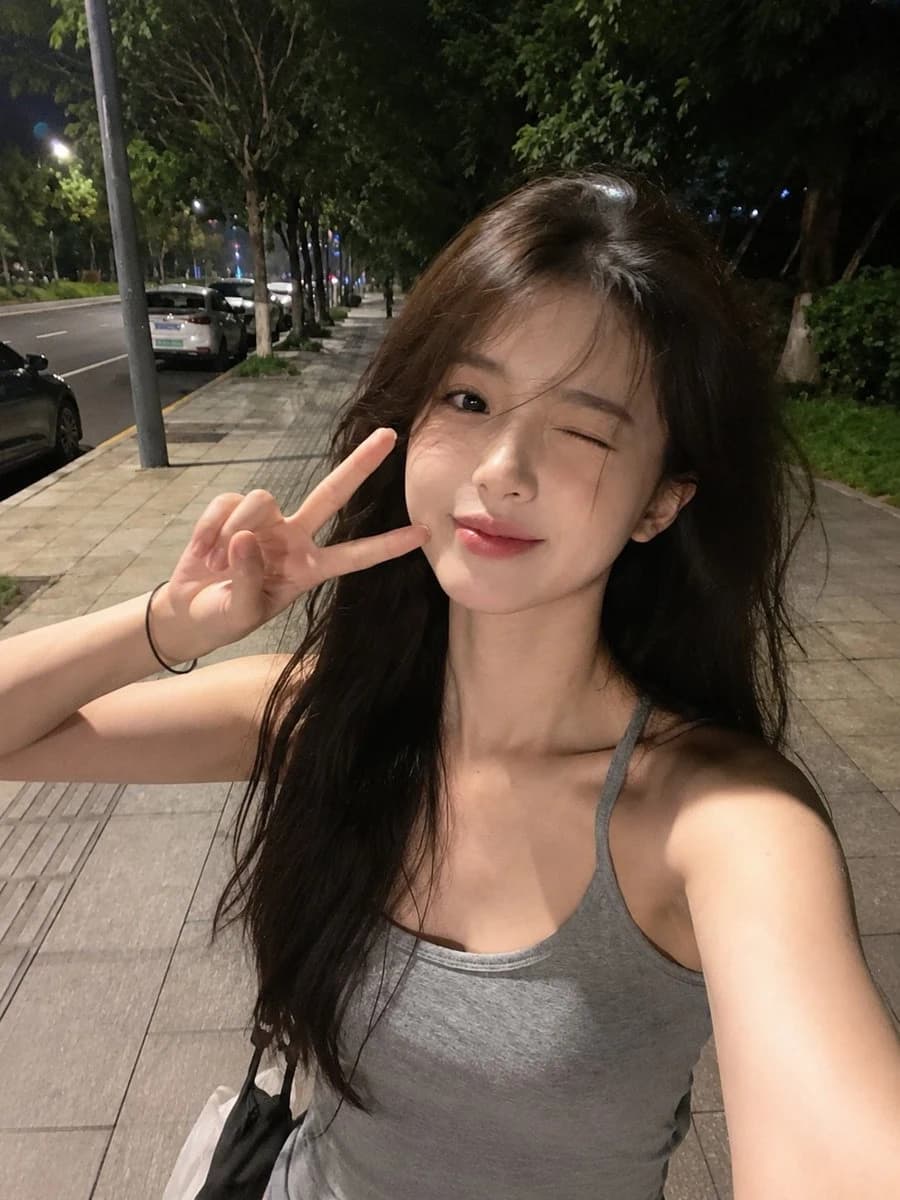
149 wordsUltra-realistic smartphone selfie taken with a mobile phone at night, looks genuinely captured on an iPhone/mobile camera, not a DSLR. A beautiful {argument name="subject" default="young East Asian woman"} with long, slightly messy dark brown hair flowing naturally in the breeze, fair porcelain skin, large expressive brown eyes, soft natural makeup, subtle blush, and glossy pink lips making a cute duck-face expression. Wearing a {argument name="outfit" default="fitted gray spaghetti-strap camisole"}, holding a smartphone casually in one hand while walking along a {argument name="location" default="quiet tree-lined city sidewalk"} at night. Warm streetlights illuminate her face with soft shadows, parked cars, green trees, and an empty road in the background. Slight handheld motion blur, natural phone HDR, realistic skin texture, authentic hair strands, mild digital noise, front-camera perspective, candid lifestyle aesthetic, casual late-night walk, Instagram-style selfie, high detail, photorealistic, clearly looks like an unedited mobile phone photo, not AI or studio photography.About this prompt
Late-Night City Walk Smartphone Selfie is a ready-to-use portrait prompt for GPT Image 2 on Image 2. Copy the 149 words below, paste them into the Create form, and you will get a result close to the preview above. Tweak the Social Media, Portrait, Fashion tag if you want to push it somewhere new.
Use it as a starting point, then adjust the subject, lighting, or composition to suit your idea. The credit cost stays the same whether you use it as written or customize it.
Use case
A strong starting point for Portrait
Start here when you want a portrait image inspired by Late-Night City Walk Smartphone Selfie. The prompt already sets the look and composition; replace the subject, product, colors, or scene details to match your project.
Easy places to tweak
- Subject Swap in your person, product, place, or object without changing the overall composition.
- Look and mood Tune the lighting, palette, camera angle, or materials so the image fits your brand.
- Final format Set the aspect ratio, background, text, or layout notes before you generate.
More prompt paths to explore
Find more GPT Image 2 prompts with a similar style, use case, or subject.
How to use it
- Step 1
Copy the prompt
Hit the Copy button above to grab the full text.
- Step 2
Open Image 2 Create
Head to the Create form and paste it in.
- Step 3
Generate
Hit Generate. Your version lands in seconds.
Make it yours
Load the prompt into the Create form with one click, then start tweaking.