Prompt
256 words;
{
"reference_image": "uploaded_photo",
"face_likeness": {
"accuracy": "high",
"preserve_features": [
"exact facial structure",
"natural skin tone",
"eye shape",
"nose form",
"lip structure",
"original expression"
],
"usage": "primary face reference for proportions and likeness"
},
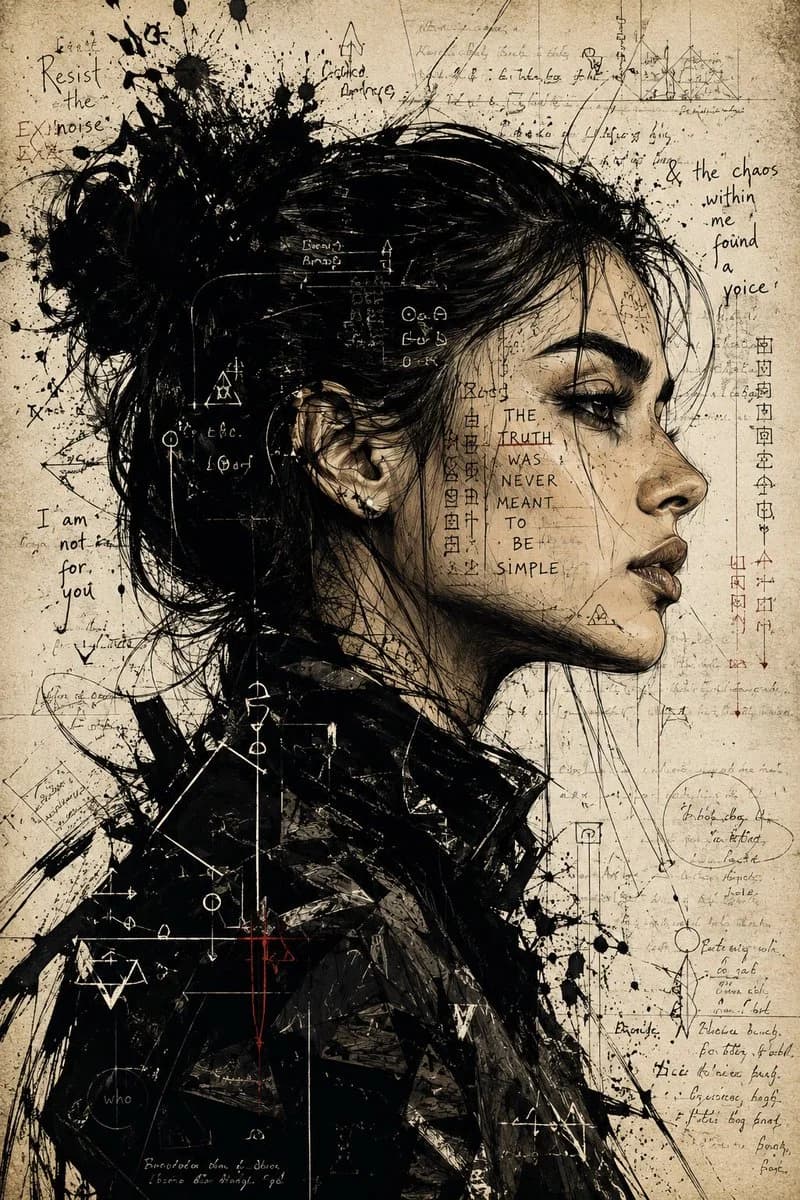
"portrait_style": {
"composition": "dramatic female side-profile portrait",
"mood": "intense, rebellious, emotionally charged",
"art_direction": "expressive mixed-media ink illustration with conceptual editorial aesthetics"
},
"subject_details": {
"gender": "female",
"pose": "strong side profile facing right",
"presence": "bold, mysterious, psychologically complex",
"hair": {
"style": "messy textured bun with loose strands",
"treatment": "chaotic ink brush detailing and sharp sketch strokes"
},
"wardrobe": {
"type": "dark abstract oversized jacket",
"treatment": "heavy painterly textures, angular brushwork, layered ink strokes"
}
},
"visual_elements": {
"overlays": [
"cryptic handwritten notes",
"abstract mathematical sketches",
"symbols and glyphs",
"fragmented typography",
"ink splatters",
"diagram-like markings wrapping around the face"
],
"meaning": "representing inner conflict, hidden emotions, intellectual chaos, and emotional depth"
},
"art_technique": {
"linework": "sharp pen detailing mixed with aggressive brush strokes",
"effects": [
"ink splashes",
"controlled chaos",
"layered textures",
"grunge imperfections",
"rough mixed-media blending"
],
"style_blend": "editorial illustration meets psychological concept art"
},
"background": {
"texture": "aged parchment paper",
"tone": "warm desaturated beige with grain",
"details": [
"faded manuscript texture",
"subtle stains",
"vintage paper imperfections",
"delicate line artifacts",
"hand-drawn sketch remnants"
]
},
"lighting": {
"style": "high-contrast cinematic shading",
"focus": "sharp highlights on facial contours with deep ink-heavy shadows"
},
"overall_aesthetic": {
"contrast": "high",
"finish": "raw yet precise, experimental and cinematic",
"emotion": "powerful, intense, thought-provoking, rebellious"
},
"quality": {
"detail_level": "extremely high",
"render_style": "premium artstation-quality editorial illustration",
"resolution": "ultra detailed"
}
}About this prompt
Ink Side Profile Mixed Media Portrait is a ready-to-use portrait prompt for GPT Image 2 on Image 2. Copy the 256 words below, paste them into the Create form, and you will get a result close to the preview above. Tweak the Infographic, Portrait, Fashion tag if you want to push it somewhere new.
Use it as a starting point, then adjust the subject, lighting, or composition to suit your idea. The credit cost stays the same whether you use it as written or customize it.
Use case
A strong starting point for Portrait
Start here when you want a portrait image inspired by Ink Side Profile Mixed Media Portrait. The prompt already sets the look and composition; replace the subject, product, colors, or scene details to match your project.
Easy places to tweak
- Subject Swap in your person, product, place, or object without changing the overall composition.
- Look and mood Tune the lighting, palette, camera angle, or materials so the image fits your brand.
- Final format Set the aspect ratio, background, text, or layout notes before you generate.
More prompt paths to explore
Find more GPT Image 2 prompts with a similar style, use case, or subject.
How to use it
- Step 1
Copy the prompt
Hit the Copy button above to grab the full text.
- Step 2
Open Image 2 Create
Head to the Create form and paste it in.
- Step 3
Generate
Hit Generate. Your version lands in seconds.
Make it yours
Load the prompt into the Create form with one click, then start tweaking.