Prompt
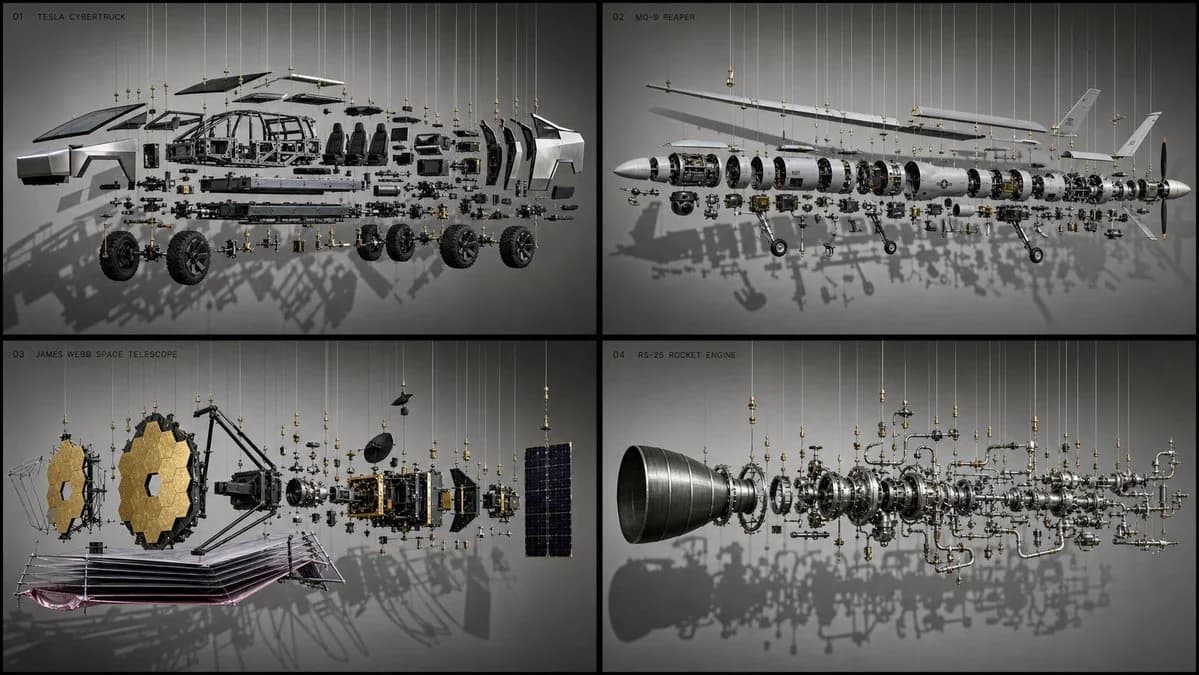
123 words16:9 2x2 grid, do this for cybertruck, reaper drone, james webb telescope, and another complex machine: do this for cybertruck: { "exhibit_type": "physical exploded assembly", "subject": "$complex_invention", // e.g., "an enigma machine", "a mechanical chronometer" "physical_constraints": { "state": "the machine is pulled apart into its 50 primary components along a horizontal axis.", "support_system": "no magical floating. every single floating gear and casing is physically held in the air by taut, thin, steel suspension wires and heavy brass museum clamps.", "background": "a flat, neutral-grey museum wall." }, "lighting_and_shadows": { "setup": "hard spotlighting from the top left.", "shadow_effect": "critical: the floating, separated components and their suspension wires must cast a highly complex, overlapping, beautiful shadow pattern directly onto the grey wall behind them." } }About this prompt
Exploded Museum Assembly Diagram is a ready-to-use ui mockup prompt for GPT Image 2 on Image 2. Copy the 123 words below, paste them into the Create form, and you will get a result close to the preview above. Tweak the Infographic, UI, Mockup tag if you want to push it somewhere new.
Use it as a starting point and keep iterating: change the subject, lighting, or composition until it looks right. The credit cost stays the same whether you run it as-is or remix it.
Use case
A strong starting point for UI Mockup
Start here when you want a ui mockup image in the same direction as Exploded Museum Assembly Diagram. The prompt already sets the look and structure; swap in your own subject, product, colors, or scene details for the brief you have in mind.
Easy places to tweak
- Subject Swap in your person, product, place, or object without changing the overall composition.
- Look and mood Tune the lighting, palette, camera angle, or materials so the image fits your brand.
- Final format Set the aspect ratio, background, text, or layout notes before you generate.
More prompt paths to explore
Find more GPT Image 2 prompts with a similar style, use case, or subject.
How to use it
- Step 1
Copy the prompt
Hit the Copy button above to grab the full text.
- Step 2
Open Image 2 Create
Head to the Create form and paste it in.
- Step 3
Generate
Hit Generate. Your version lands in seconds.
Make it yours
Load the prompt into the Create form with one click, then start tweaking.