Prompt
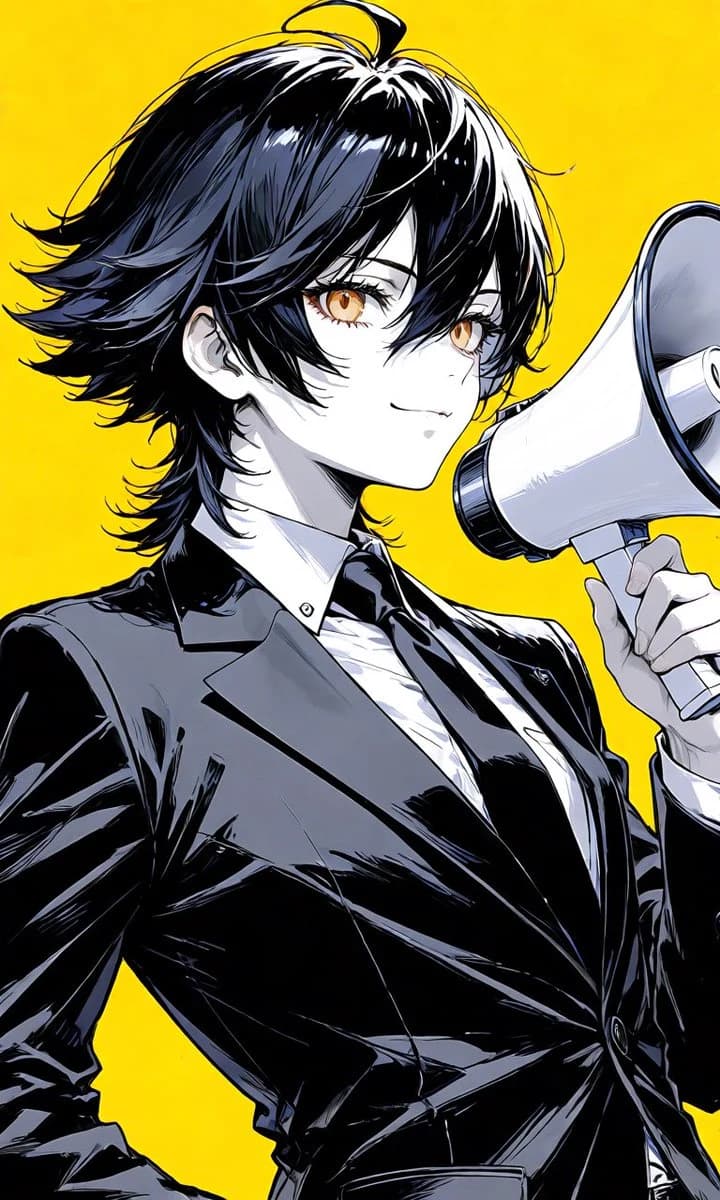
187 wordsCreate a vertical anime-style portrait illustration of {argument name="character name" default="Sol"}, a confident androgynous young adult with pale skin, sharp amber-gold eyes, and a faint knowing smile, shown from the waist up in a three-quarter view facing right. The character has layered, tousled {argument name="hair color" default="black hair with subtle gold-like reflections visible in the highlights"}, with shaggy side bangs partially covering one eye, feathered outward ends around the neck, and a small ahoge strand curling upward from the crown. They wear a glossy black fitted suit jacket over a crisp white dress shirt and a black tie, with dramatic inked folds and reflective highlights on the fabric. Their right hand holds a large white-and-gray megaphone close to their mouth, angled toward the right edge of the frame, while the left arm rests assertively at the hip. Use a flat vivid {argument name="background color" default="bright yellow"} background with no scenery or text. Style the image like a high-contrast modern manga cover: clean black line art, expressive hair strands, stark cel shading, cool gray shadows, glossy highlights, elegant facial features, dynamic cropped composition, and a polished illustration finish.About this prompt
Anime Megaphone Announcer Character is a ready-to-use portrait prompt for GPT Image 2 on Image 2. Copy the 187 words below, paste them into the Create form, and you will get a result close to the preview above. Tweak the Portrait, Fashion, Anime tag if you want to push it somewhere new.
Use it as a starting point, then adjust the subject, lighting, or composition to suit your idea. The credit cost stays the same whether you use it as written or customize it.
Use case
A strong starting point for Portrait
Start here when you want a portrait image inspired by Anime Megaphone Announcer Character. The prompt already sets the look and composition; replace the subject, product, colors, or scene details to match your project.
Easy places to tweak
- Subject Swap in your person, product, place, or object without changing the overall composition.
- Look and mood Tune the lighting, palette, camera angle, or materials so the image fits your brand.
- Final format Set the aspect ratio, background, text, or layout notes before you generate.
More prompt paths to explore
Find more GPT Image 2 prompts with a similar style, use case, or subject.
How to use it
- Step 1
Copy the prompt
Hit the Copy button above to grab the full text.
- Step 2
Open Image 2 Create
Head to the Create form and paste it in.
- Step 3
Generate
Hit Generate. Your version lands in seconds.
Make it yours
Load the prompt into the Create form with one click, then start tweaking.