Prompt
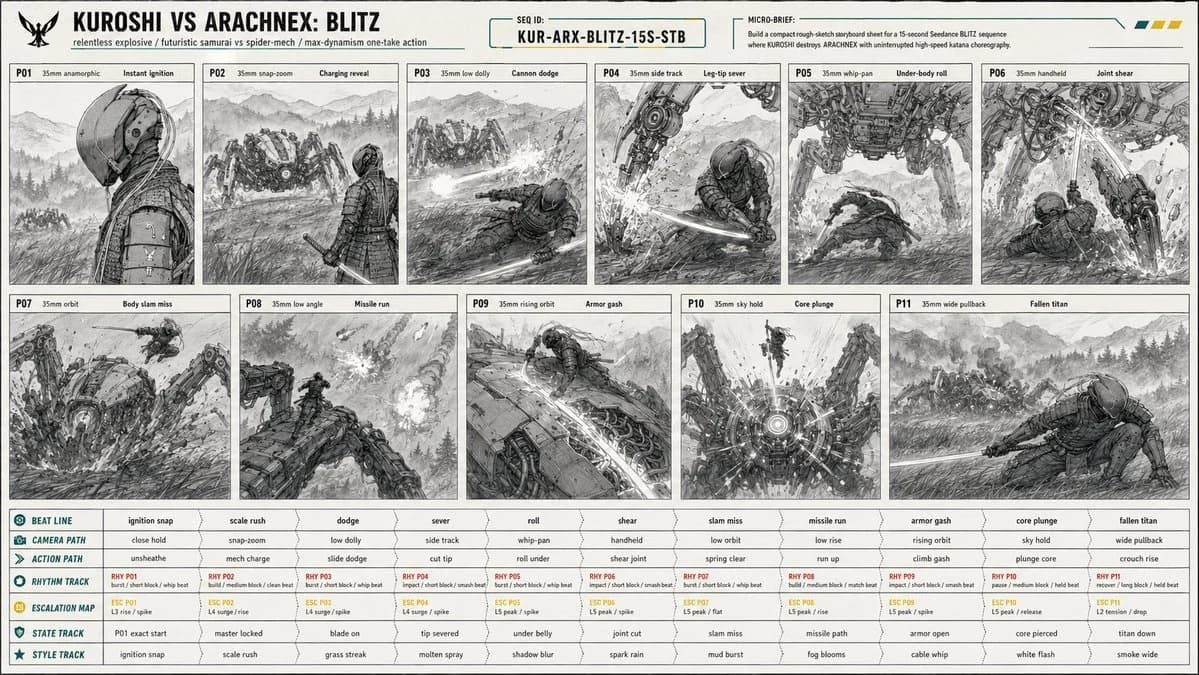
172 wordsCreate a 16:9 image. [PROJECT CARD] Create a compact designed masthead, not a table. TITLE: KUROSHI VS ARACHNEX: BLITZ META LINE: relentless explosive / futuristic samurai vs spider-mech / max-dynamism one-take action PRIORITY: constant motion readability, one-take camera continuity, leg-cut and core-kill clarity, massive scale contrast MICRO BRIEF: Build a compact rough-sketch storyboard sheet for a 15-second Seedance BLITZ sequence where KUROSHI destroys ARACHNEX with uninterrupted high-speed katana choreography. [CONTINUITY HEADER] SEQUENCE ID: KUR-ARX-BLITZ-15S-STB REFERENCE PRIORITY: @image1 controls C1 KUROSHI identity, wardrobe, armor, helmet, cables, katana, proportions; @image2 controls C2 ARACHNEX identity, weapon layout, eight-leg structure, scale, armor; @image3 controls P01 starting-frame composition exactly; storyboard controls staging, camera sampling, movement, geography, damage continuity. [SCENE PACKET] PREMISE: KUROSHI erupts from a cold starting-frame profile into a relentless one-take fight, sprinting through ARACHNEX's attacks, climbing the machine, and killing it through the sensor core. LOCATION: open Japanese mountain field at blue hour, ankle-high wind-blown grass, wet earth, ground mist, distant pine ridges, layered mountain silhouettes, wide sky, no buildings, no roads, no extra fighters.
About this prompt
Action Storyboard Sheet is a ready-to-use comparison prompt for GPT Image 2 on Image 2. Copy the 172 words below, paste them into the Create form, and you will get a result close to the preview above. Tweak the Comparison, Storyboard, Fashion tag if you want to push it somewhere new.
Use it as a starting point and keep iterating: change the subject, lighting, or composition until it looks right. The credit cost stays the same whether you run it as-is or remix it.
Use case
A strong starting point for Comparison
Start here when you want a comparison image in the same direction as Action Storyboard Sheet. The prompt already sets the look and structure; swap in your own subject, product, colors, or scene details for the brief you have in mind.
Easy places to tweak
- Subject Swap in your person, product, place, or object without changing the overall composition.
- Look and mood Tune the lighting, palette, camera angle, or materials so the image fits your brand.
- Final format Set the aspect ratio, background, text, or layout notes before you generate.
More prompt paths to explore
Find more GPT Image 2 prompts with a similar style, use case, or subject.
How to use it
- Step 1
Copy the prompt
Hit the Copy button above to grab the full text.
- Step 2
Open Image 2 Create
Head to the Create form and paste it in.
- Step 3
Generate
Hit Generate. Your version lands in seconds.
Make it yours
Load the prompt into the Create form with one click, then start tweaking.