Prompt
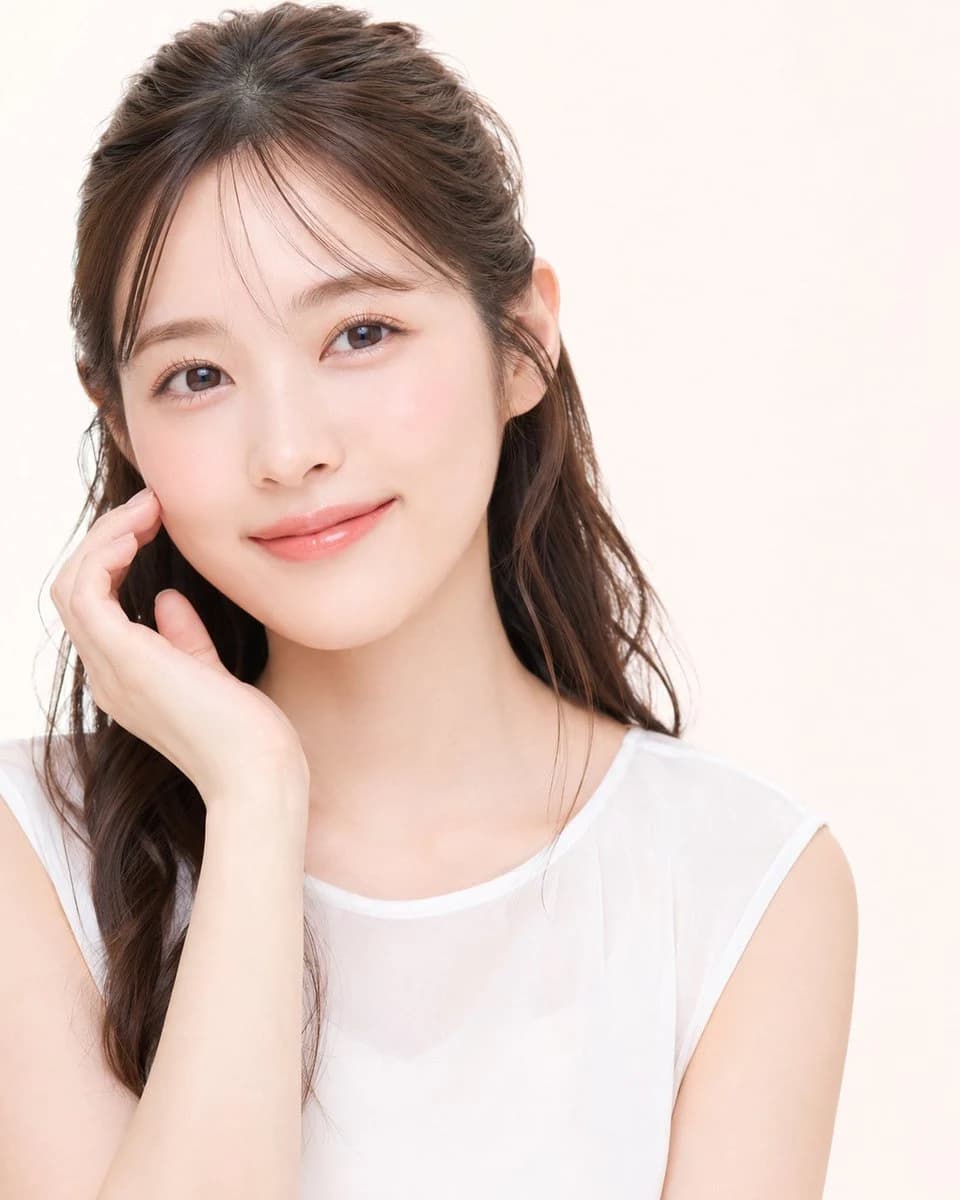
166 wordsCreate a high-key studio beauty portrait of a young East Asian woman, framed from upper torso to head, looking directly into the camera with a gentle closed-mouth smile. She has {argument name="hair color" default="dark brown"} long softly wavy hair styled half-up with airy curtain bangs and a few loose strands around the face, clear fair skin with natural rosy blush, glossy peach-pink lips, subtle eyeliner, long lashes, and warm brown eyes. Her left hand is raised gracefully to her cheek with relaxed fingers, creating a soft beauty-ad pose. She wears a simple {argument name="top color" default="white"} sleeveless sheer chiffon blouse over a camisole, minimal jewelry, no visible logos. Use a clean warm off-white studio background with abundant negative space on the right, soft diffused frontal lighting, very gentle shadows, smooth retouched skin, bright commercial Japanese cosmetics photography style, realistic proportions, shallow depth of field, crisp eyes, natural texture, polished post-processed look. Vertical square crop, face positioned slightly left of center, shoulders angled subtly, calm elegant atmosphere.About this prompt
Soft Japanese Beauty Portrait is a ready-to-use portrait prompt for GPT Image 2 on Image 2. Copy the 166 words below, paste them into the Create form, and you will get a result close to the preview above. Tweak the Product Ad, Social Media, Portrait tag if you want to push it somewhere new.
Use it as a starting point, then adjust the subject, lighting, or composition to suit your idea. The credit cost stays the same whether you use it as written or customize it.
Use case
A strong starting point for Portrait
Start here when you want a portrait image inspired by Soft Japanese Beauty Portrait. The prompt already sets the look and composition; replace the subject, product, colors, or scene details to match your project.
Easy places to tweak
- Subject Swap in your person, product, place, or object without changing the overall composition.
- Look and mood Tune the lighting, palette, camera angle, or materials so the image fits your brand.
- Final format Set the aspect ratio, background, text, or layout notes before you generate.
More prompt paths to explore
Find more GPT Image 2 prompts with a similar style, use case, or subject.
How to use it
- Step 1
Copy the prompt
Hit the Copy button above to grab the full text.
- Step 2
Open Image 2 Create
Head to the Create form and paste it in.
- Step 3
Generate
Hit Generate. Your version lands in seconds.
Make it yours
Load the prompt into the Create form with one click, then start tweaking.