Prompt
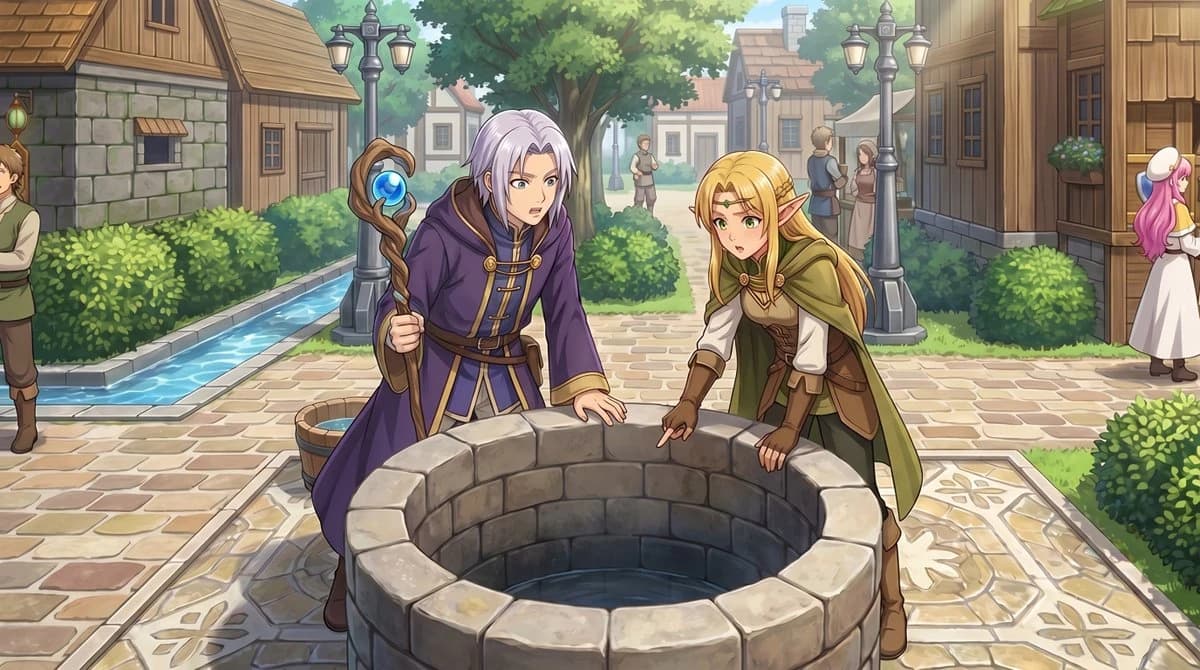
166 wordsUsing the provided reference image, transform the top-down RPG town map into a polished anime-style event illustration from a human eye-level perspective. Keep the same village location and layout cues: the central stone well, the path network, the hedges, the wooden houses, and the narrow water canal on the left. Convert the 2 small sprite characters by the well into 2 full-size fantasy characters in the foreground: a silver-haired mage in a purple robe holding a staff, and a blonde elf in green-and-brown adventurer clothing, both leaning over and looking into the well. Add a cinematic JRPG feel with soft daylight, detailed painterly rendering, clean line art, and gentle depth of field. Preserve the sense that this scene is taking place in the same town square, but enrich it with natural perspective, more environmental detail, and 5 background villagers: 1 man cropped at the far left edge, 2 small figures standing on the center path in the distance, and 2 townspeople talking near the right-side buildings.
About this prompt
RPG Map to Anime Event Scene is a ready-to-use poster prompt for GPT Image 2 on Image 2. Copy the 166 words below, paste them into the Create form, and you will get a result close to the preview above. Tweak the Poster, Fashion, Travel tag if you want to push it somewhere new.
Use it as a starting point, then adjust the subject, lighting, or composition to suit your idea. The credit cost stays the same whether you use it as written or customize it.
Use case
A strong starting point for Poster
Start here when you want a poster image inspired by RPG Map to Anime Event Scene. The prompt already sets the look and composition; replace the subject, product, colors, or scene details to match your project.
Easy places to tweak
- Subject Swap in your person, product, place, or object without changing the overall composition.
- Look and mood Tune the lighting, palette, camera angle, or materials so the image fits your brand.
- Final format Set the aspect ratio, background, text, or layout notes before you generate.
More prompt paths to explore
Find more GPT Image 2 prompts with a similar style, use case, or subject.
How to use it
- Step 1
Copy the prompt
Hit the Copy button above to grab the full text.
- Step 2
Open Image 2 Create
Head to the Create form and paste it in.
- Step 3
Generate
Hit Generate. Your version lands in seconds.
Make it yours
Load the prompt into the Create form with one click, then start tweaking.