Prompt
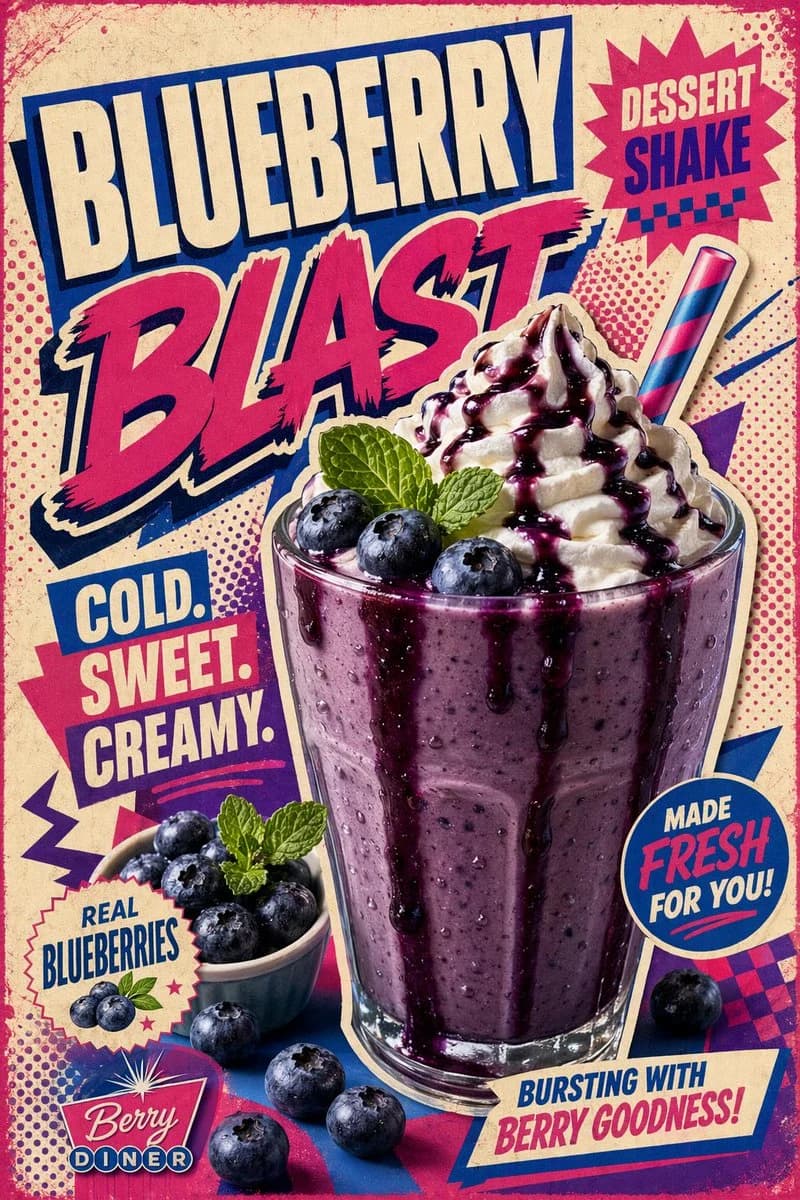
112 wordsCreate a bold retro pop-art poster for a {argument name="dessert shake" default="Blueberry Dessert Shake"}.\nUse a thick blueberry shake in a transparent glass with dripping syrup, whipped cream swirl, blueberries, mint leaf, and a colorful straw.\n\nTheme: {argument name="theme" default="90s retro diner poster"}\nColors: bright magenta, electric blue, cream, purple, hot pink\nBackground: halftone dots, vintage paper texture, bold geometric shapes, sticker-style cutout behind the glass\nTypography: huge stacked text saying "{argument name="main title" default="BLUEBERRY BLAST"}", with smaller text "COLD. SWEET. CREAMY."\nThe text should wrap around the shake with a fun diner-style design.\nMake it bold, playful, high contrast, realistic but with retro printed poster texture.\nAdd glossy syrup, realistic whipped cream, fresh berry details, and strong commercial lighting.About this prompt
Retro Pop Art Blueberry Shake Poster is a ready-to-use ad creative prompt for GPT Image 2 on Image 2. Copy the 112 words below, paste them into the Create form, and you will get a result close to the preview above. Tweak the Product Ad, Ad Creative, Food tag if you want to push it somewhere new.
Use it as a starting point, then adjust the subject, lighting, or composition to suit your idea. The credit cost stays the same whether you use it as written or customize it.
Use case
A strong starting point for Ad Creative
Start here when you want a ad creative image inspired by Retro Pop Art Blueberry Shake Poster. The prompt already sets the look and composition; replace the subject, product, colors, or scene details to match your project.
Easy places to tweak
- Subject Swap in your person, product, place, or object without changing the overall composition.
- Look and mood Tune the lighting, palette, camera angle, or materials so the image fits your brand.
- Final format Set the aspect ratio, background, text, or layout notes before you generate.
More prompt paths to explore
Find more GPT Image 2 prompts with a similar style, use case, or subject.
How to use it
- Step 1
Copy the prompt
Hit the Copy button above to grab the full text.
- Step 2
Open Image 2 Create
Head to the Create form and paste it in.
- Step 3
Generate
Hit Generate. Your version lands in seconds.
Make it yours
Load the prompt into the Create form with one click, then start tweaking.