Prompt
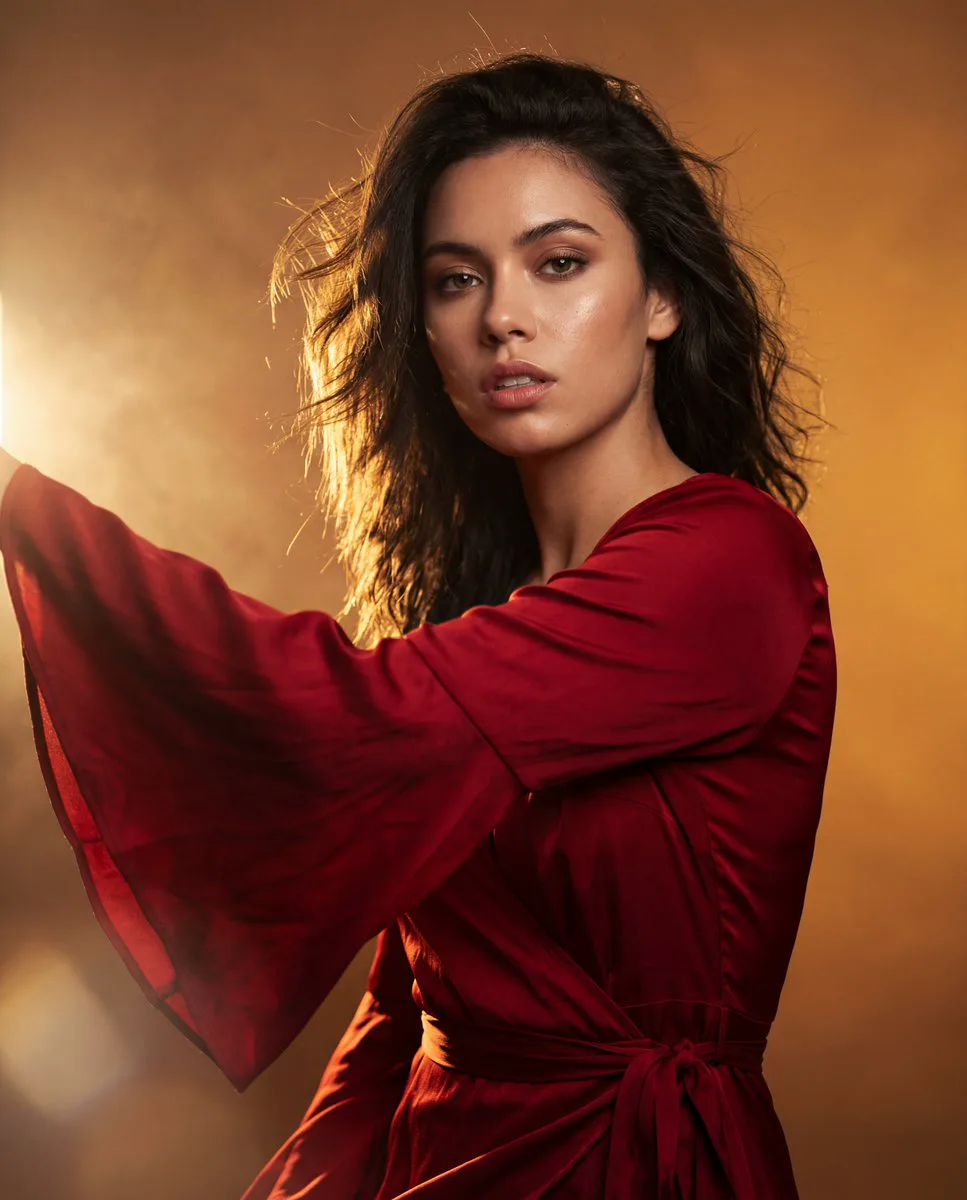
109 wordsEditorial fashion portrait, woman wearing flowing red bell-sleeve wrap dress, dramatic hard rim lighting from camera-left casting golden edge glow on fabric, direct intense eye contact with camera, parted lips, confident expression, wind-blown sleeve fabric captured mid-motion with natural fabric ripple, hair strands lifted by wind, deep saturated red shadows contrasted against warm blown-out gold highlights, asymmetric tight crop with one sleeve extending off-frame, cinematic color grading, high dynamic range, shot on Hasselblad medium format, 85mm lens, f/1.8 shallow depth of field, warm amber gradient backdrop with subtle atmospheric haze and soft lens flare bottom-left corner, skin texture realistic with subtle highlight sheen, professional studio fashion photography, ultra detailed
About this prompt
Red Dress Editorial Portrait is a ready-to-use poster prompt for GPT Image 2 on Image 2. Copy the 109 words below, paste them into the Create form, and you will get a result close to the preview above. Tweak the Poster, Portrait, Fashion tag if you want to push it somewhere new.
Use it as a starting point and keep iterating: change the subject, lighting, or composition until it looks right. The credit cost stays the same whether you run it as-is or remix it.
Use case
A strong starting point for Poster
Start here when you want a poster image in the same direction as Red Dress Editorial Portrait. The prompt already sets the look and structure; swap in your own subject, product, colors, or scene details for the brief you have in mind.
Easy places to tweak
- Subject Swap in your person, product, place, or object without changing the overall composition.
- Look and mood Tune the lighting, palette, camera angle, or materials so the image fits your brand.
- Final format Set the aspect ratio, background, text, or layout notes before you generate.
More prompt paths to explore
Find more GPT Image 2 prompts with a similar style, use case, or subject.
How to use it
- Step 1
Copy the prompt
Hit the Copy button above to grab the full text.
- Step 2
Open Image 2 Create
Head to the Create form and paste it in.
- Step 3
Generate
Hit Generate. Your version lands in seconds.
Make it yours
Load the prompt into the Create form with one click, then start tweaking.