Prompt
448 wordsSubject:
{argument name="theme" default="loosened collar"}
Main Subject:
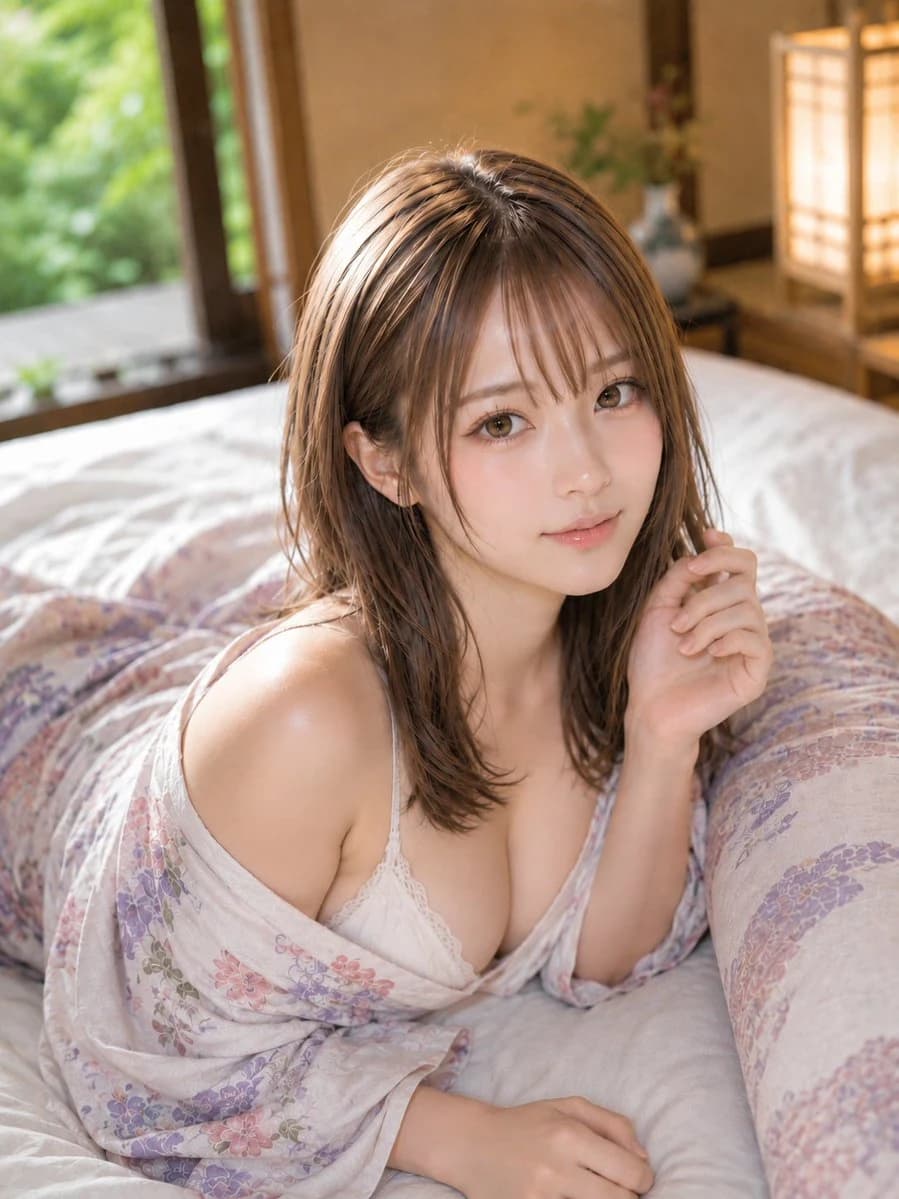
{argument name="person placement" default="A vertical 3:4 realistic portrait of a woman in her 20s lying face down on a white futon in a Japanese-style room. The subject is placed slightly to the left of the center, with the head to upper waist occupying about 75% of the screen."} She has a natural, soft feminine body line, exuding an elegant and calm sensuality.
Features & Expression:
Bright ivory-beige skin. Soft highlights on cheeks, tip of the nose, shoulders, and collarbone, preserving natural skin texture. Pale rose-pink blush, champagne beige and pink-brown eyeshadow, long thin eyelashes, natural tear troughs, soft brown eyebrows, and sheer pink-beige gloss lips. Small clear catchlights in the eyes. Head tilted slightly to the right, looking straight at the camera with a gentle smile.
Clothing & Pose:
{argument name="yukata design" default="A light-colored, thin yukata based on bright unbleached white with pale pink and wisteria flower patterns."} The collar is naturally dropped slightly below the shoulder, revealing about half of the left shoulder. A white delicate lace camisole is worn underneath. Right elbow is on the futon, with fingertips lightly touching near the cheek. Left arm extended forward, palm naturally placed on the futon. Soft wrinkles are added to the fabric following the body's weight and arm contact.
Background & Lighting:
A quiet Japanese inn room (ryokan). An open shoji window with a green garden on the far left, a warm-colored paper lantern on the far right, wooden pillars, and a low tokonoma alcove. Soft natural light enters from the top-left window, illuminating hair, cheeks, and shoulders. The lantern in the back right acts as a faint amber fill light, creating warm depth. Shadows fall softly toward the bottom right.
Composition & Camera:
Vertical 3:4, medium close-up focused on the upper body. The camera looks down diagonally from a position slightly higher than the subject's eye level, with a natural 50mm perspective. Accurate focus on the face and eyes, with the background softly blurred. A long pillow on the right and the window on the top left create diagonal depth, leaving a small amount of negative space above the head.
Texture & Style:
Realistic expression combining high-quality Japanese gravure photography and ryokan portraits. Milk tea ash brown medium-long hair, thin see-through bangs, layers around the face, and slightly curled ends. Precise depiction of individual hair strands, fine highlights, soft sheen, and natural flyaways. Avoid excessive skin smoothing, delicately expressing the textures of skin, lace, yukata, and futon.
Negative:
Underage-looking features, unnatural face, unnatural gaze, extra fingers, missing fingers, fused limbs, joint failure, unnatural gravity, poor clothing contact, shadows inconsistent with light sources, text, logos, watermarks, excessive skin smoothing, plastic-like skin.About this prompt
Realistic Yukata Portrait in Ryokan Setting is a ready-to-use social media prompt for GPT Image 2 on Image 2. Copy the 448 words below, paste them into the Create form, and you will get a result close to the preview above. Tweak the Social Media, Fashion, Architecture tag if you want to push it somewhere new.
Use it as a starting point, then adjust the subject, lighting, or composition to suit your idea. The credit cost stays the same whether you use it as written or customize it.
Use case
A strong starting point for Social Media
Start here when you want a social media image inspired by Realistic Yukata Portrait in Ryokan Setting. The prompt already sets the look and composition; replace the subject, product, colors, or scene details to match your project.
Easy places to tweak
- Subject Swap in your person, product, place, or object without changing the overall composition.
- Look and mood Tune the lighting, palette, camera angle, or materials so the image fits your brand.
- Final format Set the aspect ratio, background, text, or layout notes before you generate.
More prompt paths to explore
Find more GPT Image 2 prompts with a similar style, use case, or subject.
How to use it
- Step 1
Copy the prompt
Hit the Copy button above to grab the full text.
- Step 2
Open Image 2 Create
Head to the Create form and paste it in.
- Step 3
Generate
Hit Generate. Your version lands in seconds.
Make it yours
Load the prompt into the Create form with one click, then start tweaking.