Prompt
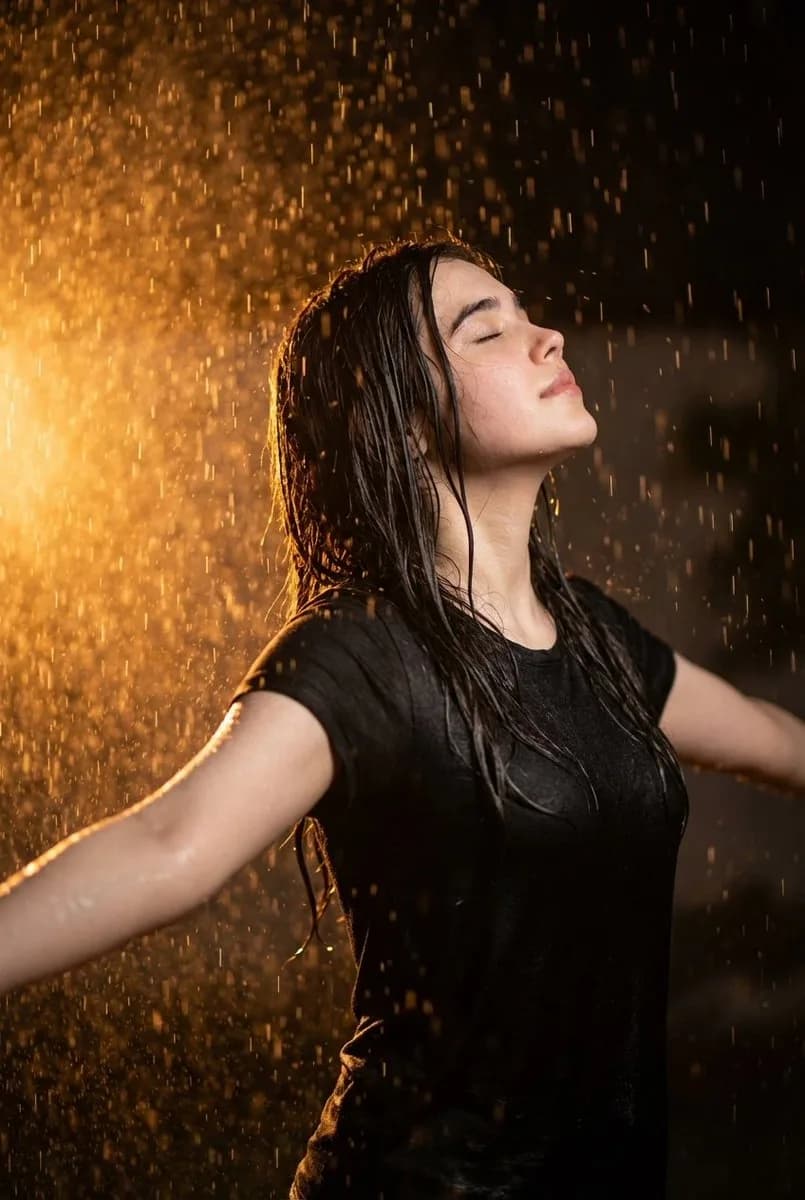
93 wordsPhotorealistic cinematic close-up of a young woman in her early 30s, standing in a downpour at night with arms stretched wide and head tilted back, eyes shut, embracing the rain. Warm golden-orange backlight from the left side catches each raindrop, turning them into glowing particles around her silhouette. Soaking wet black tee clinging to her figure, water beading on her skin. Deep contrast between the dark background and the fiery orange sidelight. Expression radiates liberation and calm. Shot on an 85mm lens, f/1.8, 8K, shallow depth of field, vertical framing, dramatic cinematic atmosphere.
About this prompt
Rainy Night Cinematic Portrait is a ready-to-use portrait prompt for GPT Image 2 on Image 2. Copy the 93 words below, paste them into the Create form, and you will get a result close to the preview above. Tweak the Portrait, 3D, Cinematic tag if you want to push it somewhere new.
Use it as a starting point, then adjust the subject, lighting, or composition to suit your idea. The credit cost stays the same whether you use it as written or customize it.
Use case
A strong starting point for Portrait
Start here when you want a portrait image inspired by Rainy Night Cinematic Portrait. The prompt already sets the look and composition; replace the subject, product, colors, or scene details to match your project.
Easy places to tweak
- Subject Swap in your person, product, place, or object without changing the overall composition.
- Look and mood Tune the lighting, palette, camera angle, or materials so the image fits your brand.
- Final format Set the aspect ratio, background, text, or layout notes before you generate.
More prompt paths to explore
Find more GPT Image 2 prompts with a similar style, use case, or subject.
How to use it
- Step 1
Copy the prompt
Hit the Copy button above to grab the full text.
- Step 2
Open Image 2 Create
Head to the Create form and paste it in.
- Step 3
Generate
Hit Generate. Your version lands in seconds.
Make it yours
Load the prompt into the Create form with one click, then start tweaking.