Prompt
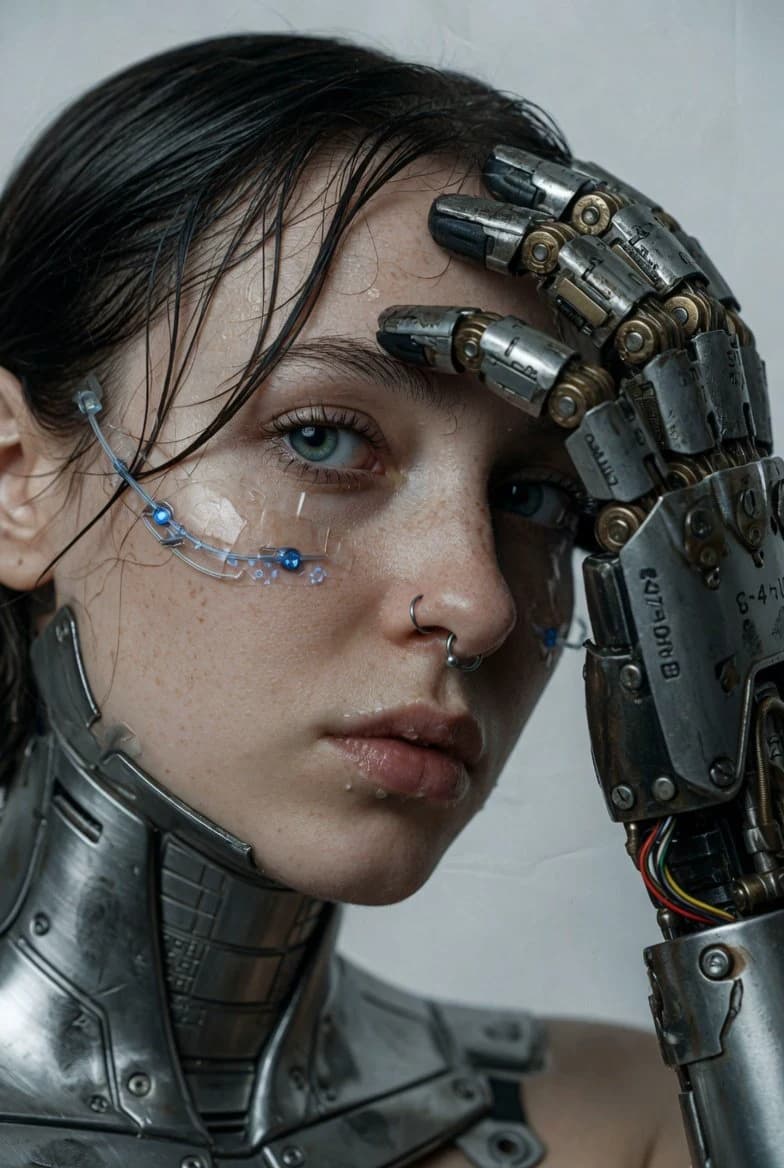
151 wordsUltra-realistic cinematic close-up of a young woman with pale, freckled skin and wet dark hair. Her eyes are vivid blue-green and she wears a silver septum ring. Cybernetics: A massive industrial robotic prosthetic arm with worn metal textures, visible wiring, and hydraulic components rests near her face, metallic fingers curved toward her temple. A thin cybernetic sensor wire traces across her cheekbone just below the eye. Her jawline and neck show embedded steel plating and brushed-metal body augmentations. Background: Clean, neutral studio setting in muted grey-white. Lighting: Soft front-left directional light casting detailed shadows across mechanical joints while catching moisture on skin and lips. Mood: Raw, futuristic, and melancholic with a high-end editorial aesthetic. Framing: Off-center composition, shallow focus on the eye and robotic hand texture detail. Surface detail: Pores clearly visible, individual wet hair strands, scratched and oil-marked metal. Color grade: Muted cool palette, high contrast. Photorealistic digital art style.
About this prompt
Cyborg Prosthetic Close-Up is a ready-to-use portrait prompt for GPT Image 2 on Image 2. Copy the 151 words below, paste them into the Create form, and you will get a result close to the preview above. Tweak the Portrait, Fashion, 3D tag if you want to push it somewhere new.
Use it as a starting point, then adjust the subject, lighting, or composition to suit your idea. The credit cost stays the same whether you use it as written or customize it.
Use case
A strong starting point for Portrait
Start here when you want a portrait image inspired by Cyborg Prosthetic Close-Up. The prompt already sets the look and composition; replace the subject, product, colors, or scene details to match your project.
Easy places to tweak
- Subject Swap in your person, product, place, or object without changing the overall composition.
- Look and mood Tune the lighting, palette, camera angle, or materials so the image fits your brand.
- Final format Set the aspect ratio, background, text, or layout notes before you generate.
More prompt paths to explore
Find more GPT Image 2 prompts with a similar style, use case, or subject.
How to use it
- Step 1
Copy the prompt
Hit the Copy button above to grab the full text.
- Step 2
Open Image 2 Create
Head to the Create form and paste it in.
- Step 3
Generate
Hit Generate. Your version lands in seconds.
Make it yours
Load the prompt into the Create form with one click, then start tweaking.