Prompt
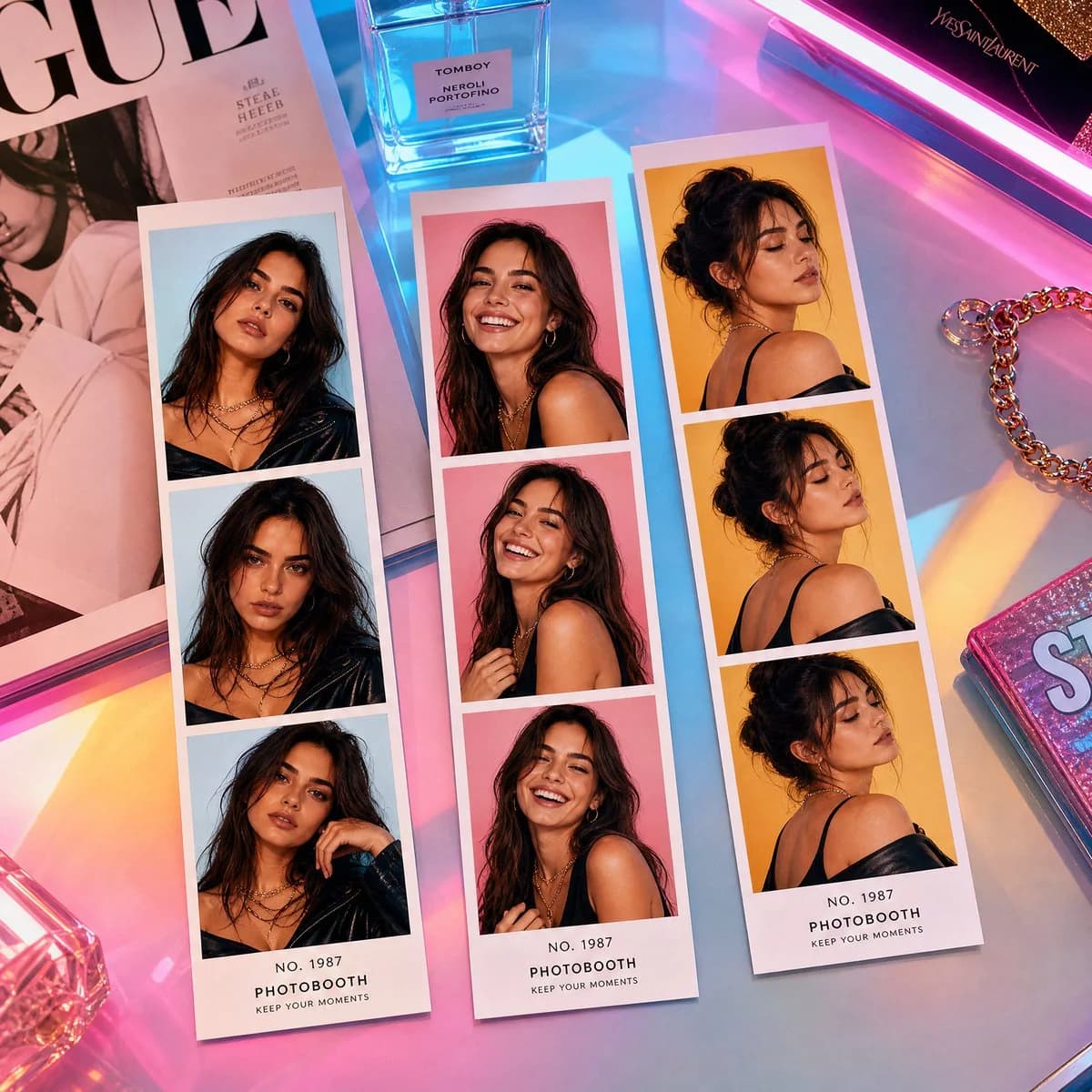
109 wordsPhotorealistic modern pop-fashion photobooth strip arrangement placed on a colorful gradient acrylic desk, top-down cinematic view. Three strips with SAME stylish young woman, consistent identity in all portraits. Left strip: powerful direct gaze, edgy fashion pose, slightly tilted head, confident attitude. Center strip: warm natural smile, candid moment, soft laughing expression, relaxed elegance. Right strip: artistic over-the-shoulder glance, calm eyes-closed pose, reflective dreamy look, gentle emotion. Vibrant contemporary aesthetic with neon pink, sky blue, and warm yellow highlights, ultra-clean studio lighting, glossy printed strips with crisp edges. Modern props like LED lights, fashion magazines, aesthetic accessories, and minimal luxury items. High-fashion digital editorial vibe, colorful, trendy, visually striking composition.
About this prompt
Pop-Fashion Photobooth Strips is a ready-to-use portrait prompt for GPT Image 2 on Image 2. Copy the 109 words below, paste them into the Create form, and you will get a result close to the preview above. Tweak the Portrait, Fashion, Minimalist tag if you want to push it somewhere new.
Use it as a starting point, then adjust the subject, lighting, or composition to suit your idea. The credit cost stays the same whether you use it as written or customize it.
Use case
A strong starting point for Portrait
Start here when you want a portrait image inspired by Pop-Fashion Photobooth Strips. The prompt already sets the look and composition; replace the subject, product, colors, or scene details to match your project.
Easy places to tweak
- Subject Swap in your person, product, place, or object without changing the overall composition.
- Look and mood Tune the lighting, palette, camera angle, or materials so the image fits your brand.
- Final format Set the aspect ratio, background, text, or layout notes before you generate.
More prompt paths to explore
Find more GPT Image 2 prompts with a similar style, use case, or subject.
How to use it
- Step 1
Copy the prompt
Hit the Copy button above to grab the full text.
- Step 2
Open Image 2 Create
Head to the Create form and paste it in.
- Step 3
Generate
Hit Generate. Your version lands in seconds.
Make it yours
Load the prompt into the Create form with one click, then start tweaking.