Prompt
178 wordsTheme: {argument name="theme" default="Oriental Zen minimalist illustration"}
Style branch: High-contrast dynamic type
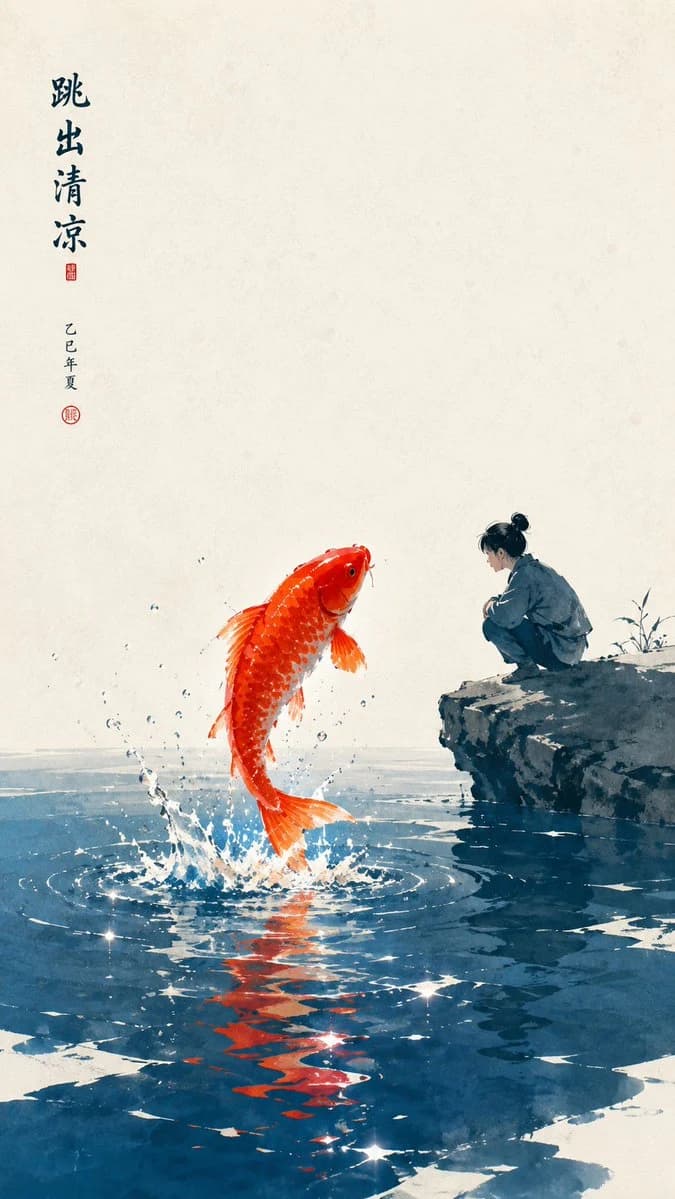
Main subject: {argument name="subject" default="A person squatting by a green stone watching a koi fish jump out of the water"}
Emotional motif: Dynamic, healing, relaxed, summer feel
Scenes and imagery: Bright vermilion koi, deep lake blue pond water, jade white negative space, green stone, a small amount of water spray
Composition and space: Composition centered slightly towards the bottom, the jumping koi as the main visual, the character located to one side, the water surface and negative space forming a bright space
Color control: {argument name="color scheme" default="Jade white as the background base, deep lake blue for the pond water layers, bright vermilion for the koi body and a few reflections, ink green for the character and stone structure"}; avoid red and blue contaminating each other across the whole image
Light and texture: Bright natural light, clear water reflections, rice paper texture, clear particles
Aspect ratio: 9:16
Additional requirements: The koi's movement should have tension, but the overall image should remain simple, light, and not crowded.About this prompt
Oriental Zen Minimalist Wallpaper is a ready-to-use social media prompt for GPT Image 2 on Image 2. Copy the 178 words below, paste them into the Create form, and you will get a result close to the preview above. Tweak the Social Media, Watercolor, Minimalist tag if you want to push it somewhere new.
Use it as a starting point, then adjust the subject, lighting, or composition to suit your idea. The credit cost stays the same whether you use it as written or customize it.
Use case
A strong starting point for Social Media
Start here when you want a social media image inspired by Oriental Zen Minimalist Wallpaper. The prompt already sets the look and composition; replace the subject, product, colors, or scene details to match your project.
Easy places to tweak
- Subject Swap in your person, product, place, or object without changing the overall composition.
- Look and mood Tune the lighting, palette, camera angle, or materials so the image fits your brand.
- Final format Set the aspect ratio, background, text, or layout notes before you generate.
More prompt paths to explore
Find more GPT Image 2 prompts with a similar style, use case, or subject.
How to use it
- Step 1
Copy the prompt
Hit the Copy button above to grab the full text.
- Step 2
Open Image 2 Create
Head to the Create form and paste it in.
- Step 3
Generate
Hit Generate. Your version lands in seconds.
Make it yours
Load the prompt into the Create form with one click, then start tweaking.