Prompt
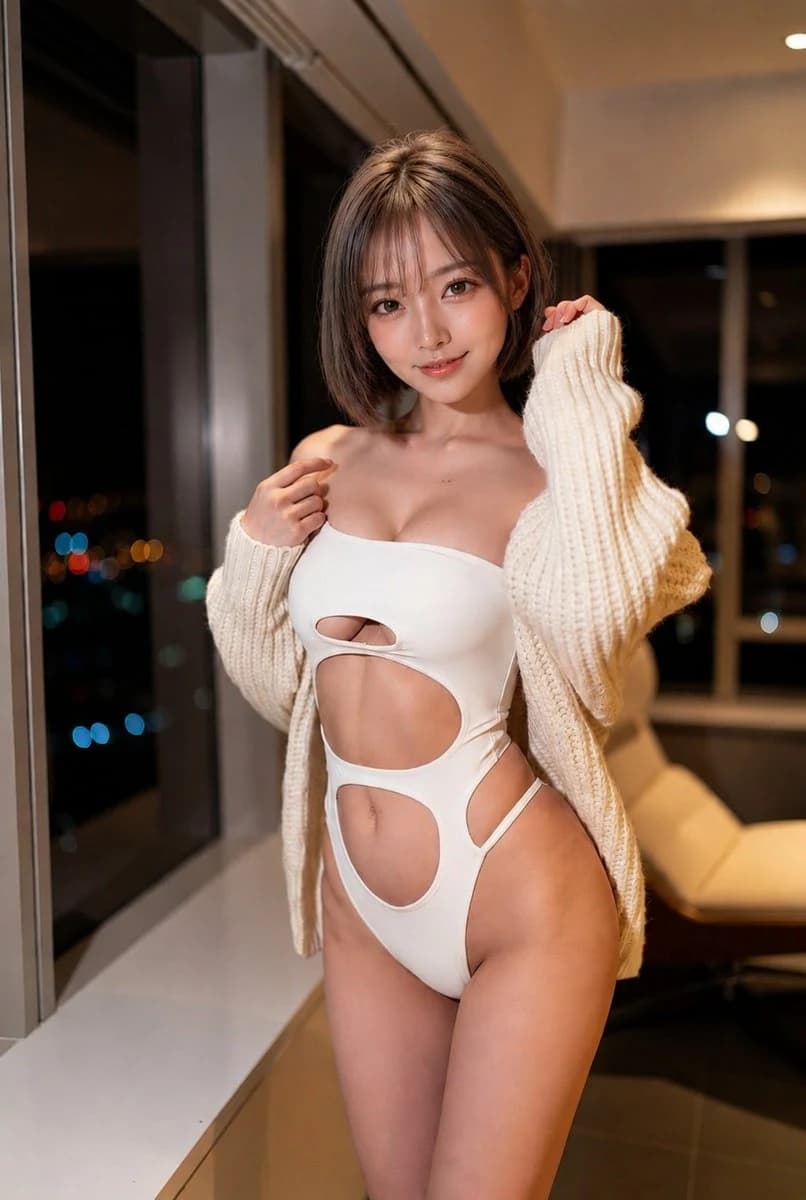
186 wordsCreate a photorealistic portrait of an adult East Asian woman with {argument name="hair style" default="short light-brown bob hair with wispy bangs"}, standing indoors at night beside large floor-to-ceiling apartment windows overlooking blurred city lights. She faces the camera with a gentle confident smile, soft eye contact, and a relaxed fashion-model pose, one hand lightly touching the shoulder strap area and the other holding the edge of an oversized chunky knit cardigan. She wears {argument name="outfit" default="a white asymmetrical one-piece cutout swimsuit with oval torso openings and high-cut sides"} layered under {argument name="cardigan" default="a loose cream cable-knit cardigan slipping off the shoulders"}. The composition is a vertical three-quarter body portrait from head to upper thighs, centered subject, natural skin texture, glossy eyes, subtle makeup, warm indoor lighting, shallow depth of field, creamy bokeh city lights outside the dark windows, modern apartment interior with a pale window ledge and a beige lounge chair in the background. Use a high-end editorial photography style, realistic anatomy, tasteful glamour, warm color grading, 50mm lens look, soft shadows, crisp focus on the face and outfit, no text, no watermark, no extra people.About this prompt
Night Apartment Glamour Portrait is a ready-to-use social media prompt for GPT Image 2 on Image 2. Copy the 186 words below, paste them into the Create form, and you will get a result close to the preview above. Tweak the Social Media, Fashion, Architecture tag if you want to push it somewhere new.
Use it as a starting point, then adjust the subject, lighting, or composition to suit your idea. The credit cost stays the same whether you use it as written or customize it.
Use case
A strong starting point for Social Media
Start here when you want a social media image inspired by Night Apartment Glamour Portrait. The prompt already sets the look and composition; replace the subject, product, colors, or scene details to match your project.
Easy places to tweak
- Subject Swap in your person, product, place, or object without changing the overall composition.
- Look and mood Tune the lighting, palette, camera angle, or materials so the image fits your brand.
- Final format Set the aspect ratio, background, text, or layout notes before you generate.
More prompt paths to explore
Find more GPT Image 2 prompts with a similar style, use case, or subject.
How to use it
- Step 1
Copy the prompt
Hit the Copy button above to grab the full text.
- Step 2
Open Image 2 Create
Head to the Create form and paste it in.
- Step 3
Generate
Hit Generate. Your version lands in seconds.
Make it yours
Load the prompt into the Create form with one click, then start tweaking.