Prompt
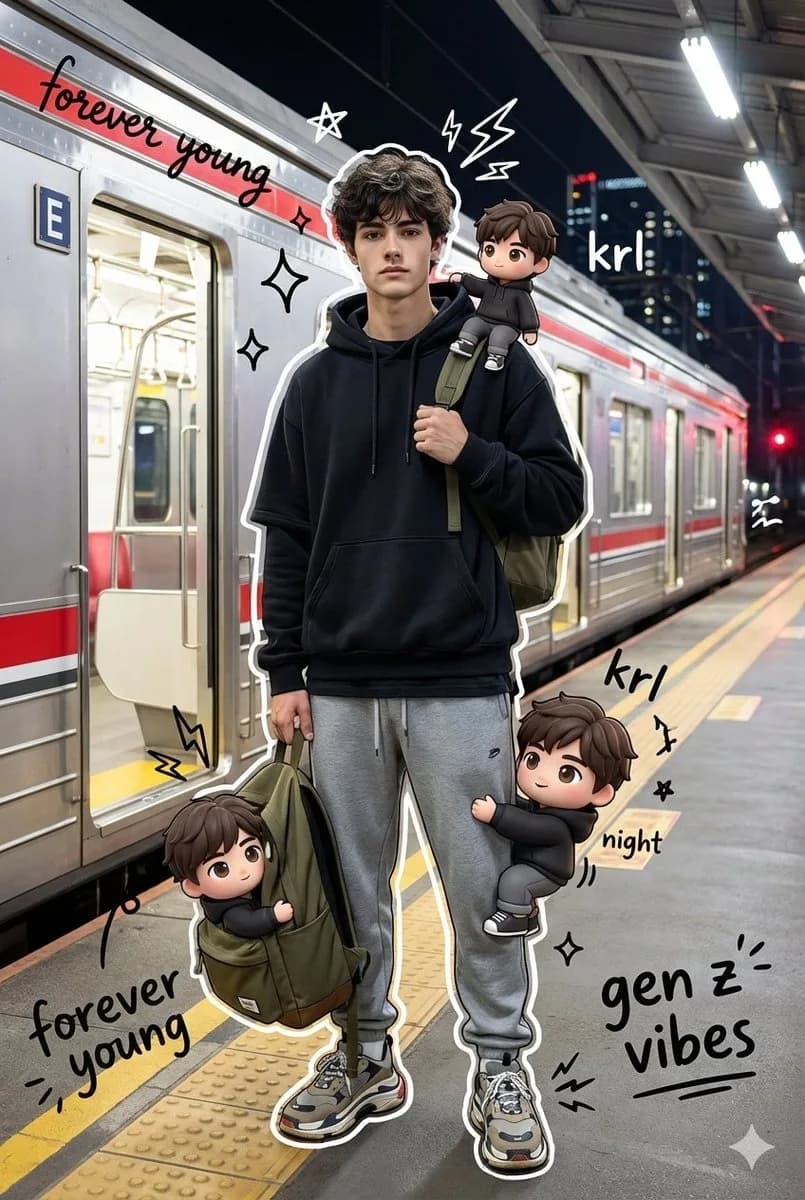
153 wordsMixed media portrait of a trendy young man standing on a KRL Jabodetabek Commuter Line platform at night. He poses confidently, one hand gripping the strap of an olive-green backpack, dressed in streetwear: oversized black layered hoodie, gray sweatpants, chunky sneakers. The background shows the train in full side view with its signature red stripe, doors wide open, lit by cinematic platform lighting against the city night sky. Surrounding the realistic subject are several cute 3D chibi versions of him, same face and outfit, each in a playful pose: one sitting on his shoulder, one climbing his leg, one peeking out of the backpack. Layered over the whole image: vivid hand-drawn doodle effects, white stroke outlines around the subject, glowing stars, sparkles, electric sparks, and floating handwritten captions reading "forever young", "krl", "night", and "gen z vibes". The final result blends hyper-realistic photography with flat cartoon illustration, keeping the face and body unchanged.
About this prompt
Mixed-Media Train Platform Portrait is a ready-to-use portrait prompt for GPT Image 2 on Image 2. Copy the 153 words below, paste them into the Create form, and you will get a result close to the preview above. Tweak the Portrait, Product, Fashion tag if you want to push it somewhere new.
Use it as a starting point, then adjust the subject, lighting, or composition to suit your idea. The credit cost stays the same whether you use it as written or customize it.
Use case
A strong starting point for Portrait
Start here when you want a portrait image inspired by Mixed-Media Train Platform Portrait. The prompt already sets the look and composition; replace the subject, product, colors, or scene details to match your project.
Easy places to tweak
- Subject Swap in your person, product, place, or object without changing the overall composition.
- Look and mood Tune the lighting, palette, camera angle, or materials so the image fits your brand.
- Final format Set the aspect ratio, background, text, or layout notes before you generate.
More prompt paths to explore
Find more GPT Image 2 prompts with a similar style, use case, or subject.
How to use it
- Step 1
Copy the prompt
Hit the Copy button above to grab the full text.
- Step 2
Open Image 2 Create
Head to the Create form and paste it in.
- Step 3
Generate
Hit Generate. Your version lands in seconds.
Make it yours
Load the prompt into the Create form with one click, then start tweaking.