Prompt
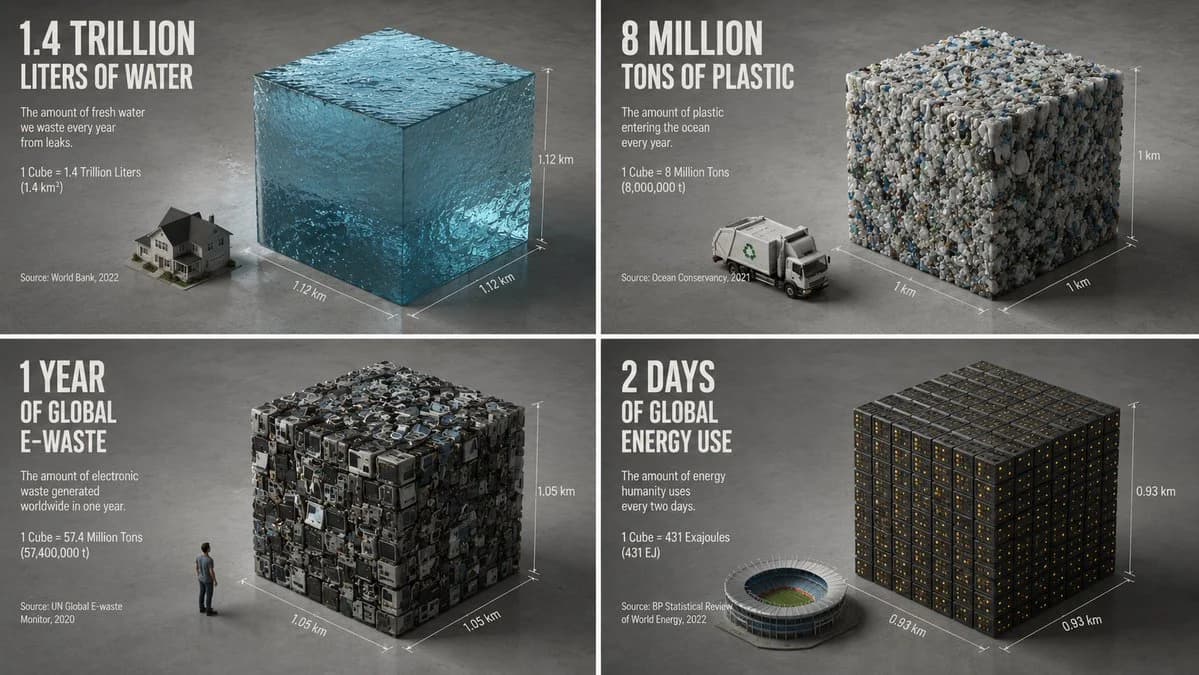
138 wordsCreate a minimalist isometric 3D render that compresses everything related to {argument name="topic" default="electricity consumption"} into one perfect cube. The AI should choose one statistic that can be represented as volume, mass, area, time, money, data, population, waste, emissions, or consumption. The cube should be made from the material implied by the statistic: {argument name="material" default="glowing data"}. It should sit beside one familiar comparison object: {argument name="comparison object" default="a person"}. Style: ultra-clean studio render, matte clay or physically accurate material, neutral concrete-grey background, soft ambient occlusion, sharp edges, generous negative space. Add subtle dimension lines showing height, width, and depth. Include one huge numeral floating above or printed on the floor. Caption should state what was compressed, the metric, timeframe, and source year. The spirit: make an impossible quantity feel measurable by turning it into one silent block.About this prompt
Minimalist Isometric Data Physics Cube is a ready-to-use infographic prompt for GPT Image 2 on Image 2. Copy the 138 words below, paste them into the Create form, and you will get a result close to the preview above. Tweak the Infographic, 3D, Minimalist tag if you want to push it somewhere new.
Use it as a starting point, then adjust the subject, lighting, or composition to suit your idea. The credit cost stays the same whether you use it as written or customize it.
Use case
A strong starting point for Infographic
Start here when you want a infographic image inspired by Minimalist Isometric Data Physics Cube. The prompt already sets the look and composition; replace the subject, product, colors, or scene details to match your project.
Easy places to tweak
- Subject Swap in your person, product, place, or object without changing the overall composition.
- Look and mood Tune the lighting, palette, camera angle, or materials so the image fits your brand.
- Final format Set the aspect ratio, background, text, or layout notes before you generate.
More prompt paths to explore
Find more GPT Image 2 prompts with a similar style, use case, or subject.
How to use it
- Step 1
Copy the prompt
Hit the Copy button above to grab the full text.
- Step 2
Open Image 2 Create
Head to the Create form and paste it in.
- Step 3
Generate
Hit Generate. Your version lands in seconds.
Make it yours
Load the prompt into the Create form with one click, then start tweaking.