Prompt
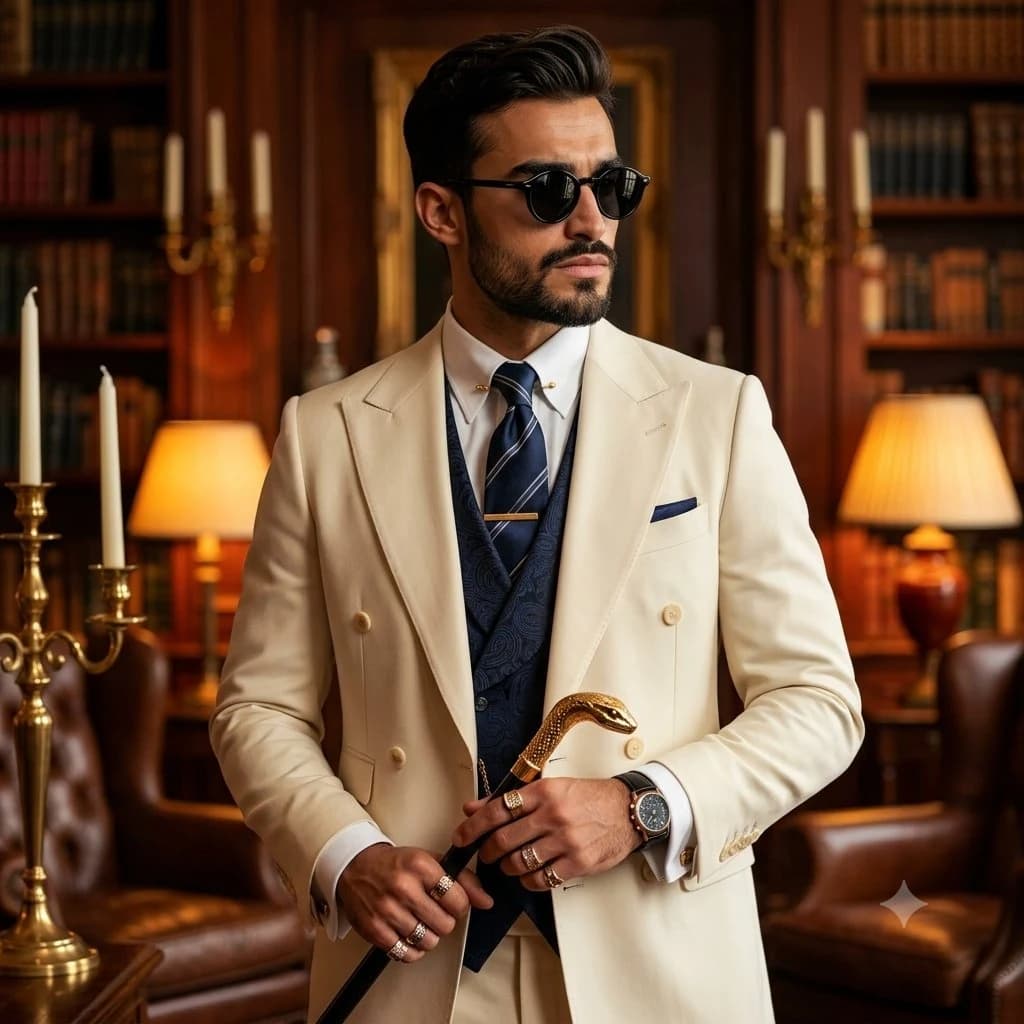
162 wordsUltra-realistic luxury fashion editorial portrait of a {argument name="subject" default="distinguished mature masculine gentleman"} with a powerful, refined presence. Sharp jawline, wearing round black sunglasses with a stoic expression while looking confidently off-camera. Dressed in an {argument name="suit style" default="impeccably tailored cream double-breasted luxury suit"} layered over a navy paisley-pattern waistcoat, crisp white dress shirt, navy striped silk tie with a gold tie bar, matching pocket square, and French cuffs. Hands adorned with multiple luxury statement rings, wearing a premium black leather-strap wristwatch. Holding an ornate gold serpent-head walking cane with intricate sculptural detailing. Standing inside an {argument name="setting" default="opulent vintage library"} filled with dark mahogany bookshelves, antique leather armchairs, brass candle holders, warm table lamps, and classic European gentleman's club. Warm amber cinematic lighting, dramatic shadows, shallow depth of field, premium editorial color grading, elegant old-money aesthetic, aristocratic luxury, timeless sophistication, hyper-detailed textures, photorealistic skin, extremely sharp focus, medium portrait, 85mm lens, f/1.8, HDR, ultra-detailed, masterpiece, Vogue, GQ, Hasselblad medium-format photography, 8K.About this prompt
Mature Gentleman Luxury Suit Portrait is a ready-to-use ad creative prompt for GPT Image 2 on Image 2. Copy the 162 words below, paste them into the Create form, and you will get a result close to the preview above. Tweak the Product Ad, Ad Creative, Fashion tag if you want to push it somewhere new.
Use it as a starting point, then adjust the subject, lighting, or composition to suit your idea. The credit cost stays the same whether you use it as written or customize it.
Use case
A strong starting point for Ad Creative
Start here when you want a ad creative image inspired by Mature Gentleman Luxury Suit Portrait. The prompt already sets the look and composition; replace the subject, product, colors, or scene details to match your project.
Easy places to tweak
- Subject Swap in your person, product, place, or object without changing the overall composition.
- Look and mood Tune the lighting, palette, camera angle, or materials so the image fits your brand.
- Final format Set the aspect ratio, background, text, or layout notes before you generate.
More prompt paths to explore
Find more GPT Image 2 prompts with a similar style, use case, or subject.
How to use it
- Step 1
Copy the prompt
Hit the Copy button above to grab the full text.
- Step 2
Open Image 2 Create
Head to the Create form and paste it in.
- Step 3
Generate
Hit Generate. Your version lands in seconds.
Make it yours
Load the prompt into the Create form with one click, then start tweaking.