Prompt
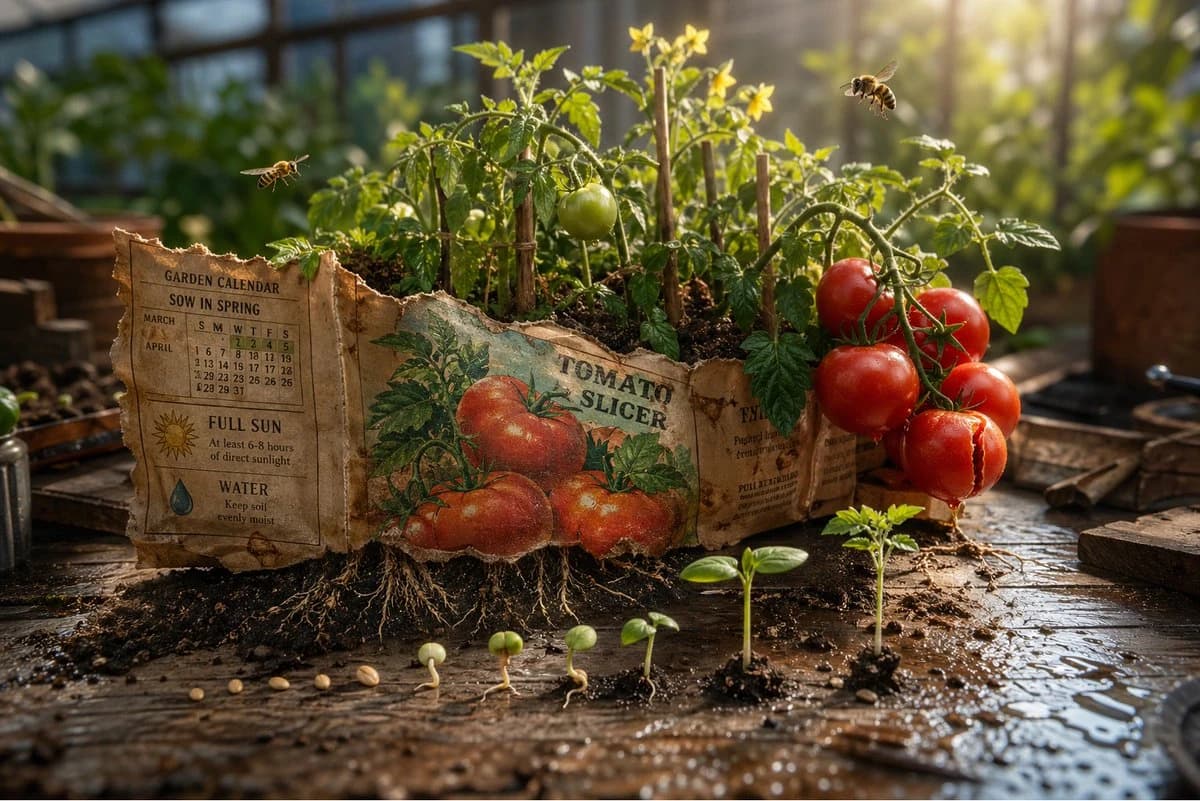
178 wordsEpic 3D scene: a weathered seed packet lying open on a potting bench, its promise erupting into the garden it describes. The illustration on the front becomes real. {argument name="plant type" default="[PLANT / FLOWER]"} growing at full scale from the paper, roots visible through the packet's base pushing into soil below.
{argument name="detail left" default="[DETAIL 1]"} in full bloom at one corner. {argument name="detail right" default="[DETAIL 2]"} mid-growth at the other, not yet what it will be.
Tiny insects that belong to this plant, {argument name="insect type" default="[BEE / BUTTERFLY / BEETLE]"}, hovering at correct scale.
The written instructions on the back become garden calendar, "sow in spring" manifests as actual spring light. "full sun" manifests as a single shaft of it, hitting the tallest bloom perfectly.
Scattered seeds between packet and soil each showing their germination stage, split coat, first root, first shoot, first leaf.
The packet's torn top edge becomes a treeline.
Potting bench surface with soil scatter and water droplets.
Tilt-shift depth of field, greenhouse morning light, the packet as the garden it always intended.About this prompt
Magical Seed Packet Diorama is a ready-to-use ad creative prompt for GPT Image 2 on Image 2. Copy the 178 words below, paste them into the Create form, and you will get a result close to the preview above. Tweak the Product Ad, Ad Creative, 3D tag if you want to push it somewhere new.
Use it as a starting point, then adjust the subject, lighting, or composition to suit your idea. The credit cost stays the same whether you use it as written or customize it.
Use case
A strong starting point for Ad Creative
Start here when you want a ad creative image inspired by Magical Seed Packet Diorama. The prompt already sets the look and composition; replace the subject, product, colors, or scene details to match your project.
Easy places to tweak
- Subject Swap in your person, product, place, or object without changing the overall composition.
- Look and mood Tune the lighting, palette, camera angle, or materials so the image fits your brand.
- Final format Set the aspect ratio, background, text, or layout notes before you generate.
More prompt paths to explore
Find more GPT Image 2 prompts with a similar style, use case, or subject.
How to use it
- Step 1
Copy the prompt
Hit the Copy button above to grab the full text.
- Step 2
Open Image 2 Create
Head to the Create form and paste it in.
- Step 3
Generate
Hit Generate. Your version lands in seconds.
Make it yours
Load the prompt into the Create form with one click, then start tweaking.