Prompt
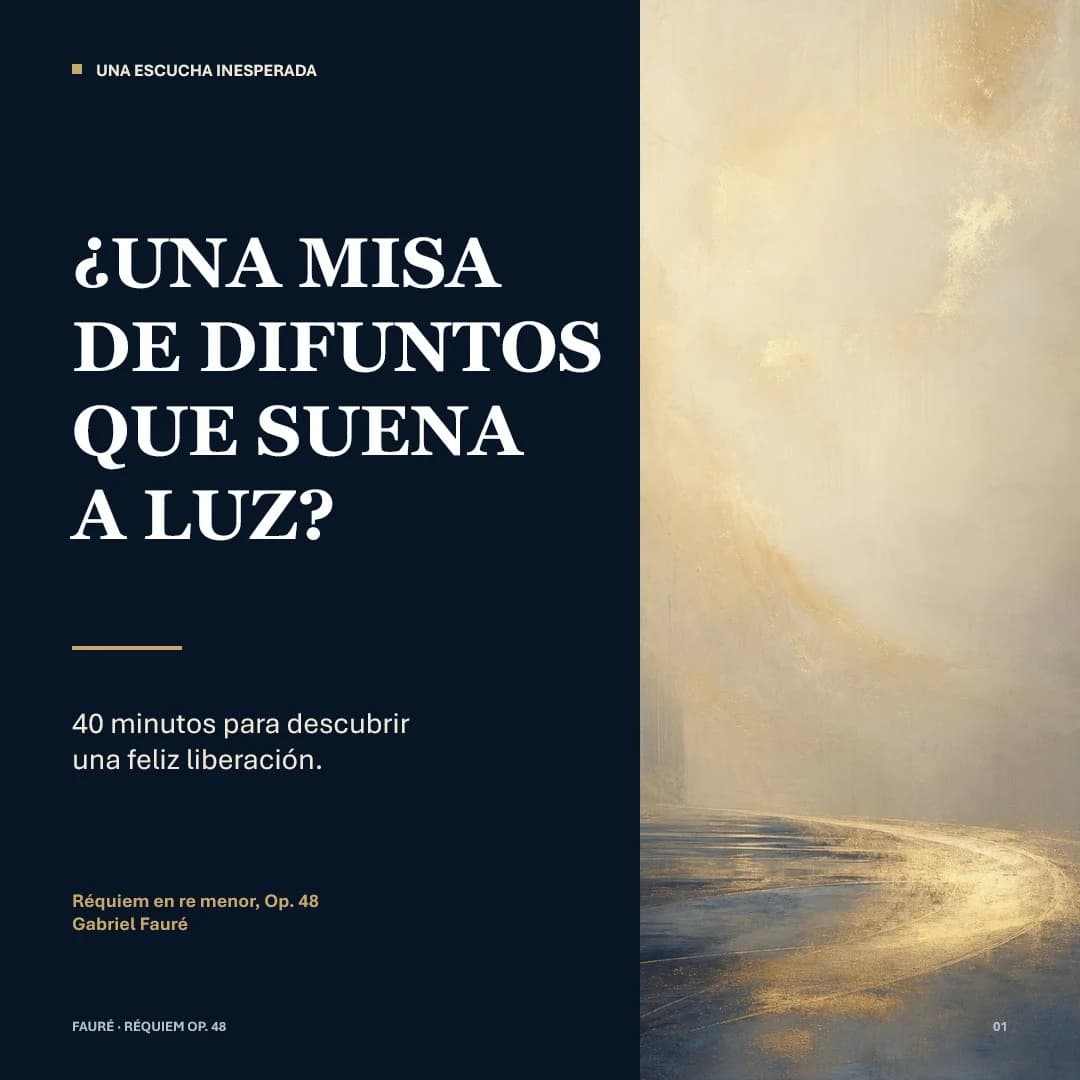
420 wordsGoal: Create a refined square social-media editorial poster about {argument name="musical work" default="Requiem in D minor, Op. 48"} by {argument name="composer" default="Gabriel Fauré"}, presenting a calm, luminous interpretation of a requiem rather than a dark one.
Canvas: 1:1 square format, 768 x 768 px. Divide the composition vertically into 2 panels: a dark navy text panel on the left occupying about 59% of the width, and an atmospheric abstract painting panel on the right occupying about 41%.
Layout: Left panel uses generous margins and elegant editorial spacing. Top-left has 1 small gold square bullet followed by a small uppercase section label. The main headline sits in the upper-middle, large and dominant, broken into 4 stacked lines. Below it is 1 short horizontal gold divider line. Under the divider is a 2-line subtitle. Near the lower-left is a small gold work/composer credit in 2 lines. At the very bottom-left is a tiny footer label. Bottom-right of the whole poster has a tiny page number.
Text content: Include exactly 7 text elements: 1) top label: “UNA ESCUCHA INESPERADA”; 2) main headline in Spanish, all caps with inverted question mark: “¿UNA MISA / DE DIFUNTOS / QUE SUENA / A LUZ?”; 3) subtitle: “40 minutos para descubrir / una feliz liberación.”; 4) credit line: “Réquiem en re menor, Op. 48”; 5) composer line: “Gabriel Fauré”; 6) footer: “FAURÉ · RÉQUIEM OP. 48”; 7) page number: “01”. Allow the headline to be customized as {argument name="headline text" default="¿UNA MISA DE DIFUNTOS QUE SUENA A LUZ?"} and the subtitle as {argument name="subtitle text" default="40 minutos para descubrir una feliz liberación."} while preserving the same line-break rhythm.
Typography: Main headline in a bold high-contrast classical serif, white, all caps, with dramatic thick-thin strokes. Supporting text in a clean modern sans serif, mostly white; the work/composer credit is muted gold. Use strong typographic hierarchy and precise alignment.
Visual style: Minimal, museum-quality, literary and sacred-music themed. Left background is deep midnight navy, almost black. Accent color is warm antique gold. Right panel is a soft abstract luminous landscape or chapel-like passage: creamy beige, pale gold, mist, subtle brush texture, a glowing curved path of light near the bottom leading into a bright hazy vertical space. No figures, no instruments, no literal church interior; keep it ethereal and serene.
Constraints: Keep exactly the 2-panel composition and exactly the 7 text elements listed. No extra logos, watermarks, icons, or decorative ornaments beyond the single gold square bullet and one gold divider line. Ensure the Spanish headline is crisp and legible.About this prompt
Luminous Fauré Requiem Poster is a ready-to-use social media prompt for GPT Image 2 on Image 2. Copy the 420 words below, paste them into the Create form, and you will get a result close to the preview above. Tweak the Social Media, Storyboard, Product tag if you want to push it somewhere new.
Use it as a starting point, then adjust the subject, lighting, or composition to suit your idea. The credit cost stays the same whether you use it as written or customize it.
Use case
A strong starting point for Social Media
Start here when you want a social media image inspired by Luminous Fauré Requiem Poster. The prompt already sets the look and composition; replace the subject, product, colors, or scene details to match your project.
Easy places to tweak
- Subject Swap in your person, product, place, or object without changing the overall composition.
- Look and mood Tune the lighting, palette, camera angle, or materials so the image fits your brand.
- Final format Set the aspect ratio, background, text, or layout notes before you generate.
More prompt paths to explore
Find more GPT Image 2 prompts with a similar style, use case, or subject.
How to use it
- Step 1
Copy the prompt
Hit the Copy button above to grab the full text.
- Step 2
Open Image 2 Create
Head to the Create form and paste it in.
- Step 3
Generate
Hit Generate. Your version lands in seconds.
Make it yours
Load the prompt into the Create form with one click, then start tweaking.