Prompt
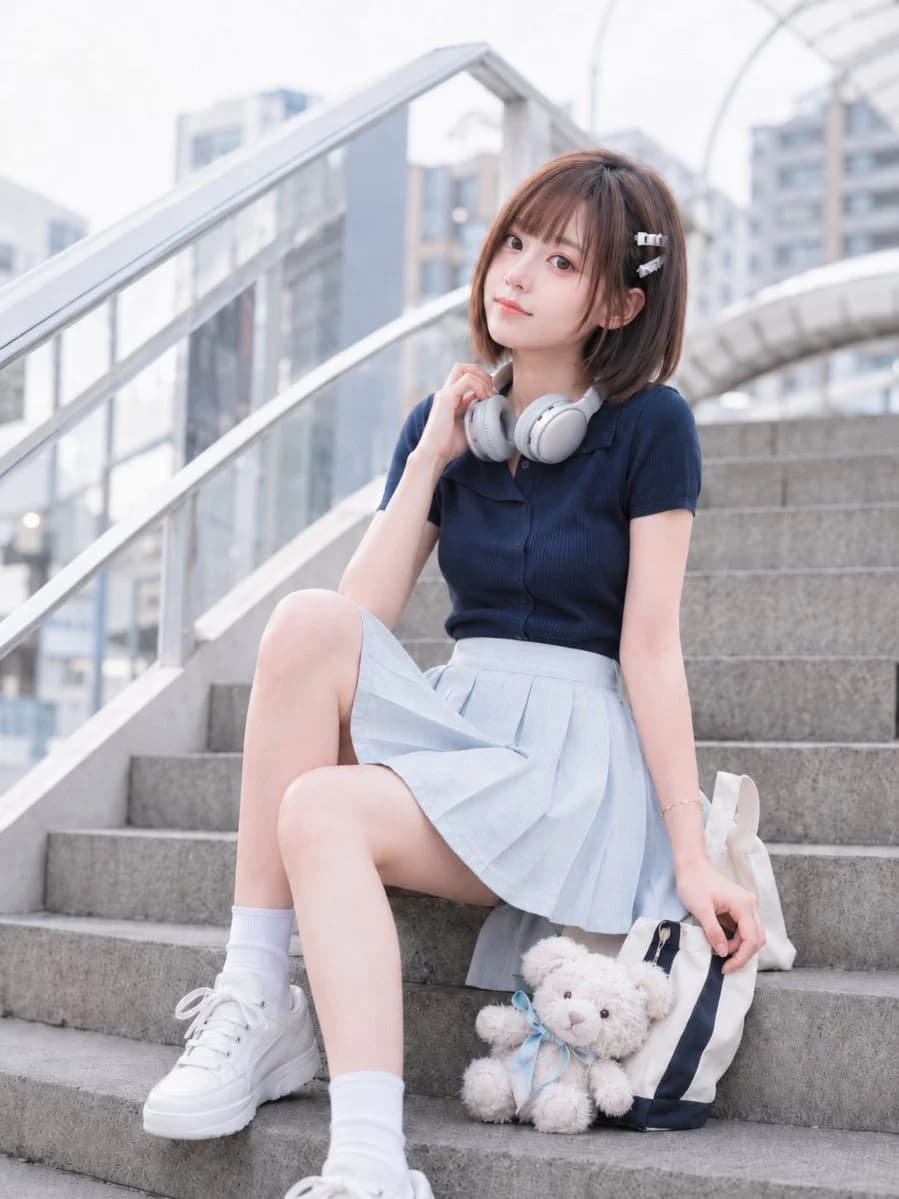
168 wordsSubject: {argument name="subject" default="Afternoon on the Stairs"} Main Subject: A vertical 2:3 photo-style portrait of a natural, realistic woman in her {argument name="age" default="early 20s"} sitting relaxed on concrete stairs leading to an urban pedestrian bridge. Character/Expression: Bright brown rounded bob hair with light see-through bangs, secured with two small silver hair clips. Skin is bright and natural without over-processing. Elegant Japanese-style eye makeup with small catchlights. A slight smile at the corners of the mouth creates a quiet, spacious expression. Clothing/Pose: {argument name="outfit" default="Navy fine-ribbed short-sleeved polo knit"}. Light ice-blue pleated mini skirt, white crew socks, and white platform sneakers. Minimalist, rounded silver-gray wireless headphones around the neck. Background/Lighting: Clean urban pedestrian bridge stairs with glass railings and soft natural early afternoon sunlight from the top left. Texture/Style: Realistic Japanese snap photo as if taken with a professional camera. Detailed depiction of knit ribs, fabric texture, and matte metal of headphones. Negatives: Unnatural anatomy, extra limbs, broken joints, poor contact with props, incorrect perspective, and plastic-like skin.About this prompt
Japanese Urban Snap Portrait is a ready-to-use portrait prompt for GPT Image 2 on Image 2. Copy the 168 words below, paste them into the Create form, and you will get a result close to the preview above. Tweak the Portrait, Product, Fashion tag if you want to push it somewhere new.
Use it as a starting point, then adjust the subject, lighting, or composition to suit your idea. The credit cost stays the same whether you use it as written or customize it.
Use case
A strong starting point for Portrait
Start here when you want a portrait image inspired by Japanese Urban Snap Portrait. The prompt already sets the look and composition; replace the subject, product, colors, or scene details to match your project.
Easy places to tweak
- Subject Swap in your person, product, place, or object without changing the overall composition.
- Look and mood Tune the lighting, palette, camera angle, or materials so the image fits your brand.
- Final format Set the aspect ratio, background, text, or layout notes before you generate.
More prompt paths to explore
Find more GPT Image 2 prompts with a similar style, use case, or subject.
How to use it
- Step 1
Copy the prompt
Hit the Copy button above to grab the full text.
- Step 2
Open Image 2 Create
Head to the Create form and paste it in.
- Step 3
Generate
Hit Generate. Your version lands in seconds.
Make it yours
Load the prompt into the Create form with one click, then start tweaking.