Prompt
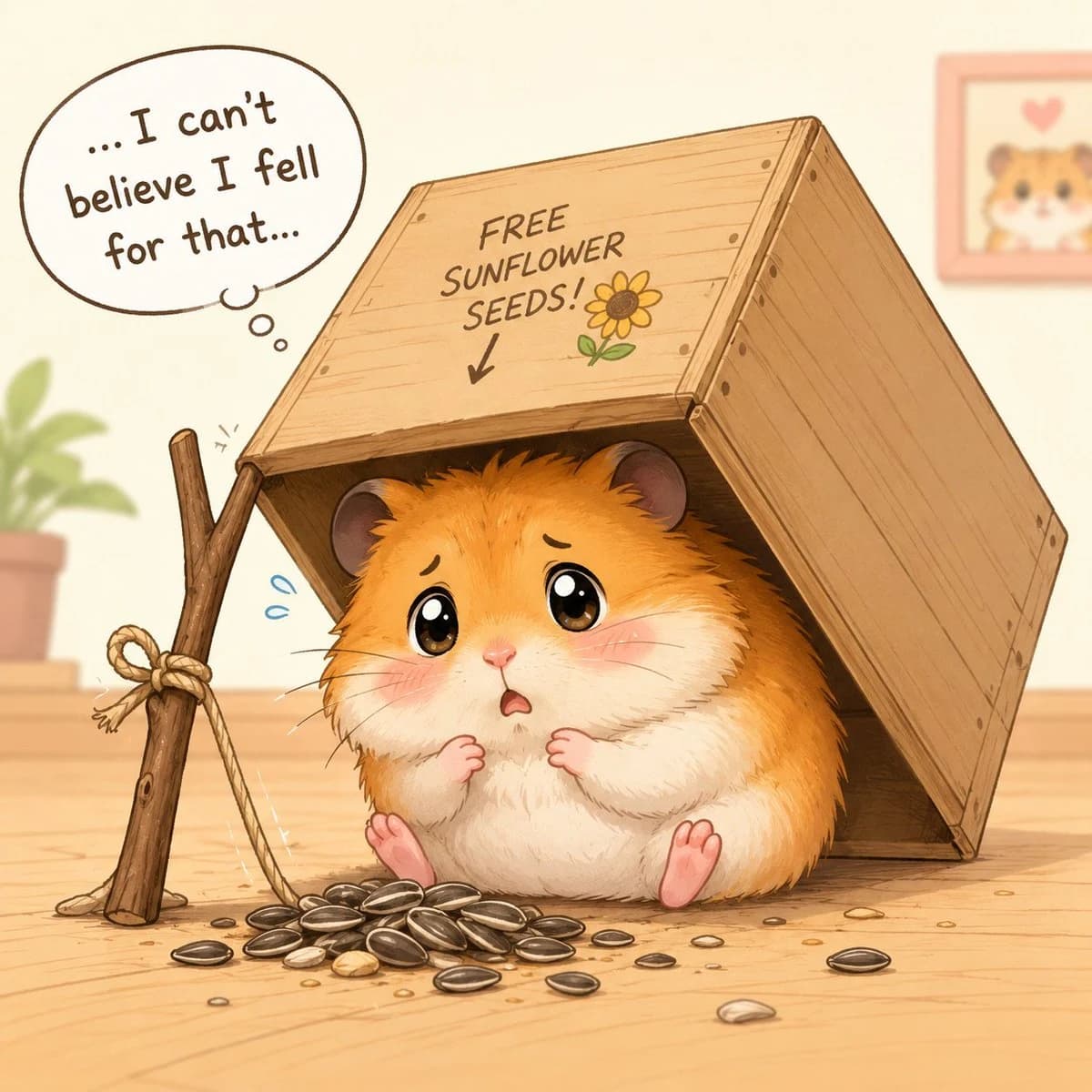
226 wordsCreate a cute pastel storybook illustration of a chubby golden-brown hamster sitting under a tipped-over wooden crate like a tiny trap on a light wooden floor. The hamster should have fluffy orange and cream fur, oversized glossy teary brown eyes, pink cheeks, tiny paws held nervously to its chest, little pink feet, a small open worried mouth, and an embarrassed expression. The wooden crate is propped up on the left by one rough stick tied with one rope knot and a cord leading down to a bait pile; the crate roof has hand-drawn writing that says {argument name="crate sign text" default="FREE SUNFLOWER SEEDS!"}, a downward arrow, and a small sunflower doodle. In front of the hamster place exactly 34 visible sunflower seeds: 26 clustered in the main bait pile and 8 scattered around the floor, with a few tiny crumbs. Add exactly 2 blue sweat drops near the hamster and one thought bubble in the upper left containing {argument name="thought bubble text" default="... I can't believe I fell for that..."}. Background: warm cream wall, soft depth of field, one blurred potted plant on the left, and one small framed hamster picture with a heart on the right. Visual style: adorable Japanese kawaii children’s-book watercolor mixed with clean digital line art, warm beige and honey tones, soft shading, rounded forms, gentle humor, no harsh outlines, square composition.About this prompt
Hamster Caught by Sunflower Seed Trap is a ready-to-use storyboard prompt for GPT Image 2 on Image 2. Copy the 226 words below, paste them into the Create form, and you will get a result close to the preview above. Tweak the Comic, Storyboard, Anime tag if you want to push it somewhere new.
Use it as a starting point, then adjust the subject, lighting, or composition to suit your idea. The credit cost stays the same whether you use it as written or customize it.
Use case
A strong starting point for Storyboard
Start here when you want a storyboard image inspired by Hamster Caught by Sunflower Seed Trap. The prompt already sets the look and composition; replace the subject, product, colors, or scene details to match your project.
Easy places to tweak
- Subject Swap in your person, product, place, or object without changing the overall composition.
- Look and mood Tune the lighting, palette, camera angle, or materials so the image fits your brand.
- Final format Set the aspect ratio, background, text, or layout notes before you generate.
More prompt paths to explore
Find more GPT Image 2 prompts with a similar style, use case, or subject.
How to use it
- Step 1
Copy the prompt
Hit the Copy button above to grab the full text.
- Step 2
Open Image 2 Create
Head to the Create form and paste it in.
- Step 3
Generate
Hit Generate. Your version lands in seconds.
Make it yours
Load the prompt into the Create form with one click, then start tweaking.